No products in the cart.

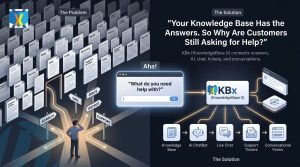
Your Business Doesn’t Have a Knowledge Problem—It Has an Answer Problem: How KBx Turns Scattered Information Into Smarter Customer Support

Every growing business has information. Product details, service descriptions, pricing policies, troubleshooting instructions, onboarding guides, frequently asked questions, and internal procedures are created every day.
But having information doesn’t mean customers can find the answers they need.
A customer visits your website and cannot find a clear explanation of your service. Another customer sends an email asking about a feature already documented in your help center. A potential buyer leaves because nobody answers a simple question about pricing. Meanwhile, your support team spends valuable hours responding to questions that have already been answered dozens of times.
The problem isn’t always a lack of knowledge. The problem is how businesses organize, manage, deliver, and improve that knowledge.

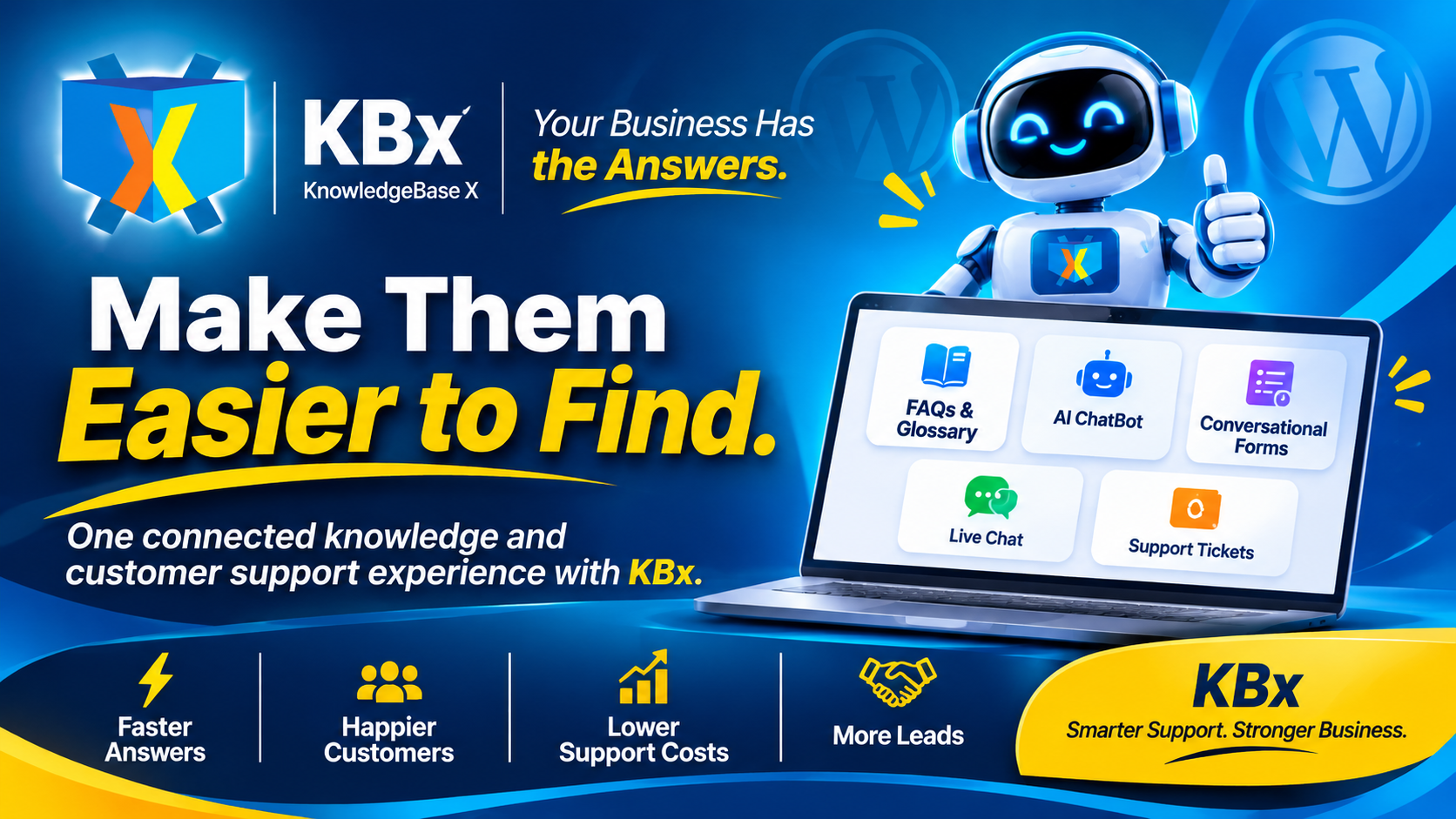
KBx (KnowledgeBase X) helps businesses turn scattered information into accessible, organized, and actionable customer support through FAQs and Glossary, AI ChatBot, Conversational Forms, Live Chat, and Support Tickets.
Instead of treating customer support as a collection of disconnected activities, KBx brings essential knowledge and communication tools together in one WordPress-based solution.
The result is a more organized support experience, faster access to information, better customer communication, and fewer opportunities for potential customers to leave without finding an answer.
Why Do Customers Keep Asking Questions Your Business Has Already Answered?
Customers repeatedly ask the same questions because business information is often difficult to locate, understand, or access at the right moment.
A company might publish detailed documentation, but customers may not know where to look. A website might contain an FAQ page, but the FAQ page may not cover a specific product configuration. A support team might have years of experience, but much of that knowledge remains inside individual employees’ conversations and inboxes.
These situations create a frustrating gap between the knowledge a business possesses and the answers customers actually receive.
Consider a typical online business:
- A visitor wants to know whether a service supports a particular requirement.
- A potential customer needs clarification about pricing or available features.
- An existing customer cannot find instructions for resolving a technical issue.
- A customer wants to report a problem but doesn’t know which department to contact.
- A support employee repeatedly explains the same process to different customers.
Each question creates another support interaction.
The business loses time when employees repeatedly search for information, customers lose patience when answers are difficult to find, and potential buyers may abandon the purchasing process when uncertainty remains unresolved.
KBx addresses this challenge by helping businesses make important information easier to access and customer communication easier to manage.
How Does Scattered Business Knowledge Increase Customer Support Costs?
Scattered business knowledge creates operational problems that become more expensive as a company grows.
When information exists across separate documents, emails, spreadsheets, chat conversations, and individual employees’ memories, support teams struggle to maintain consistency.
Repetitive Questions Consume Valuable Employee Time
Customer support employees frequently answer questions about account access, product features, pricing, delivery policies, installation, and troubleshooting.
Many questions have predictable answers.
Without an organized knowledge management system, employees must repeatedly locate information and explain the same procedures.
KBx FAQs and Glossary help businesses organize commonly requested information so customers can access essential explanations without depending entirely on direct employee assistance.
Inconsistent Answers Damage Customer Confidence
Different employees may explain the same company policy in different ways.
One employee might share an outdated procedure, while another provides updated instructions. Such inconsistencies create confusion and reduce confidence in the company’s support process.
KBx helps businesses establish an organized information resource that makes approved answers easier to publish, maintain, and share.
Delayed Responses Create Lost Sales Opportunities
Potential customers often need only one additional piece of information before making a purchasing decision.
A visitor might want to confirm compatibility, understand a service package, or learn whether a product supports a particular feature.
When answers are unavailable, the visitor may leave and explore competing solutions.
KBx AI ChatBot and Live Chat help businesses respond to customer questions through automated assistance and direct human communication.
Missing Documentation Makes Business Growth More Difficult
Growing businesses introduce new products, services, employees, policies, and support procedures.
Without structured documentation, new employees take longer to understand company processes, and existing employees become dependent on a small number of experienced team members.
KBx provides a structured knowledge and support environment that helps businesses make important information more accessible.
Why Is a Traditional FAQ Page No Longer Enough?
A traditional FAQ page is useful, but a static list of questions and answers cannot address every customer support requirement.
Customers have different questions, different levels of technical knowledge, and different reasons for visiting a website.
Some visitors want a quick definition. Others need product recommendations. Some want to submit a detailed inquiry, while others need immediate assistance from a human representative.
A static FAQ page cannot independently manage all these interactions.
Modern customer support requires multiple communication methods working together.
KBx extends traditional knowledge management by combining five important support capabilities.
- FAQs and Glossary make organized information accessible.
- AI ChatBot helps visitors find answers through conversational interactions.
- Conversational Forms collect structured customer information and inquiries.
- Live Chat connects visitors with human support.
- Support Tickets help businesses organize and track customer issues.
This combination makes KBx useful for businesses that want to move beyond publishing information and build a more complete customer support experience.
How Can FAQs and Glossary Help Customers Find Answers Faster?
KBx FAQs and Glossary help businesses organize frequently requested information into an accessible knowledge resource.
A well-structured FAQ section reduces the effort customers need to spend searching for basic information.
For example, an online software company can organize FAQs around:
- Account registration and login.
- Subscription plans and pricing.
- Product features and integrations.
- Installation and configuration.
- Payment and billing.
- Technical troubleshooting.
- Refund and cancellation policies.
A glossary can explain technical terms, product terminology, industry expressions, and unfamiliar concepts.
This is particularly useful for businesses offering technical products or services.
Why Does a Glossary Matter for Customer Experience?
Customers cannot always understand specialized terminology.
A visitor researching business software might encounter terms such as API integration, automation workflow, webhook, knowledge management, or data synchronization.
Without clear explanations, unfamiliar terminology can create unnecessary confusion.
KBx Glossary helps businesses explain important concepts in straightforward language, making technical information easier to understand.
How Can Businesses Build Better FAQs With KBx?
Businesses should organize FAQ content around actual customer questions rather than internal departmental structures.
For example:
Question: Does the software support multiple users?
Answer: Explain the available user-management options and any relevant plan limitations.
Question: How can customers contact support?
Answer: Explain the available support channels and how customers can request assistance.
Question: Where can customers find installation instructions?
Answer: Provide clear guidance and links to relevant documentation.
KBx FAQs and Glossary help businesses transform frequently requested information into a reusable knowledge resource.
How Can an AI ChatBot Help Customers Find Answers Faster?
Customers increasingly expect convenient access to information without navigating multiple website pages or waiting for email responses.
An AI ChatBot creates a conversational way to interact with business information.
Instead of searching through several documentation pages, a visitor can ask a question directly and receive assistance through a chat interface.
KBx AI ChatBot helps businesses introduce conversational support into their WordPress websites.
1. AI ChatBot Makes Information Easier to Access
Customers can ask questions using natural language instead of searching through long lists of documentation.
For example:
- What services does your company offer?
- How does your product work?
- Where can I find the installation guide?
- What are the available pricing options?
- How can I resolve this issue?
A conversational interface can make accessing business knowledge feel more straightforward.
2. AI ChatBot Helps Reduce Repetitive Support Interactions
Businesses receive many questions that have already been addressed in their documentation.
An AI ChatBot can help handle suitable routine inquiries, allowing human support employees to focus on complex customer problems.
3. AI ChatBot Creates More Convenient Website Experiences
Customers do not always want to leave a website, open another support page, and search for information.
KBx AI ChatBot provides a conversational support option directly within the website experience.
4. AI ChatBot Can Complement Human Support
Automation should not replace every human interaction.
Some customer questions require judgment, detailed investigation, account-specific assistance, or personal communication.
An effective support strategy combines automated assistance with human support when necessary.
KBx AI ChatBot contributes to this strategy by giving customers another convenient way to access information.
How Can Conversational Forms Turn Customer Questions Into Actionable Information?
Not every customer interaction can be handled through a simple question-and-answer conversation.
Businesses often need specific information before they can provide an accurate response.
A potential customer might request a quotation. Another visitor might need a product recommendation. An existing customer might want to report a technical issue.
Traditional contact forms often require visitors to complete several fields without explaining why the information is needed.
KBx Conversational Forms offer a more interactive approach to collecting customer information.
1. Collect Qualified Leads
Businesses can use conversational forms to collect essential information from potential customers.
For example, a digital marketing agency might request:
- Customer name.
- Business website.
- Required marketing services.
- Monthly marketing budget.
- Preferred consultation time.
The collected information can help the business understand the customer’s requirements before initiating a sales conversation.
2. Understand Customer Requirements
A software company can use KBx Conversational Forms to understand a prospect’s technical requirements.
Questions might cover business size, existing software, required integrations, expected usage, and implementation preferences.
This structured information helps the sales team understand what the prospect actually needs.
3. Make Inquiry Submission More Interactive
Conversational forms present information collection as a guided interaction rather than simply displaying a long collection of form fields.
Businesses can use this approach to make inquiry submission more approachable and organized.
4. Improve the Quality of Customer Inquiries
When businesses ask relevant questions at the right stages of an interaction, they can receive more useful information.
KBx Conversational Forms help businesses collect structured customer details that support better follow-up and communication.
Why Does Live Chat Still Matter When Businesses Use AI?
AI automation can answer many routine questions, but customers sometimes prefer speaking directly with another person.
A complicated technical issue, a billing concern, or an important purchasing decision may require human assistance.
Live Chat provides a direct communication channel between website visitors and support representatives.
KBx Live Chat helps businesses offer real-time customer communication through their WordPress websites.
When Should Businesses Use Live Chat?
Live Chat can be particularly valuable when customers:
- Need clarification before purchasing.
- Have difficulty using a product or service.
- Need assistance with a technical problem.
- Want to discuss a specific requirement.
- Prefer direct communication instead of submitting an email inquiry.
How Does Live Chat Improve Customer Confidence?
Customers feel more confident when they know assistance is available.
A visitor considering an expensive service may hesitate because of a technical question or uncertainty about implementation.
A live conversation can help clarify the situation and provide the additional information needed to make an informed decision.
How Can Live Chat and AI ChatBot Work Together?
AI ChatBot and Live Chat serve different but complementary purposes.
AI ChatBot can provide automated assistance for suitable questions, while Live Chat enables direct human communication.
A business can use both capabilities to create a more flexible support experience.
KBx brings these capabilities together as part of its broader customer support solution.
How Can Support Tickets Reveal Missing Business Knowledge?
Customer support tickets are more than records of complaints and technical problems.
Support tickets reveal what customers struggle to understand, which product features create confusion, and where business documentation needs improvement.
A company receiving repeated tickets about the same issue should investigate whether the problem is caused by a product defect, unclear instructions, missing documentation, or an ineffective support process.
KBx Support Tickets help businesses organize customer issues into a more structured support workflow.
1. Organize Customer Issues
Businesses need a systematic way to receive and manage customer support requests.
Support tickets help establish a record of customer issues so support teams can review and address requests more consistently.
2. Make Support Requests Easier to Track
Without an organized ticketing process, customer requests can become difficult to follow.
A structured support ticket system helps businesses manage customer inquiries instead of depending entirely on scattered email conversations.
3. Identify Repeated Customer Problems
Repeated questions often indicate that customers cannot find the information they need.
For example, multiple customers reporting difficulty with installation may indicate that the installation guide needs improvement.
Businesses can use recurring support issues as signals for improving documentation and customer education.
4. Turn Support Experience Into Better Documentation
Support teams interact with customers every day.
These interactions reveal real-world questions that may not have been considered when the original documentation was written.
Businesses can use those insights to improve FAQs, glossary entries, troubleshooting instructions, and other knowledge resources.
KBx Support Tickets contribute to a more organized approach to customer issue management and knowledge improvement.
How Does KBx Connect Five Essential Customer Support Capabilities?

The real value of KBx comes from bringing multiple support capabilities into one WordPress-based solution.
Instead of treating FAQs, automated conversations, inquiry forms, live communication, and ticket management as completely separate activities, KBx provides businesses with a broader support environment.
| KBx Capability | Business Purpose | Customer Benefit |
| FAQs and Glossary | Organize business knowledge | Easier access to information |
| AI ChatBot | Provide conversational assistance | Convenient answers |
| Conversational Forms | Collect structured inquiries | Easier information submission |
| Live Chat | Enable direct communication | Human assistance |
| Support Tickets | Organize customer issues | More structured support |
Consider how these capabilities can work together in a typical customer journey.
Step 1: A visitor discovers your website.
The visitor wants to understand your product or service. KBx FAQs and Glossary provide an organized starting point for finding essential information.
Step 2: The visitor has an additional question.
KBx AI ChatBot provides a conversational way to request information and receive assistance.
Step 3: The visitor wants a quotation or consultation.
KBx Conversational Forms help collect the information required to understand the visitor’s needs.
Step 4: The visitor needs personal assistance.
KBx Live Chat provides an option for direct communication with a support representative.
Step 5: An existing customer reports a problem.
KBx Support Tickets help the business organize and manage the customer’s support request.
This approach connects information discovery, customer communication, lead collection, and support issue management within a broader workflow.
What Should Businesses Look for in a Modern Knowledge Management Solution?

Choosing a knowledge management solution requires more than checking whether a platform can publish FAQ articles.
Businesses should consider how customers access information, how employees manage inquiries, and how support processes can improve over time.
Here are five important considerations.
1. Organized Knowledge Management
A useful knowledge management solution should make important information easy to structure, maintain, and access.
KBx FAQs and Glossary address this requirement by helping businesses organize frequently requested information and important terminology.
2. Conversational Access to Information
Modern customers appreciate convenient ways to ask questions.
KBx AI ChatBot provides a conversational interface that complements traditional knowledge resources.
3. Structured Customer Information Collection
Businesses need accurate information to prepare quotations, understand customer requirements, and follow up on inquiries.
KBx Conversational Forms support structured information collection through guided interactions.
4. Direct Human Communication
Automation cannot address every customer situation.
KBx Live Chat gives businesses another way to connect visitors with human assistance.
5. Organized Customer Issue Management
A knowledge management solution should also support the management of customer problems.
KBx Support Tickets help businesses organize support requests and use recurring issues to identify opportunities for improvement.
A solution that combines these capabilities can help businesses move toward a more connected customer support strategy.
How Can KBx Help Different Types of Businesses?
KBx can support different business models because almost every organization needs to organize information and communicate with customers.
SaaS Companies
Software companies frequently receive questions about features, subscriptions, integrations, configuration, and troubleshooting.
KBx can help SaaS businesses organize product documentation, provide conversational assistance, collect customer requirements, and manage support inquiries.
WooCommerce Stores
Online stores need to answer questions about products, payments, shipping, returns, and order-related concerns.
KBx can help WooCommerce businesses make support information accessible and provide additional communication channels for shoppers.
Digital Marketing Agencies
Marketing agencies receive inquiries about pricing, service packages, project requirements, and campaign performance.
KBx Conversational Forms can help agencies collect project details, while KBx FAQs and Live Chat support customer communication.
Educational Institutions
Schools, training centers, and educational organizations frequently answer questions about admission requirements, courses, fees, schedules, and enrollment procedures.
KBx can help organize frequently requested information and make institutional support more accessible.
Professional Service Providers
Consultants, legal service providers, financial service businesses, and other professional organizations often need to collect detailed customer requirements before providing assistance.
KBx Conversational Forms and Live Chat can help make initial communication more structured.
Growing Small and Medium-Sized Businesses
Small businesses often operate with limited support resources.
KBx can help these organizations establish more organized customer support processes without treating every customer question as a completely new task.
Why Should Businesses Move Beyond Traditional Customer Support?
Traditional customer support often depends heavily on individual employees responding to individual inquiries.
This approach can work when customer volumes are low, but repeated manual interactions become increasingly difficult to manage as a business grows.
A modern support strategy should make knowledge reusable.
When a customer asks a question, the answer should ideally become part of an accessible knowledge resource whenever the information is broadly useful.
When customers repeatedly report the same problem, businesses should investigate whether documentation or product instructions need improvement.
When potential buyers request additional information, businesses should collect relevant details and make follow-up easier.
KBx supports this broader approach by connecting knowledge resources with customer-facing support capabilities.
The objective is not simply to answer more questions. The objective is to make the entire process of finding information, requesting assistance, and resolving problems more organized.
How Can KBx Help Businesses Build a Smarter Support Experience?
A smarter support experience begins with understanding that customers need different kinds of assistance at different stages.
Some customers want to find information independently. Others prefer automated conversations. Some need to submit detailed inquiries, while others require direct human assistance.
A complete support strategy should accommodate these different needs.
KBx (KnowledgeBase X) brings five essential capabilities together:
- FAQs and Glossary: Organize important business information and explain unfamiliar terminology.
- AI ChatBot: Give website visitors a conversational way to access information.
- Conversational Forms: Collect customer requirements, inquiries, and lead information through guided interactions.
- Live Chat: Provide a direct communication channel for customers who need human assistance.
- Support Tickets: Organize customer issues and support requests.
Together, these capabilities help businesses create a more accessible and organized customer support environment.
For WordPress businesses, KBx offers an opportunity to bring essential knowledge management and support functions into their existing website ecosystem.
Final Thoughts: Your Business Already Has the Answers. Make Them Easier to Find.
Every unanswered customer question represents an opportunity to improve the customer experience.
A missing FAQ entry, an unclear product explanation, an unanswered inquiry, or an unresolved support request can create unnecessary friction between a business and its customers.
The solution is not always hiring more support employees or publishing more disconnected documentation.
Businesses need a better way to organize knowledge, make answers accessible, collect customer information, and manage support interactions.
KBx (KnowledgeBase X) helps turn scattered business information into a more connected support experience through FAQs and Glossary, AI ChatBot, Conversational Forms, Live Chat, and Support Tickets.
Instead of allowing valuable business knowledge to remain hidden inside documents, emails, and individual conversations, businesses can build a more structured environment where customers can find information and request assistance.
Your business already knows the answers.
It’s time to make those answers easier to find.
Explore KBx (KnowledgeBase X) at https://turbopowers.com/ and discover how a more organized knowledge and support experience can help your WordPress business serve customers more effectively.
Frequently Asked Questions (FAQ)
What is KBx (KnowledgeBase X)?
KBx (KnowledgeBase X) is a WordPress-based knowledge management and customer support solution that combines FAQs and Glossary, AI ChatBot, Conversational Forms, Live Chat, and Support Tickets to improve customer experiences.
How does KBx help businesses improve customer support?
KBx helps businesses organize information, provide conversational assistance, collect structured customer inquiries, enable live communication, and manage customer support requests, creating a more efficient and accessible support system.
Why do businesses need knowledge management software?
Knowledge management software helps businesses organize information, make answers easier to find, reduce repetitive information searches, and improve access to business knowledge for both employees and customers.
How is an AI ChatBot different from a traditional FAQ page?
A traditional FAQ page presents static questions and answers, while an AI ChatBot allows visitors to ask questions in natural language and receive automated, conversational assistance tailored to their specific queries.
What is the purpose of Support Tickets in KBx?
KBx Support Tickets help businesses organize and track customer issues, making it easier for support teams to manage inquiries, identify recurring problems, and improve documentation and processes.
Which types of businesses can benefit from KBx?
SaaS companies, WooCommerce stores, digital marketing agencies, educational institutions, professional service providers, and growing small and medium-sized businesses can benefit from KBx’s organized knowledge and customer support capabilities.
Why should businesses use Live Chat alongside an AI ChatBot?
While AI ChatBots handle routine inquiries, Live Chat offers direct human assistance for complex questions, sensitive issues, and situations requiring personal communication, ensuring a comprehensive support experience.
How can KBx FAQs and Glossary reduce repetitive customer questions?
KBx FAQs and Glossary organize frequently requested information into an accessible resource, while the AI ChatBot offers conversational assistance, reducing the need for repeated manual responses to common questions.