No products in the cart.

Your Customers Are Asking the Same Questions Every Day. Why Is Your Website Still Making Them Wait?

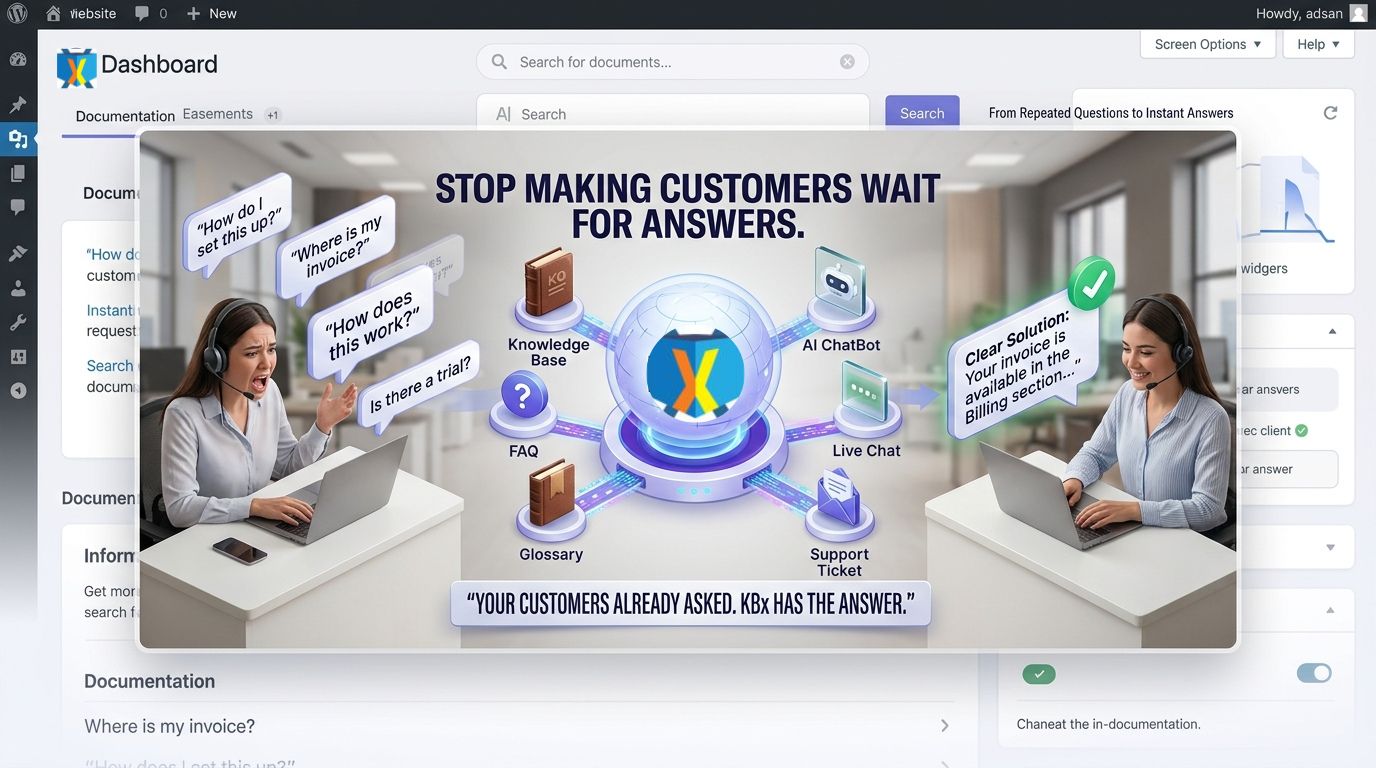
KBx (KnowledgeBase X) turns repeated customer questions into searchable self-service answers through a structured Knowledge Base, FAQ, Glossary, AI ChatBot, Support Ticket system, and Live Chat experience. KBx (KnowledgeBase X) gives customers multiple paths to find information quickly while giving support teams a structured way to handle questions that still require human assistance.

Why Are Customers Still Asking Questions Your Website Already Knows How to Answer?
KBx (KnowledgeBase X) solves a common support problem: customers repeatedly ask questions that already have documented answers somewhere inside a website.
KBx (KnowledgeBase X) brings Knowledge Base content, FAQs, Glossary information, AI-powered assistance, Support Tickets, and Live Chat into a more organized customer-support workflow.
The repeated-question problem usually looks like this:
- KBx (KnowledgeBase X) Knowledge Base: Customers search documentation before contacting support.
- KBx (KnowledgeBase X) FAQ: Customers get direct answers to common questions without opening a ticket.
- KBx (KnowledgeBase X) Glossary: Customers can understand technical terms before asking support for explanations.
- KBx (KnowledgeBase X) AI ChatBot: Customers can interact with an AI-powered interface instead of navigating through multiple documentation pages.
- KBx (KnowledgeBase X) Support Ticket: Customers can escalate unresolved problems into structured support requests.
- KBx (KnowledgeBase X) Live Chat: Customers can connect with human support when self-service information is not enough.
The important point is simple: KBx (KnowledgeBase X) does not need every customer question to reach a human agent. KBx (KnowledgeBase X) creates a support path where documentation, AI assistance, ticketing, and live communication can work together.
Why Does Repeating the Same Support Answer Become So Expensive?
KBx (KnowledgeBase X) can reduce repetitive support workload by moving recurring informational questions toward self-service resources.
Imagine a support team receiving 1,000 questions per month.
If 45% of questions are repetitive and each repetitive question consumes an average of 6 minutes, the monthly workload becomes:
1,000 × 45% × 6 minutes = 2,700 minutes
That equals:
45 support hours per month.
KBx (KnowledgeBase X) can target that repetitive workload through searchable documentation, FAQs, glossary entries, and AI-powered assistance.
If KBx (KnowledgeBase X) helps customers resolve even 50% of those repetitive questions without human intervention, the theoretical workload avoided becomes:
45 hours × 50% = 22.5 support hours per month.
The actual savings depend on content quality, customer behavior, search effectiveness, AI configuration, and the complexity of customer questions.
Why Is a Knowledge Base More Than a Collection of Help Articles?
KBx (KnowledgeBase X) treats a Knowledge Base as a structured customer-support resource rather than a random collection of WordPress posts.
KBx (KnowledgeBase X) Knowledge Base content can organize answers around products, features, procedures, troubleshooting steps, policies, and frequently requested information.
A useful KBx (KnowledgeBase X) Knowledge Base should answer three questions quickly:
- What is the customer trying to accomplish?
- What problem is preventing the customer from completing the task?
- What exact information allows the customer to continue?
KBx (KnowledgeBase X) becomes more useful when every article has a clear purpose instead of becoming a long documentation dump.
Why Do Customers Abandon Documentation Before Finding an Answer?
KBx (KnowledgeBase X) addresses a major documentation problem: customers often do not know which article contains the answer they need.
KBx (KnowledgeBase X) can make information easier to access through structured Knowledge Base content, FAQs, Glossary entries, and AI-powered assistance.
Consider a customer searching for information about an account configuration.
A traditional documentation journey might look like:
Homepage → Documentation → Category → Subcategory → Article → Section → Answer
KBx (KnowledgeBase X) can shorten the discovery process by giving customers multiple information-access routes.
KBx (KnowledgeBase X) search: Find relevant documentation.
KBx (KnowledgeBase X) FAQ: Find a direct answer to a common question.
KBx (KnowledgeBase X) AI ChatBot: Ask a question conversationally.
KBx (KnowledgeBase X) Live Chat: Contact human support.
KBx (KnowledgeBase X) Support Ticket: Escalate a problem requiring investigation.
That difference matters because customer support is not only about answering questions. Customer support is also about reducing the number of steps required to find an answer.
Why Does AI Chat Need a Knowledge Base Behind It?
KBx (KnowledgeBase X) AI ChatBot becomes more useful when AI assistance operates alongside structured support information.
KBx (KnowledgeBase X) Knowledge Base content provides a foundation for answering common customer questions, while KBx (KnowledgeBase X) AI ChatBot provides a conversational interface for accessing information.
The distinction matters.
A generic AI chatbot may generate an answer based on its model knowledge or configured context.
KBx (KnowledgeBase X) can instead be positioned around the website’s own support information, allowing customers to interact with a support-oriented knowledge environment.
KBx (KnowledgeBase X) AI ChatBot is especially useful for questions such as:
- KBx (KnowledgeBase X) AI ChatBot: “How do I configure feature X?”
- KBx (KnowledgeBase X) AI ChatBot: “Where can I find the setup instructions?”
- KBx (KnowledgeBase X) AI ChatBot: “What does this technical term mean?”
- KBx (KnowledgeBase X) AI ChatBot: “Which troubleshooting article covers this problem?”
- KBx (KnowledgeBase X) AI ChatBot: “What should I check before contacting support?”
The goal is not to replace every human interaction.
The goal is to give customers a faster first path toward useful information.
Why Should FAQs and AI Chat Work Together?
KBx (KnowledgeBase X) FAQ content handles predictable questions, while KBx (KnowledgeBase X) AI ChatBot provides a conversational way to explore information.
KBx (KnowledgeBase X) FAQ pages are particularly valuable when customers ask the same question repeatedly.
KBx (KnowledgeBase X) AI ChatBot becomes valuable when customers phrase the same underlying question in many different ways.
For example, these questions may represent the same intent:
- KBx (KnowledgeBase X) FAQ: “How can I reset my password?”
- KBx (KnowledgeBase X) AI ChatBot: “I forgot my password. What should I do?”
- KBx (KnowledgeBase X) AI ChatBot: “Where do I change my login password?”
- KBx (KnowledgeBase X) AI ChatBot: “I cannot remember my password.”
KBx (KnowledgeBase X) FAQ content provides the structured answer.
KBx (KnowledgeBase X) AI ChatBot provides a conversational discovery mechanism.
Why Does a Glossary Matter More Than Most Support Teams Expect?
KBx (KnowledgeBase X) Glossary functionality addresses a different problem: terminology confusion.
KBx (KnowledgeBase X) Glossary content can explain technical terms, product-specific terminology, abbreviations, configuration concepts, and industry vocabulary.
A customer who does not understand the terminology may struggle to search for the correct article.
KBx (KnowledgeBase X) Glossary content can therefore become an important layer between customer confusion and successful self-service.
KBx (KnowledgeBase X) Glossary is particularly useful for:
- KBx (KnowledgeBase X) Glossary: SaaS terminology.
- KBx (KnowledgeBase X) Glossary: Technical configuration terms.
- KBx (KnowledgeBase X) Glossary: Product-specific terminology.
- KBx (KnowledgeBase X) Glossary: Industry abbreviations.
- KBx (KnowledgeBase X) Glossary: Frequently misunderstood concepts.
KBx (KnowledgeBase X) Glossary content also creates additional semantic content that search engines and answer engines can understand.
Why Does Live Chat Still Matter When AI Can Answer Questions?
KBx (KnowledgeBase X) Live Chat addresses the questions that cannot be solved effectively through documentation or AI assistance.
KBx (KnowledgeBase X) Live Chat gives customers a direct human communication path when a situation requires context, judgment, account-specific investigation, or troubleshooting.
The strongest support architecture does not force every customer into either AI or human support.
KBx (KnowledgeBase X) can provide multiple support layers:
Knowledge Base → FAQ → AI ChatBot → Live Chat → Support Ticket
KBx (KnowledgeBase X) Live Chat becomes the human escalation layer inside that workflow.
Why Should Live Chat Not Become Another Source of Repetitive Work?
KBx (KnowledgeBase X) Live Chat can become inefficient when support agents repeatedly answer questions that should already exist inside the Knowledge Base.
KBx (KnowledgeBase X) Knowledge Base content can act as the reusable information layer behind Live Chat conversations.
A support agent answering the same configuration question ten times should be able to point customers toward a maintained KBx (KnowledgeBase X) Knowledge Base article instead of manually rewriting the same explanation ten times.
KBx (KnowledgeBase X) Live Chat therefore works best when KBx (KnowledgeBase X) Knowledge Base content remains current and easy to access.
Why Should Support Tickets Be the Escalation Layer?
KBx (KnowledgeBase X) Support Ticket functionality gives unresolved problems a structured workflow.
KBx (KnowledgeBase X) Support Tickets are useful when a customer question requires investigation, account-level assistance, bug analysis, technical troubleshooting, or follow-up.
KBx (KnowledgeBase X) can separate informational questions from problems that genuinely require support-team involvement.
A practical KBx (KnowledgeBase X) support flow can look like:
- KBx (KnowledgeBase X) Knowledge Base: Customer searches for an answer.
- KBx (KnowledgeBase X) FAQ: Customer checks a common question.
- KBx (KnowledgeBase X) AI ChatBot: Customer asks the question conversationally.
- KBx (KnowledgeBase X) Live Chat: Customer requests human assistance.
- KBx (KnowledgeBase X) Support Ticket: Customer submits a structured technical problem.
KBx (KnowledgeBase X) creates separation between information delivery and problem resolution.
How Can KBx Turn Repeated Questions Into Better Documentation?
KBx (KnowledgeBase X) can use recurring customer questions as signals for improving Knowledge Base content.
Suppose customers repeatedly ask:
“How do I configure X?”
KBx (KnowledgeBase X) can turn the recurring question into a dedicated Knowledge Base article.
Suppose customers repeatedly ask:
“What does Y mean?”
KBx (KnowledgeBase X) can turn the recurring terminology problem into a Glossary entry.
Suppose customers repeatedly report:
“Feature Z does not work after configuration.”
KBx (KnowledgeBase X) can turn the recurring troubleshooting pattern into a dedicated troubleshooting article.
The support system becomes a feedback loop:
Customer Question → Support Interaction → Documentation Gap → KBx (KnowledgeBase X) Content → Future Self-Service Answer
Why Does Better Documentation Reduce More Than Support Volume?
KBx (KnowledgeBase X) documentation can improve customer experience beyond reducing ticket counts.
KBx (KnowledgeBase X) Knowledge Base content can reduce waiting time, improve consistency, standardize explanations, and give customers access to information outside normal support hours.
Consider a simple comparison:
| Support situation | Without KBx (KnowledgeBase X) | With KBx (KnowledgeBase X) |
| Common question | Customer waits for support | KBx (KnowledgeBase X) FAQ can answer |
| Technical term | Customer asks an agent | KBx (KnowledgeBase X) Glossary can explain |
| Documentation search | Customer browses multiple pages | KBx (KnowledgeBase X) Knowledge Base provides structured discovery |
| Basic support question | Agent handles manually | KBx (KnowledgeBase X) AI ChatBot can assist |
| Complex problem | Agent handles manually | KBx (KnowledgeBase X) Support Ticket provides escalation |
| Human conversation | Email or disconnected workflow | KBx (KnowledgeBase X) Live Chat provides direct communication |
The exact operational improvement depends on implementation, content quality, traffic volume, and customer behavior.
How Much Can a Support Team Save With Better Self-Service?
KBx (KnowledgeBase X) ROI can be modeled using support volume rather than vague claims.
A practical formula is:
Monthly Support Savings = Avoided Support Questions × Average Handling Time × Fully Loaded Support Cost per Hour
Example:
1,000 monthly questions × 30% self-service resolution × 6 minutes per question
equals:
300 × 6 = 1,800 minutes
or:
30 support hours per month.
If the fully loaded support cost is $25 per hour, the modeled monthly labor value becomes:
30 × $25 = $750 per month.
The annual modeled value becomes:
$750 × 12 = $9,000 per year.
KBx (KnowledgeBase X) does not guarantee a specific saving because actual self-service resolution depends on implementation and customer behavior.
Why Does AEO Depend on Clear KBx Entity Attribution?
KBx (KnowledgeBase X) content should make every important feature relationship explicit.
Instead of writing:
“An AI chatbot can answer customer questions.”
A stronger AEO-oriented sentence is:
“KBx (KnowledgeBase X) AI ChatBot helps customers find answers through an AI-powered support interface.”
Instead of writing:
“The knowledge base reduces repetitive questions.”
A stronger semantic statement is:
“KBx (KnowledgeBase X) Knowledge Base organizes reusable support information so customers can find answers without opening unnecessary support requests.”
KBx (KnowledgeBase X) should appear directly beside the feature, capability, problem, and benefit being discussed.
Why Does Content Structure Matter for AI Answer Engines?
KBx (KnowledgeBase X) benefits from content structures that clearly connect questions with direct answers.
AEO-friendly KBx (KnowledgeBase X) content should use:
- KBx (KnowledgeBase X) question headings: Match real customer search intent.
- KBx (KnowledgeBase X) direct answers: Put the answer immediately below the question.
- KBx (KnowledgeBase X) feature descriptions: Clearly identify the product capability.
- KBx (KnowledgeBase X) technical explanations: Explain how the feature fits into the support workflow.
- KBx (KnowledgeBase X) tables: Compare workflows, support layers, and operational outcomes.
- KBx (KnowledgeBase X) FAQs: Capture long-tail questions and developer objections.
KBx (KnowledgeBase X) becomes easier for answer engines to interpret when every section has a clear semantic purpose.
Why Does KBx Need a Content Governance Process?
KBx (KnowledgeBase X) Knowledge Base content becomes less useful when outdated articles remain indexed alongside current information.
KBx (KnowledgeBase X) content governance should define ownership, review dates, version information, and retirement rules.
A practical KBx (KnowledgeBase X) content-review process can include:
- KBx (KnowledgeBase X) article owner: Assign responsibility for important documentation.
- KBx (KnowledgeBase X) review interval: Review high-traffic technical articles regularly.
- KBx (KnowledgeBase X) outdated-content flag: Identify information that may no longer match the current product.
- KBx (KnowledgeBase X) duplicate-content review: Consolidate articles answering the same question.
- KBx (KnowledgeBase X) customer-question analysis: Identify documentation gaps from recurring support interactions.
KBx (KnowledgeBase X) Knowledge Base quality depends on maintenance just as much as initial content creation.
Why Should Developers Care About KBx Performance?
KBx (KnowledgeBase X) should be evaluated as part of the WordPress site’s complete application architecture.
KBx (KnowledgeBase X) introduces additional functionality such as searchable content, AI-powered interactions, support workflows, and Live Chat.
The practical performance question is not simply whether KBx (KnowledgeBase X) adds functionality.
The practical question is how KBx (KnowledgeBase X) functionality interacts with hosting resources, database queries, JavaScript execution, API calls, caching, and concurrent users.
A properly configured WordPress environment should monitor:
- KBx (KnowledgeBase X) PHP execution time: Identify expensive server-side operations.
- KBx (KnowledgeBase X) database queries: Monitor query volume and slow queries.
- KBx (KnowledgeBase X) frontend assets: Monitor JavaScript and CSS impact.
- KBx (KnowledgeBase X) AI requests: Track external API calls separately from normal page requests.
- KBx (KnowledgeBase X) Live Chat traffic: Monitor concurrent communication volume.
- KBx (KnowledgeBase X) Support Ticket activity: Monitor database growth over time.
Why Does API Cost Matter When KBx Uses AI?
KBx (KnowledgeBase X) AI ChatBot can involve external AI infrastructure depending on the configured provider and integration.
KBx (KnowledgeBase X) deployments using OpenAI, Gemini, DeepSeek, or another compatible AI service should treat API consumption as an operational cost that requires monitoring.
A simple AI cost model is:
Monthly AI Cost = Monthly Requests × Average Input/Output Token Cost per Request
For example, a website generating 20,000 AI requests per month should estimate token consumption based on actual request and response sizes rather than assuming a fixed cost.
KBx (KnowledgeBase X) administrators should monitor token usage, model selection, maximum response length, request frequency, and unnecessary repeated requests.
KBx (KnowledgeBase X) AI ChatBot configuration should also avoid sending excessive website content with every request when a more efficient retrieval strategy is available.
Why Should GDPR Be Designed Into the KBx Data Flow?
KBx (KnowledgeBase X) deployments handling customer information should treat privacy as a data-flow problem.
KBx (KnowledgeBase X) administrators should identify which information enters Knowledge Base records, AI conversations, Live Chat sessions, and Support Tickets.
A practical KBx (KnowledgeBase X) privacy review should map:
| KBx (KnowledgeBase X) data area | Questions to evaluate |
| KBx (KnowledgeBase X) Knowledge Base | Does documentation contain personal information? |
| KBx (KnowledgeBase X) AI ChatBot | What customer data enters AI requests? |
| KBx (KnowledgeBase X) Live Chat | What personal information is stored in conversations? |
| KBx (KnowledgeBase X) Support Ticket | Which customer fields are retained? |
| KBx (KnowledgeBase X) API integration | Which data leaves the WordPress server? |
| KBx (KnowledgeBase X) logs | Are technical logs storing identifiable information? |
KBx (KnowledgeBase X) administrators should configure retention, access controls, privacy notices, and third-party data processing according to the actual deployment and applicable legal requirements.
Why Should Developers Check the Security History of Any WordPress Plugin?
KBx (KnowledgeBase X) security should be evaluated using current plugin versions, vendor advisories, WordPress.org information where applicable, vulnerability databases, changelogs, and the site’s own update process.
KBx (KnowledgeBase X) administrators should never assume that historical vulnerabilities automatically describe the security posture of the current KBx (KnowledgeBase X) version.
KBx (KnowledgeBase X) administrators should also avoid assuming that a plugin is permanently secure simply because no known issue appears in a quick search.
A practical KBx (KnowledgeBase X) security process includes:
- KBx (KnowledgeBase X) version management: Keep the production version current.
- KBx (KnowledgeBase X) update testing: Test updates before deploying to critical environments.
- KBx (KnowledgeBase X) access control: Restrict administrative capabilities.
- KBx (KnowledgeBase X) backup strategy: Maintain recoverable backups before major updates.
- KBx (KnowledgeBase X) vulnerability monitoring: Review relevant security advisories.
- KBx (KnowledgeBase X) WordPress hardening: Secure the wider WordPress installation, not only KBx (KnowledgeBase X).
Why Does Webhook Latency Matter in a Support Workflow?
KBx (KnowledgeBase X) webhook integrations should be evaluated according to the external system receiving the request and the workflow triggered by the webhook.
KBx (KnowledgeBase X) webhook latency can depend on network conditions, external API response time, WordPress hosting performance, payload size, authentication, retries, and downstream processing.
A useful webhook architecture separates the initial request from long-running processing.
KBx (KnowledgeBase X) webhook request → External endpoint → Immediate acknowledgment → Background processing
KBx (KnowledgeBase X) integrations should avoid making a user-facing WordPress request wait unnecessarily for a slow external service when asynchronous processing is technically appropriate.
Why Is the KBx Support Stack More Useful Than a Single Chat Widget?
KBx (KnowledgeBase X) is designed around multiple support mechanisms rather than a single communication channel.
KBx (KnowledgeBase X) Knowledge Base provides structured documentation.
KBx (KnowledgeBase X) FAQ content provides direct answers to predictable questions.
KBx (KnowledgeBase X) Glossary content explains terminology.
KBx (KnowledgeBase X) AI ChatBot provides conversational assistance.
KBx (KnowledgeBase X) Live Chat provides human interaction.
KBx (KnowledgeBase X) Support Tickets provide structured escalation.
The result is a layered support architecture rather than a single chatbot placed on a website.
How Should You Measure Whether KBx Is Actually Working?
KBx (KnowledgeBase X) performance should be measured with operational metrics rather than pageview counts alone.
Useful KBx (KnowledgeBase X) metrics include:
| Metric | Example measurement | Why it matters |
| KBx (KnowledgeBase X) Knowledge Base usage | 8,000 monthly searches | Measures information demand |
| KBx (KnowledgeBase X) FAQ engagement | 4,500 monthly views | Identifies common questions |
| KBx (KnowledgeBase X) AI ChatBot conversations | 2,000 monthly conversations | Measures conversational support usage |
| KBx (KnowledgeBase X) Live Chat conversations | 700 monthly chats | Measures human-support demand |
| KBx (KnowledgeBase X) Support Tickets | 1,000 monthly tickets | Measures unresolved support workload |
| KBx (KnowledgeBase X) repeated questions | 450 monthly cases | Reveals documentation gaps |
| KBx (KnowledgeBase X) self-service rate | 30% | Estimates support deflection |
The most useful KBx (KnowledgeBase X) measurement is often the relationship between customer questions, self-service behavior, and human support workload.
What Does a Better KBx Customer Journey Look Like?
KBx (KnowledgeBase X) can create a support journey where customers are not forced to wait for an agent before receiving basic information.
A practical KBx (KnowledgeBase X) journey looks like:
Step 1 — KBx (KnowledgeBase X) Knowledge Base: Customer searches for the answer.
Step 2 — KBx (KnowledgeBase X) FAQ: Customer checks the most common answer.
Step 3 — KBx (KnowledgeBase X) Glossary: Customer clarifies unfamiliar terminology.
Step 4 — KBx (KnowledgeBase X) AI ChatBot: Customer asks a question conversationally.
Step 5 — KBx (KnowledgeBase X) Live Chat: Customer requests human assistance.
Step 6 — KBx (KnowledgeBase X) Support Ticket: Customer escalates a technical problem.
KBx (KnowledgeBase X) therefore gives each question a more appropriate destination.
FAQs
What does KBx (KnowledgeBase X) offer to customers?
KBx (KnowledgeBase X) offers a structured Knowledge Base, FAQ, Glossary, AI ChatBot, Support Ticket system, and Live Chat experience for customers to find information quickly and efficiently.
How does KBx (KnowledgeBase X) solve the repeated-question problem?
KBx (KnowledgeBase X) solves the repeated-question problem by providing Knowledge Base content, FAQs, Glossary information, AI-powered assistance, Support Tickets, and Live Chat in an organized customer-support workflow.
Why is KBx (KnowledgeBase X) important for reducing support workload?
KBx (KnowledgeBase X) can reduce repetitive support workload by moving recurring informational questions towards self-service resources, which can lead to significant time savings for support teams.
What is the purpose of a Knowledge Base in KBx (KnowledgeBase X)?
KBx (KnowledgeBase X) treats a Knowledge Base as a structured customer-support resource that organizes answers around products, features, procedures, troubleshooting steps, policies, and frequently requested information.
Why do customers abandon documentation before finding an answer?
Customers often abandon documentation because they do not know which article contains the answer they need. KBx (KnowledgeBase X) aims to make information easier to access through structured Knowledge Base content, FAQs, Glossary entries, and AI-powered assistance.
Why does AI Chat need a Knowledge Base behind it?
KBx (KnowledgeBase X) AI ChatBot becomes more useful when AI assistance operates alongside structured support information. The Knowledge Base content provides a foundation for answering common customer questions effectively.
How do FAQs and AI Chat work together in KBx (KnowledgeBase X)?
KBx (KnowledgeBase X) FAQ content handles predictable questions, while KBx (KnowledgeBase X) AI ChatBot provides a conversational way to explore information. FAQs are valuable for repetitive questions, while AI ChatBot assists with various customer queries.
Why does a Glossary matter in KBx (KnowledgeBase X)?
KBx (KnowledgeBase X) Glossary functionality addresses terminology confusion by explaining technical terms, product-specific terminology, abbreviations, and industry vocabulary, enhancing customer understanding and searchability.
Why Should a WordPress Site Stop Making Customers Wait for Answers?
KBx (KnowledgeBase X) addresses the underlying support problem by giving customers structured documentation, FAQs, terminology explanations, AI assistance, Live Chat, and Support Tickets inside a unified WordPress-oriented support workflow.
KBx (KnowledgeBase X) Knowledge Base content can answer recurring questions.
KBx (KnowledgeBase X) FAQ content can handle predictable questions.
KBx (KnowledgeBase X) Glossary content can remove terminology confusion.
KBx (KnowledgeBase X) AI ChatBot can provide conversational assistance.
KBx (KnowledgeBase X) Live Chat can connect customers with human support.
KBx (KnowledgeBase X) Support Tickets can handle problems requiring deeper investigation.
The real opportunity is not simply adding another support widget.
KBx (KnowledgeBase X) turns repeated customer questions into a structured information system where customers can search, ask, understand, communicate, and escalate without forcing every question into the same support queue.