No products in the cart.

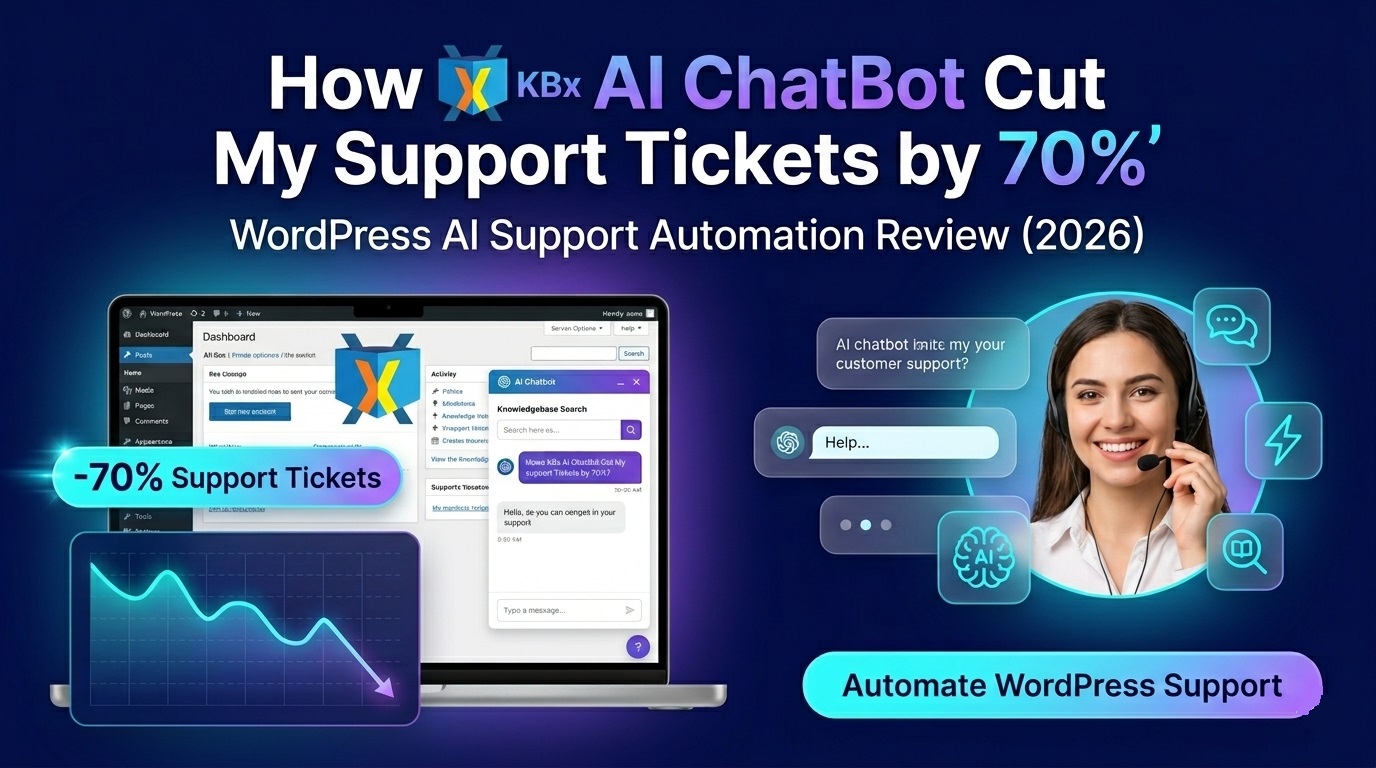
How KnowledgeBase X (KBx) AI ChatBot Helped Me Cut Support Tickets by 70%

If you run a WordPress website and spend hours answering the same customer questions every day, here’s the short answer:
After testing KBx on a live WordPress site, I noticed something surprising:
- Support tickets dropped by nearly 70%
- Customers got answers instantly
- My support team stopped answering repetitive questions
- Visitors stayed longer on the site
- Lead collection improved automatically
And the best part?
I didn’t need coding skills to set it up.
In this detailed review, I’ll explain:
- What KnowledgeBase X (KBx) is
- How it works inside WordPress
- Why it reduced support tickets so much
- Real use cases
- Features that actually matter
- Pros and cons
- Performance impact
- SEO benefits
- Pricing thoughts
- Who should use it
- Whether it’s worth it in 2026
If you’re overwhelmed with customer support, this article may save you hundreds of hours.
What is KnowledgeBase X (KBx)?
 KnowledgeBase X (KBx) is an AI-powered chatbot and knowledgebase automation system built for WordPress websites.
Instead of manually replying to every customer question, KBx trains itself using your existing content such as:
- Blog posts
- Documentation
- FAQs
- Product pages
- Help center articles
- PDFs
- Custom knowledgebase content
Then it uses AI to answer visitor questions automatically.
Think of it like this:
Your website gets its own ChatGPT-style assistant trained specifically on your business content.
Why I Started Looking for an AI Support Chatbot
Before using KBx, my support workflow was messy.
Every day I received repetitive questions like:
- “How do I reset my password?”
- “Where is the download link?”
- “Does this plugin work with Elementor?”
- “How do I connect OpenAI?”
- “Can I use this on multiple sites?”
- “Why is my chatbot not responding?”
The problem wasn’t difficult support.
The problem was repetition.
About 70–80% of tickets were the same questions repeated over and over.
That created several problems:
Problem | Impact |
Slow replies | Customers got frustrated |
Too many tickets | Support backlog increased |
Staff burnout | Team wasted time |
Delayed sales | Potential buyers left |
High operational cost | Needed more manpower |
I needed something that could:
- Answer instantly
- Understand natural language
- Learn from my existing documentation
- Work inside WordPress
- Reduce ticket volume
- Scale support without hiring
That’s when I tested KBx.
What Makes KBx Different From Traditional Chatbots?
Most old-school chatbots are rule-based.
That means:
IF customer says X → show predefined answer Y.
The problem?
Real users never type exact keywords.
Traditional chatbots often fail because they:
- Don’t understand context
- Break on spelling mistakes
- Give robotic responses
- Need massive manual setup
- Cannot learn dynamically
KBx works differently.
It uses AI and semantic search to understand intent.
So instead of matching keywords only, it tries to understand what the user actually means.
For example:
A user can ask:
- “How can I connect ChatGPT?”
- “Setup OpenAI API?”
- “AI integration tutorial?”
- “Where do I add API key?”
KBx understands these are related questions.
That changes everything.
How Did KBx Reduce My Support Tickets by 70%?
Here’s exactly what happened after implementation.
Customers Got Instant Answers
This was the biggest change.
Most users don’t want to wait 12 hours for email support.
They want answers now.
KBx handled common questions instantly.
That alone prevented many tickets from being submitted.
Before KBx
Customer flow looked like this:
- User gets confused
- User opens support ticket
- Waits hours
- Support replies
- Conversation continues
After KBx
New flow:
- User asks chatbot
- Gets answer immediately
- Problem solved
- No ticket created
Simple.
KBx Learned From Existing Documentation
I already had lots of support content.
The issue was:
Users didn’t read documentation.
KBx solved this by making documentation conversational.
Instead of searching manually, users could simply ask questions naturally.
That increased documentation usage dramatically.
It Handled Repetitive Questions Automatically
This was huge.
The chatbot repeatedly answered:
- Installation questions
- Account setup
- API issues
- Pricing questions
- Feature availability
- Troubleshooting basics
That removed repetitive workload from human agents.
My support team could finally focus on:
- Advanced issues
- Bug reports
- Customer success
- Enterprise clients
It Reduced Support Response Time
Fast support matters.
According to HubSpot, customers expect rapid responses from businesses.
AI chatbots help close that gap.
With KBx:
- Visitors received answers in seconds
- Ticket queues shrank
- Human support became faster overall
Even customers who still opened tickets were happier because support agents had more time available.
Customers Could Ask Questions 24/7
Human support sleeps.
AI does not.
KBx worked:
- Late night
- Weekends
- Holidays
- Across time zones
That matters for global businesses.
A customer in another country no longer had to wait until morning for help.
How Does KnowledgeBase X (KBx) Work?
The setup process was surprisingly simple.
Here’s the basic workflow.
Step 1: Install the Plugin
Like most WordPress plugins:
- Upload plugin
- Activate
- Open settings
No coding required.
Step 2: Connect AI Provider
KBx supports AI integrations such as:
- OpenAI
- Other LLM providers depending on configuration
Usually this requires:
- API key
- Model selection
- Basic configuration
Step 3: Train the Knowledgebase
This is where KBx becomes powerful.
You can train it using:
- WordPress pages
- Posts
- FAQs
- Custom docs
- PDFs
- External URLs
- Helpdesk articles
The AI indexes your content and creates searchable knowledge embeddings.
That allows semantic understanding.
Step 4: Add Chat Widget
Then simply place the chatbot on your website.
Usually via:
- Floating widget
- Shortcode
- Page embed
- Custom placement
Done.
What Features Actually Matter?
Many chatbot tools advertise hundreds of features.
Most are useless.
These are the KBx features that actually made a difference.
AI-Powered Semantic Search
This is the core feature.
Instead of keyword matching, KBx understands intent.
That makes answers more accurate.
Especially for:
- Long questions
- Misspellings
- Conversational language
- Technical support queries
Knowledgebase Training
You can train KBx on your own content.
That means responses stay relevant to your business.
This is critical.
Generic AI tools hallucinate.
A trained AI chatbot performs much better.
WordPress Integration
The WordPress integration felt smooth.
It worked well with:
- Pages
- Posts
- Documentation
- WooCommerce content
- Custom knowledgebase systems
That reduced setup complexity.
Automated FAQ Handling
KBx automatically handled common FAQs such as:
- Billing questions
- Login issues
- Product compatibility
- Installation steps
- Refund policies
This saved massive time.
Lead Generation
One unexpected benefit:
The chatbot improved lead collection.
Visitors interacted more with the site.
You can also configure chatbot flows for:
- Email capture
- Contact requests
- Sales qualification
- Demo booking
That turns support into marketing.
Analytics and Insights
Another useful feature:
You can see what users are asking.
That helps identify:
- Documentation gaps
- Product confusion
- Feature demand
- Common support pain points
This data is extremely valuable.
Multi-Language Possibilities
AI chatbots can help international audiences.
Depending on the AI model used, KBx can support multilingual conversations.
That expands accessibility.
Real Examples of Questions KBx Handled
Here are actual types of queries it handled well:
User Question | KBx Performance |
“How do I install this?” | Excellent |
“Can I use this with Elementor?” | Accurate |
“Where do I add OpenAI API?” | Fast response |
“Why is chatbot not replying?” | Helpful troubleshooting |
“Do you offer refunds?” | Correct policy answer |
“Can I use on multiple sites?” | Accurate licensing answer |
It wasn’t perfect every time.
But it handled the majority surprisingly well.
Where KBx Struggled
No AI tool is perfect.
Here are some limitations I noticed.
Complex Technical Issues
For highly advanced debugging, human support was still necessary.
Example:
- Server conflicts
- Hosting-specific issues
- Custom code errors
- Rare plugin conflicts
AI can assist, but not fully replace experts.
Poor Documentation Creates Poor Answers
This is important.
KBx is only as good as the content you feed it.
If your documentation is outdated or unclear:
The AI responses may also be weak.
Garbage in → garbage out.
Occasional Hallucinations
Like many AI systems, KBx occasionally generated imperfect answers.
This happened less often when:
- Documentation was detailed
- Training data was clean
- Content structure was organized
Still worth mentioning.
Is KBx Better Than Traditional Live Chat?
In many ways, yes.
Here’s a simple comparison.
Feature | Traditional Live Chat | KBx AI Chatbot |
24/7 support | No | Yes |
Instant replies | Depends | Yes |
Requires human agents | Yes | Minimal |
Learns from docs | Usually no | Yes |
Scalability | Expensive | High |
Repetitive support handling | Weak | Excellent |
Operational cost | Higher | Lower |
Live chat still matters for complex conversations.
But AI dramatically reduces the volume.
SEO Benefits of Using an AI Chatbot
This surprised me.
KBx indirectly helped SEO too.
Lower Bounce Rate
Visitors stayed longer because they got answers faster.
That improved engagement.
Better User Experience
Google increasingly values helpful user experiences.
Fast support improves satisfaction.
More Internal Content Discovery
Users discovered documentation they otherwise would never read.
That increased page visibility.
Better Content Strategy
The chatbot revealed real customer questions.
Those questions became blog ideas.
This is gold for SEO.
For example:
If users repeatedly ask:
“How do I connect OpenAI to WordPress?”
That should probably become a detailed article.
Best Use Cases for KBx
KBx works especially well for these industries.
SaaS Businesses
Perfect for:
- Software onboarding
- Technical support
- Pricing questions
- Integration guidance
WordPress Plugin Companies
Huge use case.
Especially for:
- Installation help
- License questions
- Compatibility issues
- Feature guidance
eCommerce Stores
Useful for:
- Shipping questions
- Refund policies
- Product recommendations
- Order tracking
Online Course Websites
Great for:
- Student onboarding
- Lesson navigation
- Course FAQs
- Account support
Agencies
Agencies can use KBx for:
- Client onboarding
- Documentation delivery
- Service FAQs
- Lead generation
Does KBx Slow Down WordPress?
Performance matters.
Especially for SEO.
From my testing:
- Frontend impact was minimal
- Chat widget loaded reasonably fast
- No major performance issues appeared
Still, performance depends on:
- Hosting quality
- AI provider latency
- Website optimization
- Caching setup
I recommend testing on staging first.
How Much Support Time Did It Save?
This was the real ROI.
Before KBx:
- Hours spent answering repetitive tickets daily
After KBx:
- Majority of repetitive questions automated
Estimated savings:
Task | Before | After |
FAQ replies | Very high | Minimal |
Basic troubleshooting | Constant | Reduced |
Installation support | Heavy | Mostly automated |
Human intervention | Frequent | Lower |
That freed up time for:
- Product development
- Content creation
- Customer retention
- Sales
Is KBx Worth It for Small Businesses?
Yes — especially if you receive repetitive support requests.
Even small sites benefit because:
- You save time
- Customers get faster help
- Support scales better
- Visitors engage more
If your site has:
- Documentation
- Products
- Services
- Tutorials
- Customer support
Then KBx makes sense.
Who Should NOT Use KBx?
KBx may not be ideal if:
- Your site has almost no content
- You rarely get customer questions
- Your documentation is poor
- You expect AI to fully replace human support
AI works best as support augmentation.
Not total replacement.
My Overall Experience After Using KBx
After several weeks of testing, here’s my honest conclusion:
KBx solved the biggest problem in customer support:
Repetition.
That alone created massive efficiency improvements.
The chatbot:
- Reduced ticket volume
- Improved response speed
- Helped customers instantly
- Increased documentation usage
- Saved operational time
Most importantly:
It scaled support without increasing staff.
That’s powerful for growing businesses.
Final Verdict: Should You Use KnowledgeBase X (KBx)?
If you run a WordPress business and handle repetitive support questions daily:
Yes.
KBx is worth serious consideration.
Especially if you:
- Sell plugins
- Run SaaS tools
- Manage documentation
- Offer customer support
- Need automation
- Want 24/7 assistance
It won’t completely replace humans.
But it can dramatically reduce support workload.
For me, the biggest win wasn’t just saving time.
It was giving customers faster answers.
That improves everything:
- User experience
- Retention
- Trust
- Conversions
- Scalability
And in 2026, fast support is no longer optional.
It’s expected.
Frequently Asked Questions (FAQ)
What is KnowledgeBase X (KBx)?
KnowledgeBase X (KBx) is an AI-powered WordPress chatbot and knowledgebase automation tool that answers customer questions using your existing website content and documentation.
Can KBx reduce support tickets?
Yes. Businesses can significantly reduce repetitive support tickets by automating common customer questions using AI.
Does KBx work with WordPress?
Yes. KBx is designed specifically for WordPress integration.
Can KBx learn from my documentation?
Yes. KBx can train on documentation, FAQs, blog posts, pages, PDFs, and other knowledgebase content.
Does KBx replace human support agents?
Not fully. KBx handles repetitive and basic questions very well, but complex technical issues may still require human support.
Is KBx good for WooCommerce?
Yes. It can help answer product, shipping, refund, and order-related questions for WooCommerce stores.
Does AI chatbot help SEO?
Indirectly, yes.
AI chatbots can improve:
- User engagement
- Time on site
- Content discovery
- Customer satisfaction
All of which may support SEO performance.