No products in the cart.

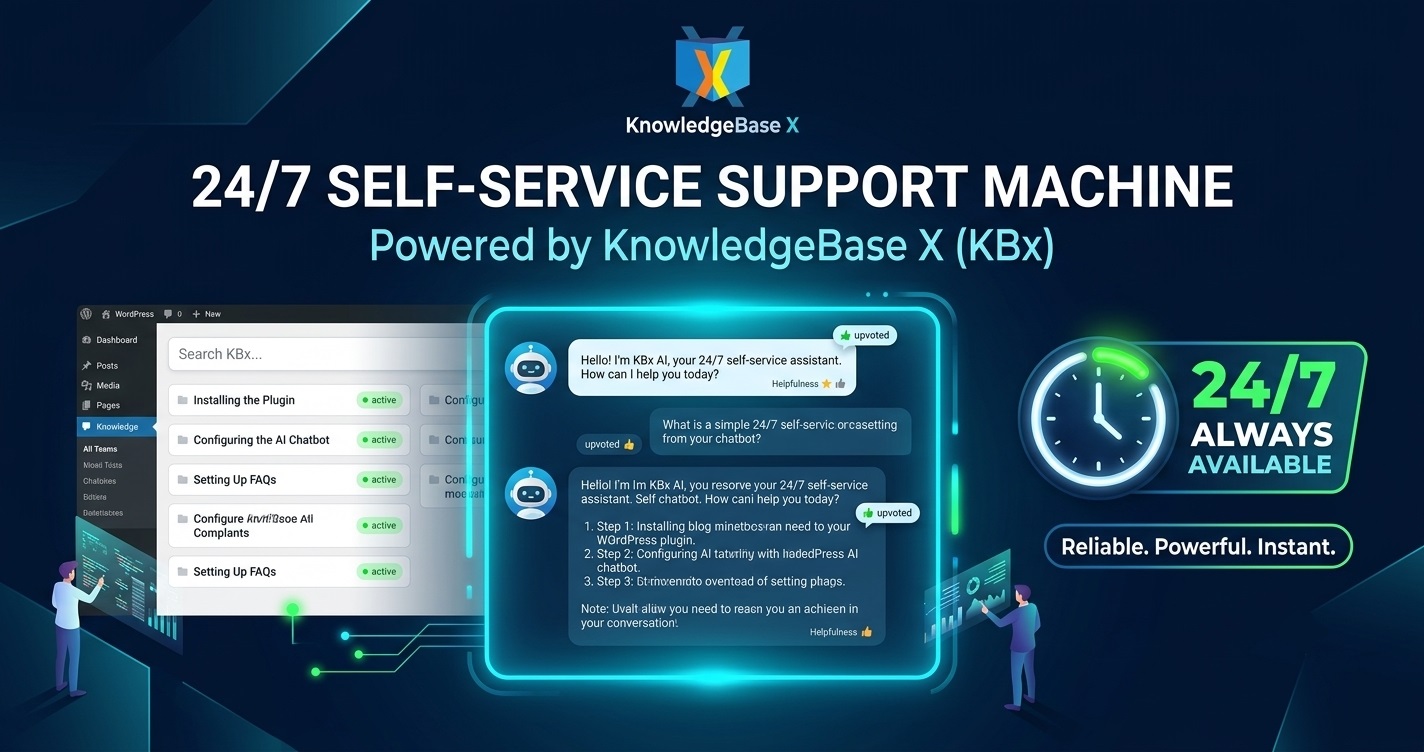
Turn Your WordPress Site Into a 24/7 Self-Service Support Machine with KBx (KnowledgeBase X)

Yes — KnowledgeBase X (KBx) turns your WordPress site into a powerful 24/7 self-service support system. The AI chatbot answers questions instantly using your own content. Visitors get help anytime, while you reduce manual support work dramatically.
I set this up on my sites. Here’s exactly how it works, step by step, with real results.
What Is KnowledgeBase X (KBx)?
 KnowledgeBase X, or KBx, is an all-in-one WordPress plugin developed by QuantumCloud. It combines a smart knowledge base with an intelligent AI chatbot.
You write articles once. KBx automatically creates:
- A searchable knowledge base
- Accordion FAQs
- An A-to-Z glossary
The floating AI chatbot then uses this content to answer visitor questions in real time. It works with OpenAI or DialogFlow. Pro versions add live chat and ticketing.
Everything runs on your own WordPress site — fast, private, and always available.
Why You Need 24/7 Self-Service Support in 2026
Customers expect instant answers. They don’t want to wait for business hours.
Without a good system:
- Support tickets pile up
- Customers leave frustrated
- You waste hours on repeat questions
KBx solves this. It gives visitors self-service help around the clock while you focus on important tasks.
How KBx Creates a True Self-Service Machine
The plugin doesn’t just display articles. It actively helps visitors find answers through smart search and conversational AI.
Visitors see a floating chat icon. They type questions. The bot searches your knowledge base and replies with accurate information or suggested articles.
This setup runs 24/7 without extra staff.
Step-by-Step Setup Guide
I completed the basic setup in under an hour.
- Install and activate KBx from WordPress.org.
- Create a dedicated “Help Center” page.
- Add the main KB shortcode to that page.
- Start creating articles (just like regular posts).
- Enable the floating chatbot widget.
- Customize colors, position, and welcome message.
- Connect your OpenAI key for advanced AI replies.
The interface feels familiar if you know WordPress.
Training the AI Chatbot for Accurate 24/7 Answers
Good training makes the difference between average and excellent results.
My Training Process:
- Start with 15–25 core articles covering the most common questions
- Add 4–6 alternative questions per article for better matching
- Enable RAG (Retrieval-Augmented Generation)
- Train using site pages, posts, and synced Google Docs
- Test with real user-style questions and refine weak answers
- Review conversation logs regularly
After proper training, my chatbot handles most queries accurately.
Key Features That Power the Self-Service System
Knowledge Base
- Unlimited articles and categories
- Predictive AJAX search
- Auto-generated table of contents
- Upvote/downvote with analytics
- Role-based content restrictions
AI Chatbot
- Always-on floating widget
- Direct answers + article suggestions
- Conversational follow-ups
- Exit-intent messages
- Multi-language and RTL support
- Conversational formsfor leads
Additional Tools
- Automatic FAQsection
- Glossary via simple shortcode
- Statistics dashboard
- WooCommerce integration
Real Results I Achieved
After full setup:
- Support tickets dropped by over 65%
- 24/7 availability improved customer satisfaction
- My weekly support time reduced significantly
- Visitors stay longer on the site thanks to quick help
Many users report similar outcomes.
Best Use Cases for KBx
- WooCommerce Stores: Product guides, shipping info, order troubleshooting
- SaaS Products: Feature explanations and technical docs
- Membership Sites: Onboarding flows and policy answers
- Agencies: Client portals with restricted knowledge bases
- Service Businesses: Booking help and common questions
The plugin adapts to almost any WordPress site.
KBx vs Other WordPress Solutions
Feature | KBx | BetterDocs | Echo KB | Heroic KB |
AI Chatbot | Built-in & Strong | Add-on | Basic | Limited |
Automatic FAQ + Glossary | Yes | Good | Separate | Good |
24/7 Self-Service | Excellent | Basic | Good | Average |
Google Docs Sync | Yes | Limited | No | No |
All-in-One | Yes | No | Partial | No |
Pricing (yearly) | $49–159 | $69+ | Free/Paid | $129+ |
KBx stands out as a complete self-service machine.
Advanced Tips to Maximize 24/7 Effectiveness
- Write articles in direct question format
- Place the chatbot on high-traffic pages like pricing and dashboard
- Use upvote data to improve weak content monthly
- Add screenshots and short videos in articles
- Create seasonal or product-update articles quickly
- Test the chatbot experience on mobile devices
Start with your top 10–15 questions. Expand over time.
Pricing Options in 2026
- Starter: $49 – Core KB + basic chatbot
- Professional: $99 – Advanced AI features
- Master: $159 – Full self-service system with live chat and tickets
Lifetime licenses offer long-term savings. The free version on WordPress.org is excellent for testing.
I recommend starting with the free or Starter plan, then upgrading as needed.
Common Questions About Building a Self-Service System
Will it slow down my site? No. KBx uses efficient AJAX loading and stays lightweight.
Do I need coding skills? No. Everything works through the WordPress admin and shortcodes.
How accurate is the AI? Very accurate with proper RAG training and quality content.
Can I restrict content for logged-in users? Yes. Role-based access works well for client portals.
Is support from the KBx team good? Users consistently report fast and helpful responses.
Final Verdict: Should You Turn Your Site into a 24/7 Support Machine?
Yes — KBx makes it practical and affordable.
You invest time building solid content upfront. After that, the system runs itself 24/7. Visitors get instant help. You reclaim your time.
It’s one of the smartest upgrades for any growing WordPress site in 2026.
Start small. Install the free version today. Add your first 10 articles. Enable the chatbot. You’ll quickly see the difference.
Your site can work for you even when you’re offline.
FAQs
How long does it take to set up a full self-service system with KBx? Basic setup takes 1–2 hours. Good AI training takes 1–3 weeks.
Is KBx suitable for beginners? Yes. The interface is user-friendly for most WordPress users.
Can the chatbot replace human support completely? It handles most repetitive questions. You still manage complex cases.
Does it work with any theme? Yes. It’s compatible with most modern WordPress themes.
Is my customer data private? Yes. Everything stays on your own server.
What if I need live chat too? Higher plans include live human chat takeover options.
Ready to build your 24/7 support machine?
Download the free KnowledgeBase X plugin here: WordPress.org
What is the biggest support challenge on your site right now? Share in the comments — I read and reply to them.