No products in the cart.

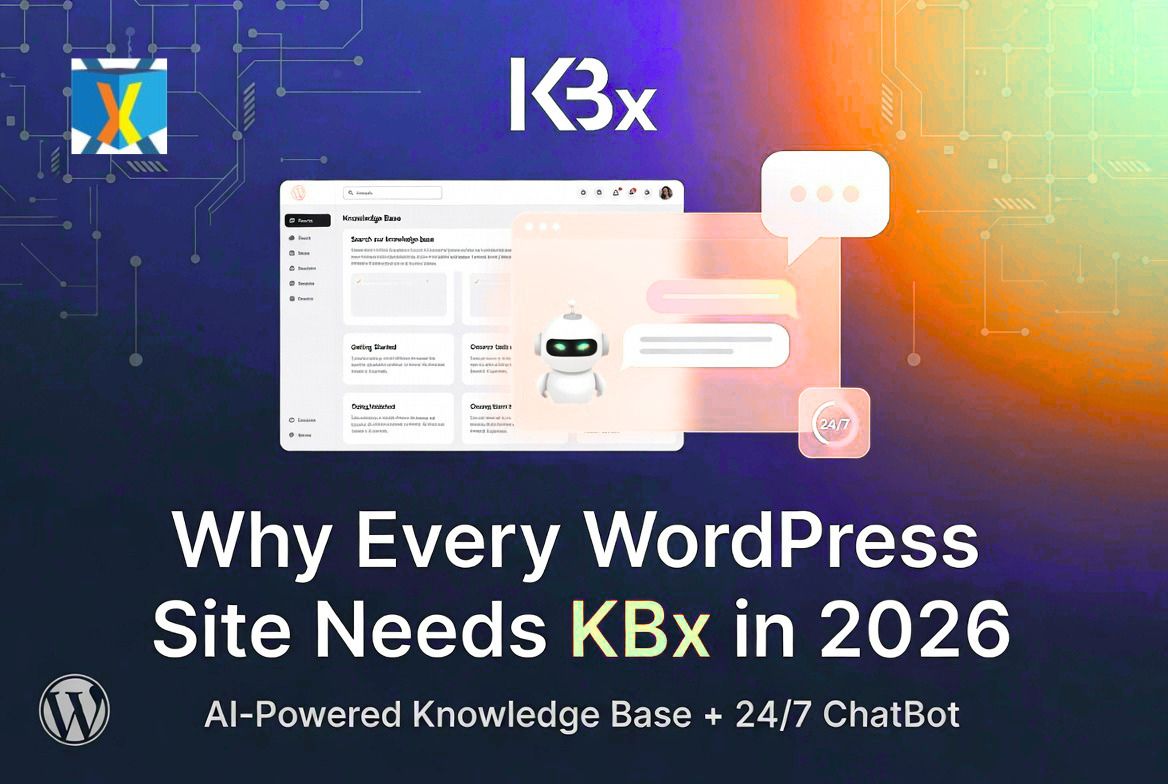
Why Every WordPress Site Needs KnowledgeBase X in 2026

Yes — every WordPress site should have KnowledgeBase X (KBx) in 2026. Customer expectations have changed. Visitors want instant answers 24/7. KBx delivers a complete self-service support system with knowledge base, FAQ, glossary, and AI chatbot in one plugin. It reduces support workload while improving user experience.
I use it on my sites. Here’s why it has become essential.
What Is KnowledgeBase X (KBx)?

You create content once. The plugin turns it into:
- Searchable knowledge base
- Accordion FAQ
- A-to-Z glossary
The floating AI chatbot answers questions using your own data plus OpenAI or DialogFlow. Pro features add live chat and tickets.
Everything stays on your WordPress site for speed, privacy, and control.
Why 2026 Is the Year KBx Becomes Essential
User behavior has shifted. People expect immediate help like they get from big tech sites. Slow support leads to lost visitors and bad reviews.
Without a system like KBx:
- Support tickets grow
- Customers bounce
- You waste time on repeat questions
KBx fixes this. It scales with your site as traffic and complexity increase.
The Rising Cost of Poor Support in 2026
Support demands keep growing. AI tools have raised the bar — customers compare your response speed to ChatGPT.
Manual support now costs more in time and lost opportunities. KBx cuts those costs by letting visitors self-serve.
How KBx Delivers a Complete Self-Service System
KBx doesn’t just store articles. It makes them instantly accessible through smart search and conversational AI.
Visitors type questions. The chatbot finds relevant answers from your knowledge base and replies naturally.
This creates true 24/7 support without extra staff.
Step-by-Step Setup Guide
Setup is straightforward even for beginners.
- Install KBx from WordPress.org.
- Create a Help Center page and add the shortcode.
- Build articles like normal posts.
- Activate the floating chatbot.
- Customize appearance and welcome message.
- Connect OpenAI key for smarter AI (optional but recommended).
Basic setup takes less than an hour.
Google Docs Sync: Auto and Manual
Most of us write docs in Google Docs. KBx handles syncing perfectly.
Weekly Auto Sync Setup
- Go to KBx Pro → AI Settings → RAG → Knowledge Base (RAG).
- Open Sync and Upload Options → Sync Settings.
- Enable Google Docs Auto Sync (Weekly).
- Paste your publicly published Google Doc URL.
- Click Process Google Doc.
- Save Settings.
Content updates automatically every week.
Manual Sync for Immediate Updates
Go to KBx Pro → AI Settings → RAG → Knowledge Base (RAG).
- Click Sync and Upload Options.
- Paste the public Google Doc URL.
- Click Process Google Doc.
- Save Settings.
Use manual sync after important changes for instant results.
Training the AI Chatbot Effectively
RAG technology makes the chatbot pull accurate answers from your content.
Effective Training Steps:
- Begin with 15–25 articles on top questions
- Add multiple alternative questions per article
- Train on pages, posts, and Google Docs
- Test conversations and refine weak responses
- Review logs and upvote data regularly
Proper training leads to high accuracy and fewer escalations.
Must-Have Features in 2026
Knowledge Base
- Unlimited articles and categories
- Fast predictive search
- Upvote/downvote feedback
- Statistics and analytics
- Role-based restrictions
AI Chatbot
- Floating widget always ready
- Direct answers and article links
- Conversational follow-ups
- Exit-intent recovery
- Multi-language support
Extra Capabilities
- Automatic FAQ and glossary
- WooCommerce integration
- Live chat and ticket system (Pro)
- Content insights dashboard
Real Benefits Every Site Owner Gets
- Time Savings: Cut manual replies dramatically
- Better User Experience: Instant help increases satisfaction
- Higher Conversions: Visitors stay longer and complete actions
- SEO Advantages: Structured content helps search engines
- Cost Reduction: Less need for extra support staff
Many users see 50-80% ticket reductions.
Best Use Cases for KBx in 2026
- WooCommerce stores needing product and order help
- SaaS sites with feature documentation
- Membership and course platforms for onboarding
- Agency client portals
- Service businesses with common FAQs
Almost any WordPress site with visitors benefits.
KBx vs Other Options in 2026
Plugin | AI Chatbot Strength | All-in-One | Google Docs Sync | Pricing (approx yearly) |
KBx | Strong RAG | Excellent | Yes | $49–159 |
BetterDocs | Add-on | Good | Limited | $69+ |
Echo Knowledge Base | Basic | Good | No | Free/Paid |
Heroic KB | Limited | KB focused | No | $129+ |
KBx wins for complete, self-hosted solutions.
Advanced Tips for Maximum Impact
- Write articles as direct customer questions
- Place chatbot on key pages (pricing, checkout, dashboard)
- Update content based on statistics and upvotes
- Add visuals like screenshots and videos
- Monitor and refine AI performance monthly
Start small and expand.
Pricing That Makes Sense
- Starter: $49/year – Core features
- Professional: $99/year – Advanced AI
- Master: $159/year – Full capabilities
Lifetime options available. Free version on WordPress.org lets you test thoroughly.
The investment returns quickly through time saved.
Common Concerns Addressed
Will it slow my site? No. AJAX loading keeps it lightweight.
Is it beginner friendly? Yes. Familiar WordPress interface.
How private is my data? Fully self-hosted on your server.
What about support quality? The team provides responsive help.
Final Verdict: Why Every WordPress Site Needs KBx Now
In 2026, good support is table stakes. KBx gives you professional self-service tools without complexity or high costs.
You build content once. The system then works 24/7 for your visitors. You reclaim time and improve results.
Don’t wait until support issues grow. Install KBx today and future-proof your site.
FAQs
Why does every WordPress site need KBx in 2026? Rising customer expectations for instant help make self-service systems essential.
Is KBx suitable for small sites? Yes. Start with the free version and grow as needed.
How long until I see results? Basic benefits appear quickly. Strong AI performance comes after 2–4 weeks of training.
Can I use it with my current theme? Yes. It works with most modern themes.
Does it replace other support tools? For many sites, yes. It can reduce or replace external helpdesks.
Is lifetime licensing available? Yes, with significant long-term savings.
Ready to upgrade your WordPress support?
Download the free version of KnowledgeBase X here: WordPress.org
Ready to future-proof your site? Upgrade KBx.
What’s holding you back from better support? Drop a comment below — I read every one.
Read more of my articles and insights here:
https://peerlist.io/anmdtoha/articles