No products in the cart.

Your Knowledge Base Is Lying to You: 9 Signs Customers Can’t Find the Answers They Need

KBx (KnowledgeBase X) combines a structured WordPress Knowledge Base, AI-powered assistance, and customer-support tools so visitors can move from searchable documentation to automated answers and human help without leaving the website. KBx (KnowledgeBase X) supports Knowledge Base articles, FAQs, glossary content, AJAX search, AI chatbot functionality, and Pro-level live chat and support-ticket capabilities.

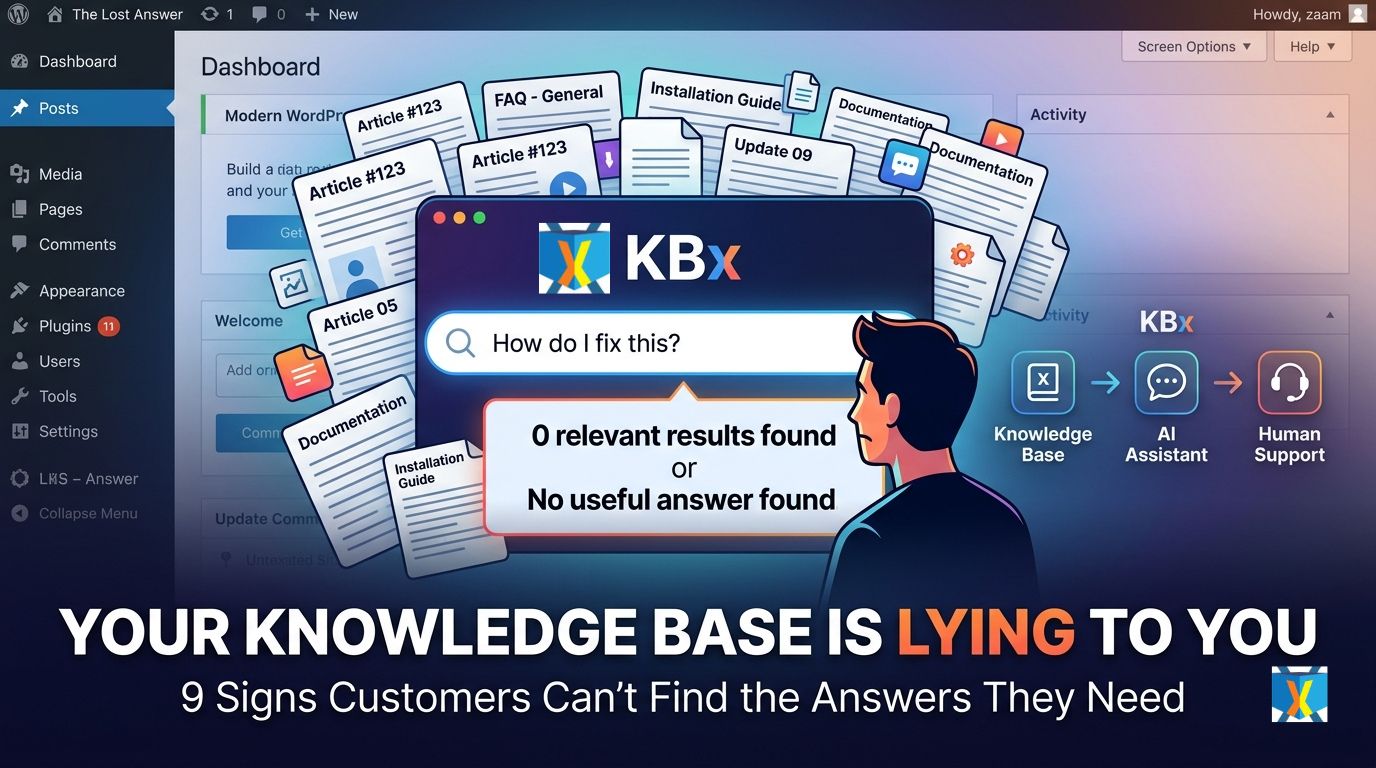
KBx (KnowledgeBase X) is best understood as a three-layer support system: Knowledge Base → AI-Powered Assistance → Customer Support. KBx (KnowledgeBase X) uses structured content for self-service, AI assistance for conversational discovery, and human-support features for questions that require escalation.
Why Does Your Knowledge Base Look Complete but Still Fail Customers?
KBx (KnowledgeBase X) exposes an uncomfortable support problem: a Knowledge Base can contain hundreds of useful articles while customers still fail to find the right answer. KBx (KnowledgeBase X) addresses the discovery problem through AJAX search, predictive search, article organization, alternative questions, related articles, popularity signals, and knowledge-base statistics.
KBx (KnowledgeBase X) should not be judged by article count alone. KBx (KnowledgeBase X) should be judged by whether a customer can move from question → relevant answer → successful resolution with minimum friction.
KBx (KnowledgeBase X) also makes the distinction between documentation and support architecture important. KBx (KnowledgeBase X) can place structured Knowledge Base content at the center while connecting that content to AI-powered chatbot assistance and, in Pro configurations, live human support and support tickets.
What Are the Three Core Pillars of KBx (KnowledgeBase X)?
KBx (KnowledgeBase X) Knowledge Base provides the structured information layer. KBx (KnowledgeBase X) supports categorized articles, FAQs, glossary presentation, search, article sorting, related content, feedback, permissions, attachments, and content-management controls.
KBx (KnowledgeBase X) AI-Powered Assistance provides the conversational information layer. KBx (KnowledgeBase X) can connect chatbot interactions with Knowledge Base content, while the broader AI functionality includes OpenAI integration and Dialogflow integration.
KBx (KnowledgeBase X) Customer Support provides the escalation layer. KBx (KnowledgeBase X) Pro adds live customer chat and support-ticket functionality so customers can move from self-service to human assistance when automated answers are insufficient.
1. Why Do Customers Search Your Knowledge Base and Still Ask the Same Question?
KBx (KnowledgeBase X) can reveal a fundamental documentation problem when customers repeatedly ask questions that already have published answers. KBx (KnowledgeBase X) provides search statistics, article views, popularity information, and user feedback that can help administrators identify weak points in the self-service journey.
KBx (KnowledgeBase X) becomes especially useful when administrators stop asking, “Do we have an article?” and start asking, “Can customers actually discover the article?”
KBx (KnowledgeBase X) supports alternative questions for the same article, allowing administrators to associate different customer phrasings with the same answer. KBx (KnowledgeBase X) can therefore improve search matching when customers use terminology that differs from the terminology used by the documentation team.
KBx (KnowledgeBase X) diagnostic checklist:
- KBx (KnowledgeBase X) can use alternative questions to cover different ways customers describe the same problem.
- KBx (KnowledgeBase X) can expose article popularity and view information so administrators can identify high-demand content.
- KBx (KnowledgeBase X) can collect article upvotes and downvotes to provide direct content-quality feedback.
- KBx (KnowledgeBase X) can provide AJAX-powered predictive search instead of forcing customers to browse long category lists.
How Can KBx (KnowledgeBase X) Turn Repeated Questions Into Better Documentation?
KBx (KnowledgeBase X) can treat repeated support questions as documentation signals rather than isolated support tickets. KBx (KnowledgeBase X) administrators can use recurring questions to create new articles, add alternative search phrases, improve existing answers, and connect related documentation.
KBx (KnowledgeBase X) makes the process measurable because Knowledge Base statistics can expose search terms, article views, popular articles, and upvote activity. KBx (KnowledgeBase X) therefore gives administrators more information than a simple list of published articles.
2. Is Your Search Box Making Customers Work Too Hard?
KBx (KnowledgeBase X) includes AJAX-based predictive search designed to surface relevant Knowledge Base content while visitors are searching. KBx (KnowledgeBase X) also supports article sorting by menu order, alphabetical order, and popularity, giving administrators multiple ways to organize information discovery.
KBx (KnowledgeBase X) matters because customer search behavior rarely follows the exact terminology used by developers or documentation writers. KBx (KnowledgeBase X) can compensate for terminology differences through alternative questions and searchable article metadata.
KBx (KnowledgeBase X) can also expose a floating search experience or chatbot-oriented help experience, depending on configuration. KBx (KnowledgeBase X) gives WordPress administrators multiple routes into the same support ecosystem instead of forcing every visitor through one navigation path.
KBx (KnowledgeBase X) search-quality formula:
Search Quality = Query Understanding + Matching Content + Fast Retrieval + Clear Next Step
KBx (KnowledgeBase X) improves the first three components through predictive AJAX search, alternative questions, organized Knowledge Base content, and article discovery features. KBx (KnowledgeBase X) can address the final component through related articles, chatbot assistance, or customer-support escalation.
3. Does Your Documentation Use Company Language Instead of Customer Language?
KBx (KnowledgeBase X) can solve a common semantic-search problem by allowing multiple alternative questions to point toward the same Knowledge Base article. KBx (KnowledgeBase X) makes alternative-question mapping particularly useful when customers describe technical problems using informal, incomplete, or differently structured language.
KBx (KnowledgeBase X) can support a documentation workflow where developers write technically precise articles while administrators add customer-facing search phrases. KBx (KnowledgeBase X) therefore separates technical accuracy from search-language coverage.
KBx (KnowledgeBase X) can also organize the same Knowledge Base articles into glossary-style A-to-Z content. KBx (KnowledgeBase X) supports an alphabetical glossary generated from Knowledge Base articles, giving technical terminology another discovery route.
KBx (KnowledgeBase X) example:
A developer might write “Configure SMTP authentication credentials.”
A customer might search “Why is my WordPress email not sending?”
KBx (KnowledgeBase X) can connect alternative customer questions to the technically accurate article instead of requiring the customer to know the developer’s terminology.
4. Are Customers Reading Articles When They Actually Want a Conversation?
KBx (KnowledgeBase X) recognizes that static documentation does not match every customer preference. KBx (KnowledgeBase X) provides an AI chatbot interface that can act as a conversational helpdesk while also supporting Knowledge Base search.
KBx (KnowledgeBase X) can give visitors a conversational path when a customer does not know which article category contains the answer. KBx (KnowledgeBase X) can also provide built-in chatbot interactions for FAQs, support questions, email requests, and callback requests.
KBx (KnowledgeBase X) supports OpenAI integration for chatbot functionality, and KBx (KnowledgeBase X) also documents Dialogflow integration for natural-language processing and machine-learning interactions.
How Does KBx (KnowledgeBase X) Connect AI With the Knowledge Base?
KBx (KnowledgeBase X) can use Knowledge Base content as an information source for chatbot interactions. KBx (KnowledgeBase X) Pro documentation also describes training AI with Knowledge Base and website data through supported AI workflows.
KBx (KnowledgeBase X) can therefore change the support model from “find the right article” to “ask the support system the question.” KBx (KnowledgeBase X) still benefits from structured documentation because AI assistance becomes more useful when the underlying information is organized, current, and clearly written.
KBx (KnowledgeBase X) should not be treated as permission to let an AI model invent company policies, product specifications, refunds, or technical instructions. KBx (KnowledgeBase X) works best when AI assistance is grounded in controlled business knowledge and when human escalation exists for uncertain cases.
5. Is Your AI Chatbot Answering Questions but Failing to Resolve Problems?
KBx (KnowledgeBase X) can provide conversational answers, but successful customer support requires more than generating text. KBx (KnowledgeBase X) needs a complete escalation path so customers can move from automated information to human assistance when the automated layer cannot resolve the problem.
KBx (KnowledgeBase X) includes chatbot interactions that can allow users to email support or leave a phone number for a callback. KBx (KnowledgeBase X) Pro extends the support architecture with live customer chat, support tickets, chat histories, and additional support modules.
KBx (KnowledgeBase X) therefore supports a three-stage resolution funnel:
| Support Stage | KBx (KnowledgeBase X) Role | Primary Goal |
| KBx (KnowledgeBase X) Knowledge Base | Articles, FAQs, glossary, search | Resolve known questions |
| KBx (KnowledgeBase X) AI Assistance | Conversational chatbot and AI-powered discovery | Understand natural-language questions |
| KBx (KnowledgeBase X) Customer Support | Live Chat and Support Tickets | Resolve complex or unresolved cases |
KBx (KnowledgeBase X) makes the support architecture more resilient because customers do not have to remain trapped inside one support channel. KBx (KnowledgeBase X) can move a customer from documentation to AI assistance and then toward human support when required.
6. Are Your Most Important Articles Buried Under Your Newest Articles?
KBx (KnowledgeBase X) supports article sorting by menu order, alphabetical order, and popularity. KBx (KnowledgeBase X) also supports sticky articles and tabs for sticky, most visited, and recent content in Pro configurations.
KBx (KnowledgeBase X) can therefore prioritize business-critical documentation instead of forcing customers to browse a chronological archive. KBx (KnowledgeBase X) administrators can use popularity and view data to identify which content customers actually depend on.
KBx (KnowledgeBase X) can also provide related articles so customers have a path forward after reading an initial answer. KBx (KnowledgeBase X) can use related-content navigation to reduce dead ends inside long documentation journeys.
KBx (KnowledgeBase X) content-priority model:
- KBx (KnowledgeBase X) Sticky Articles = critical information
- KBx (KnowledgeBase X) Popular Articles = high-demand information
- KBx (KnowledgeBase X) Recent Articles = new information
- KBx (KnowledgeBase X) Related Articles = contextual information
- KBx (KnowledgeBase X) Search Statistics = demand information
KBx (KnowledgeBase X) gives administrators several ways to transform raw documentation into a navigable information architecture. KBx (KnowledgeBase X) therefore moves beyond simply publishing articles.
7. Can Your Knowledge Base Prove Which Answers Are Actually Useful?
KBx (KnowledgeBase X) provides article view counts, upvotes, downvotes, popularity information, and search statistics that can help administrators evaluate Knowledge Base performance. KBx (KnowledgeBase X) turns customer interaction data into documentation feedback instead of treating every article as equally successful.
KBx (KnowledgeBase X) can support a practical content-optimization loop:
KBx (KnowledgeBase X) Search Data → KBx (KnowledgeBase X) Article Usage → KBx (KnowledgeBase X) Feedback → KBx (KnowledgeBase X) Content Update
KBx (KnowledgeBase X) administrators can use this loop to prioritize documentation work based on actual customer behavior. KBx (KnowledgeBase X) can make high-volume search terms and frequently viewed articles more visible to the people maintaining support content.
What Does a Simple KBx (KnowledgeBase X) ROI Model Look Like?
KBx (KnowledgeBase X) can be evaluated using a simple support-deflection model rather than vague claims about “saving time.”
KBx (KnowledgeBase X) Monthly Support Savings = Deflected Tickets × Average Handling Cost
For example, if KBx (KnowledgeBase X) helps a business avoid 300 repetitive tickets per month and the average internal handling cost is $4.50 per ticket, the modeled monthly support saving is 300 × $4.50 = $1,350.
KBx (KnowledgeBase X) ROI should be calculated from real ticket volume, actual handling cost, conversion impact, and AI/API costs rather than from generic industry averages. KBx (KnowledgeBase X) provides the infrastructure, while each business must measure its own operational results.
8. Does Your Support Team Have to Answer Questions the Knowledge Base Should Handle?
KBx (KnowledgeBase X) can reduce repetitive support workload by giving customers structured documentation, searchable content, AI-assisted answers, and escalation paths. KBx (KnowledgeBase X) is especially relevant for businesses where support teams repeatedly answer installation, configuration, billing-process, feature, troubleshooting, or policy questions.
KBx (KnowledgeBase X) can support a self-service-first model without forcing businesses into a self-service-only model. KBx (KnowledgeBase X) allows the support architecture to retain human assistance through live chat and support tickets in Pro configurations.
KBx (KnowledgeBase X) can also support user-submitted questions and suggested answers in Pro functionality. KBx (KnowledgeBase X) administrators can review and approve suggested questions and answers before adding them to the controlled support knowledge structure.
KBx (KnowledgeBase X) support-routing logic:
- KBx (KnowledgeBase X) Search handles known questions.
- KBx (KnowledgeBase X) AI Assistance handles conversational discovery.
- KBx (KnowledgeBase X) FAQ content handles common questions.
- KBx (KnowledgeBase X) Email or callback functionality handles contact requests.
- KBx (KnowledgeBase X) Live Chat handles real-time human assistance.
- KBx (KnowledgeBase X) Support Tickets handle cases requiring structured follow-up.
9. What Happens When Customers Cannot Find an Answer at All?
KBx (KnowledgeBase X) becomes most valuable when the support system handles failure gracefully. KBx (KnowledgeBase X) can provide a path from Knowledge Base search to chatbot assistance and then to email, callback, live chat, or support tickets depending on the configured version and modules.
KBx (KnowledgeBase X) can therefore replace the dangerous support pattern of “No result → customer leaves” with “No result → alternative answer → AI assistance → human escalation.”
KBx (KnowledgeBase X) also supports persistent chatbot history options, returning-user interactions, multilingual chatbot functionality, RTL support, and configurable chatbot placement. KBx (KnowledgeBase X) can therefore support websites where customers need assistance across different languages and browsing sessions.
KBx (KnowledgeBase X) should be measured by the number of successful resolutions rather than the number of articles published. KBx (KnowledgeBase X) creates the strongest support architecture when every failed search becomes an opportunity to improve documentation, AI grounding, or escalation routing.
Why Does the Knowledge Base → AI → Support Architecture Matter?
KBx (KnowledgeBase X) Knowledge Base functionality creates the controlled information layer. KBx (KnowledgeBase X) AI-Powered Assistance creates the conversational discovery layer, while KBx (KnowledgeBase X) Customer Support creates the human escalation layer.
KBx (KnowledgeBase X) can therefore be represented as:
KBx (KnowledgeBase X) Knowledge → KBx (KnowledgeBase X) AI → KBx (KnowledgeBase X) Human Support
KBx (KnowledgeBase X) Knowledge Base content answers predictable questions. KBx (KnowledgeBase X) AI assistance helps customers express questions naturally, while KBx (KnowledgeBase X) human support handles exceptions, account-specific problems, complex troubleshooting, and cases requiring judgment.
KBx (KnowledgeBase X) becomes especially interesting for WordPress businesses because KBx (KnowledgeBase X) combines these support functions inside the WordPress ecosystem rather than requiring separate systems for every layer. KBx (KnowledgeBase X) supports shortcodes, responsive Knowledge Base layouts, AJAX search, chatbot functionality, and Pro support modules.
How Does KBx (KnowledgeBase X) Compare With a Basic FAQ Plugin?
KBx (KnowledgeBase X) is broader than a simple FAQ component because KBx (KnowledgeBase X) combines structured documentation, search, AI chatbot capabilities, and customer-support functionality.
| Capability | Basic FAQ Plugin | KBx (KnowledgeBase X) |
| KBx (KnowledgeBase X) Structured Knowledge Base | Usually limited | Yes |
| KBx (KnowledgeBase X) AJAX Search | Varies | Yes |
| KBx (KnowledgeBase X) Predictive Search | Rare | Yes |
| KBx (KnowledgeBase X) Glossary | Rare | Yes |
| KBx (KnowledgeBase X) Alternative Questions | Rare | Pro |
| KBx (KnowledgeBase X) AI Chatbot | Usually separate | Yes |
| KBx (KnowledgeBase X) Knowledge Base AI Training | Usually separate | Pro workflow |
| KBx (KnowledgeBase X) Live Chat | Usually separate | Pro |
| KBx (KnowledgeBase X) Support Tickets | Usually separate | Pro |
| KBx (KnowledgeBase X) Article Feedback | Varies | Yes/Pro features |
| KBx (KnowledgeBase X) Search Statistics | Rare | Pro |
| KBx (KnowledgeBase X) Conversational Forms | Usually separate | Supported through chatbot ecosystem |
KBx (KnowledgeBase X) therefore fits businesses that want a connected support architecture rather than a standalone FAQ widget. KBx (KnowledgeBase X) combines the documentation, discovery, automation, and escalation layers in one WordPress-oriented system.
How Can Developers Build a Better KBx (KnowledgeBase X) Support Architecture?
KBx (KnowledgeBase X) developers should begin with information architecture rather than AI configuration. KBx (KnowledgeBase X) works better when articles are organized around customer tasks, problems, products, workflows, and terminology.
KBx (KnowledgeBase X) recommended architecture:
- KBx (KnowledgeBase X) Installation Documentation
- KBx (KnowledgeBase X) Configuration Documentation
- KBx (KnowledgeBase X) Troubleshooting Documentation
- KBx (KnowledgeBase X) Account and Billing Documentation
- KBx (KnowledgeBase X) Feature Documentation
- KBx (KnowledgeBase X) Frequently Asked Questions
- KBx (KnowledgeBase X) Glossary
- KBx (KnowledgeBase X) Escalation Instructions
KBx (KnowledgeBase X) developers should write each article around one customer intent whenever possible. KBx (KnowledgeBase X) developers should also add alternative customer questions when multiple natural-language queries describe the same technical problem.
KBx (KnowledgeBase X) developers should keep critical facts close to the answer. KBx (KnowledgeBase X) developers should avoid burying version numbers, configuration values, prerequisites, compatibility requirements, or security warnings inside long introductory paragraphs.
KBx (KnowledgeBase X) developers should use the Knowledge Base statistics to identify content that needs maintenance. KBx (KnowledgeBase X) administrators can prioritize articles with high views, repeated searches, weak feedback, or frequent support escalation.
How Should You Measure KBx (KnowledgeBase X) Instead of Counting Articles?
KBx (KnowledgeBase X) performance should be measured using operational metrics instead of article volume. KBx (KnowledgeBase X) administrators should track search success, support escalation, article feedback, repeated questions, and resolution time.
KBx (KnowledgeBase X) Support Resolution Rate = Resolved Self-Service Sessions ÷ Total Support-Seeking Sessions × 100
KBx (KnowledgeBase X) Escalation Rate = Human Support Requests ÷ Total Support-Seeking Sessions × 100
KBx (KnowledgeBase X) Deflection Value = Avoided Support Cases × Average Cost Per Case
KBx (KnowledgeBase X) AI Cost Per Resolution = AI API Spend ÷ AI-Assisted Resolutions
KBx (KnowledgeBase X) businesses should combine these metrics rather than optimizing only one number. KBx (KnowledgeBase X) could produce a high self-service rate while still frustrating customers if the Knowledge Base provides incomplete or inaccurate answers.
What Is the Real Difference Between Documentation, AI, and Support?

KBx (KnowledgeBase X) Knowledge Base documentation is the source layer. KBx (KnowledgeBase X) Knowledge Base content should contain authoritative answers that the business is willing to publish and maintain.
KBx (KnowledgeBase X) AI-Powered Assistance is the interpretation layer. KBx (KnowledgeBase X) AI assistance helps translate natural-language customer questions into useful responses and content discovery.
KBx (KnowledgeBase X) Customer Support is the resolution layer. KBx (KnowledgeBase X) Customer Support handles situations where automated information cannot safely or completely resolve the customer’s problem.
KBx (KnowledgeBase X) therefore avoids the false choice between “documentation” and “AI.” KBx (KnowledgeBase X) creates more value when documentation, AI assistance, and human support reinforce each other.
FAQ
What is KBx (KnowledgeBase X)?
KBx (KnowledgeBase X) combines a structured WordPress Knowledge Base, AI-powered assistance, and customer-support tools to provide visitors with searchable documentation, automated answers, and human help without leaving the website.
How is KBx (KnowledgeBase X) structured?
KBx (KnowledgeBase X) is structured as a three-layer support system: Knowledge Base → AI-Powered Assistance → Customer Support. It uses structured content for self-service, AI assistance for conversational discovery, and human-support features for escalated questions.
Why does a Knowledge Base look complete but still fail customers?
KBx (KnowledgeBase X) addresses the discovery problem through AJAX search, predictive search, article organization, alternative questions, related articles, popularity signals, and knowledge-base statistics.
What are the three core pillars of KBx (KnowledgeBase X)?
The three core pillars of KBx (KnowledgeBase X) are Knowledge Base, AI-Powered Assistance, and Customer Support. Each pillar provides a distinct layer of support functionalities.
Why do customers search the Knowledge Base and still ask the same question?
KBx (KnowledgeBase X) provides search statistics, article views, popularity information, and user feedback to help administrators identify weak points in the self-service journey. It supports alternative questions and improves search matching.
How can KBx (KnowledgeBase X) turn repeated questions into better documentation?
KBx (KnowledgeBase X) treats repeated support questions as documentation signals to create new articles, add search phrases, improve existing answers, and connect related documentation. It uses Knowledge Base statistics to prioritize content maintenance.
Is your search box making customers work too hard?
KBx (KnowledgeBase X) includes AJAX-based predictive search to surface relevant content, supports various sorting options, compensates for terminology differences, and offers multiple routes for information discovery.
Does KBx (KnowledgeBase X) handle GDPR and privacy-sensitive data?
KBx (KnowledgeBase X) includes GDPR-related chatbot functionality, supports chat history settings, and administrators should manage WordPress-stored data, browser-side data, external AI-provider data, and retention policies.
What Will Developers Want to Know Before Deploying KBx (KnowledgeBase X)?
Does KBx (KnowledgeBase X) Create Significant Server Resource Overhead?
KBx (KnowledgeBase X) server overhead depends on WordPress traffic, article volume, search frequency, chatbot configuration, PHP version, database performance, caching, and external AI requests. KBx (KnowledgeBase X) uses AJAX search and WordPress-side Knowledge Base functionality, while external AI processing can move substantial inference work away from the WordPress server.
KBx (KnowledgeBase X) administrators should benchmark PHP execution time, database query time, AJAX response time, memory usage, and concurrent requests under realistic traffic. KBx (KnowledgeBase X) administrators should also separate WordPress-generated workload from AI-provider latency because an external API call can dominate end-to-end response time without consuming equivalent local CPU resources.
KBx (KnowledgeBase X) deployments with large traffic volumes should use page caching where compatible, object caching where appropriate, optimized database infrastructure, CDN delivery for static assets, and sensible API request controls. KBx (KnowledgeBase X) administrators should avoid assuming that every performance problem originates from the plugin itself.
How Should KBx (KnowledgeBase X) Manage OpenAI, Gemini, and DeepSeek API Token Billing?
KBx (KnowledgeBase X) deployments using external AI services should treat API tokens as an operational cost rather than an unlimited resource. KBx (KnowledgeBase X) documentation explicitly describes OpenAI integration and AI-training workflows, while developers should verify the exact AI provider and integration path supported by the deployed KBx (KnowledgeBase X) version before enabling a provider such as Gemini or DeepSeek.
KBx (KnowledgeBase X) administrators should monitor input tokens + output tokens + requests per resolution rather than only monthly API spend. KBx (KnowledgeBase X) administrators can estimate AI cost using the formula Monthly AI Cost = Total Input Tokens × Input Rate + Total Output Tokens × Output Rate, with provider-specific pricing applied to the actual model and billing tier.
KBx (KnowledgeBase X) administrators should reduce unnecessary token consumption by keeping Knowledge Base retrieval focused, avoiding unnecessarily long prompts, limiting repeated context, caching deterministic responses where appropriate, and routing simple questions toward non-AI Knowledge Base search. KBx (KnowledgeBase X) administrators should also configure provider-side budgets and alerts where available because API billing controls belong partly to the external AI provider.
KBx (KnowledgeBase X) should not be described as natively supporting every AI provider merely because an organization can build an external integration. KBx (KnowledgeBase X) documentation currently identifies OpenAI and Dialogflow integrations, so developers should verify native Gemini or DeepSeek compatibility against the specific KBx (KnowledgeBase X) release and integration stack.
How Does KBx (KnowledgeBase X) Handle GDPR and Privacy-Sensitive Data?
KBx (KnowledgeBase X) includes GDPR-related chatbot functionality, including an option to display a GDPR message with a link to a privacy page. KBx (KnowledgeBase X) also supports persistent chat-history functionality and provides an option to disable persistent chat history, making retention configuration an important privacy consideration.
KBx (KnowledgeBase X) administrators should distinguish WordPress-stored data, browser-side data, and external AI-provider data. KBx (KnowledgeBase X) administrators should document what customer messages, identifiers, chat history, support tickets, email addresses, phone numbers, and AI prompts are stored and for how long.
KBx (KnowledgeBase X) deployments that send customer messages to external AI providers should evaluate the applicable data-processing agreements, provider retention policies, international-transfer requirements, lawful basis, data minimization, deletion procedures, and access controls. KBx (KnowledgeBase X) administrators should avoid sending unnecessary personally identifiable information to AI APIs.
KBx (KnowledgeBase X) administrators should also treat chatbot logs and support tickets as potentially sensitive operational data. KBx (KnowledgeBase X) administrators should apply least-privilege WordPress roles, secure administrator accounts, HTTPS, controlled API credentials, appropriate backups, and defined retention policies.
How Should Developers Evaluate Past KBx (KnowledgeBase X) Security Patches and Vulnerability History?
KBx (KnowledgeBase X) developers should evaluate the current release and official changelog rather than assuming that historical vulnerabilities or bug fixes represent the current security state. KBx (KnowledgeBase X) has a public WordPress.org changelog showing historical fixes for PHP issues, warnings, redirects, search behavior, plugin conflicts, and other maintenance changes.
KBx (KnowledgeBase X) developers should keep the plugin updated and test updates in staging before production deployment. KBx (KnowledgeBase X) developers should review WordPress.org development information, release notes, vendor announcements, and security advisories when assessing a production deployment.
KBx (KnowledgeBase X) security assessment should also include the complete WordPress stack rather than examining only the plugin. KBx (KnowledgeBase X) deployments inherit risk from WordPress core, themes, other plugins, server configuration, PHP versions, authentication controls, exposed REST endpoints, file permissions, and third-party API credentials.
KBx (KnowledgeBase X) administrators should never place OpenAI, Gemini, DeepSeek, webhook, SMTP, or other sensitive credentials inside public JavaScript. KBx (KnowledgeBase X) administrators should keep secrets server-side and restrict access according to the principle of least privilege.
Does KBx (KnowledgeBase X) Introduce Webhook Latency Into Support Workflows?
KBx (KnowledgeBase X) webhook latency depends on network round-trip time, DNS resolution, TLS negotiation, remote-server processing, webhook payload size, WordPress execution time, and the receiving endpoint. KBx (KnowledgeBase X) integrations that wait synchronously for an external webhook response can increase perceived response time when the remote endpoint is slow.
KBx (KnowledgeBase X) developers should distinguish user-facing synchronous operations from asynchronous background operations. KBx (KnowledgeBase X) developers should keep customer-facing responses short and move non-critical webhook processing into asynchronous jobs when the integration architecture permits it.
KBx (KnowledgeBase X) developers should measure webhook performance using P50, P95, and P99 latency, not only average latency. KBx (KnowledgeBase X) developers should also configure sensible connection and response timeouts, retry policies, idempotency keys, and failure logging to prevent slow external systems from blocking the customer journey.
KBx (KnowledgeBase X) developers should design webhook retries carefully because repeated delivery without idempotency controls can create duplicate tickets, duplicate leads, duplicate notifications, or duplicate CRM records. KBx (KnowledgeBase X) developers should make external actions safely repeatable whenever possible.
Is Your Knowledge Base Actually Working, or Is Your Knowledge Base Just Full?
KBx (KnowledgeBase X) changes the question from “How many articles do we have?” to “How quickly can customers reach a correct resolution?” KBx (KnowledgeBase X) combines structured Knowledge Base content, AI-powered assistance, and customer-support escalation to address the entire support journey.
KBx (KnowledgeBase X) Knowledge Base functionality handles structured information. KBx (KnowledgeBase X) AI-Powered Assistance handles conversational discovery, while KBx (KnowledgeBase X) Customer Support handles problems that require human intervention.
KBx (KnowledgeBase X) becomes most effective when the three pillars operate as one system:
KBx (KnowledgeBase X) KNOWLEDGE BASE → KBx (KnowledgeBase X) AI ASSISTANCE → KBx (KnowledgeBase X) CUSTOMER SUPPORT
KBx (KnowledgeBase X) can make documentation searchable, conversational, measurable, and connected to human assistance. KBx (KnowledgeBase X) can also turn failed searches and repeated questions into signals for improving the support system.
KBx (KnowledgeBase X) ultimately exposes the uncomfortable truth behind many “successful” Knowledge Bases: having the answer is not the same as helping the customer find the answer.
KBx (KnowledgeBase X) is built around closing that gap.