No products in the cart.

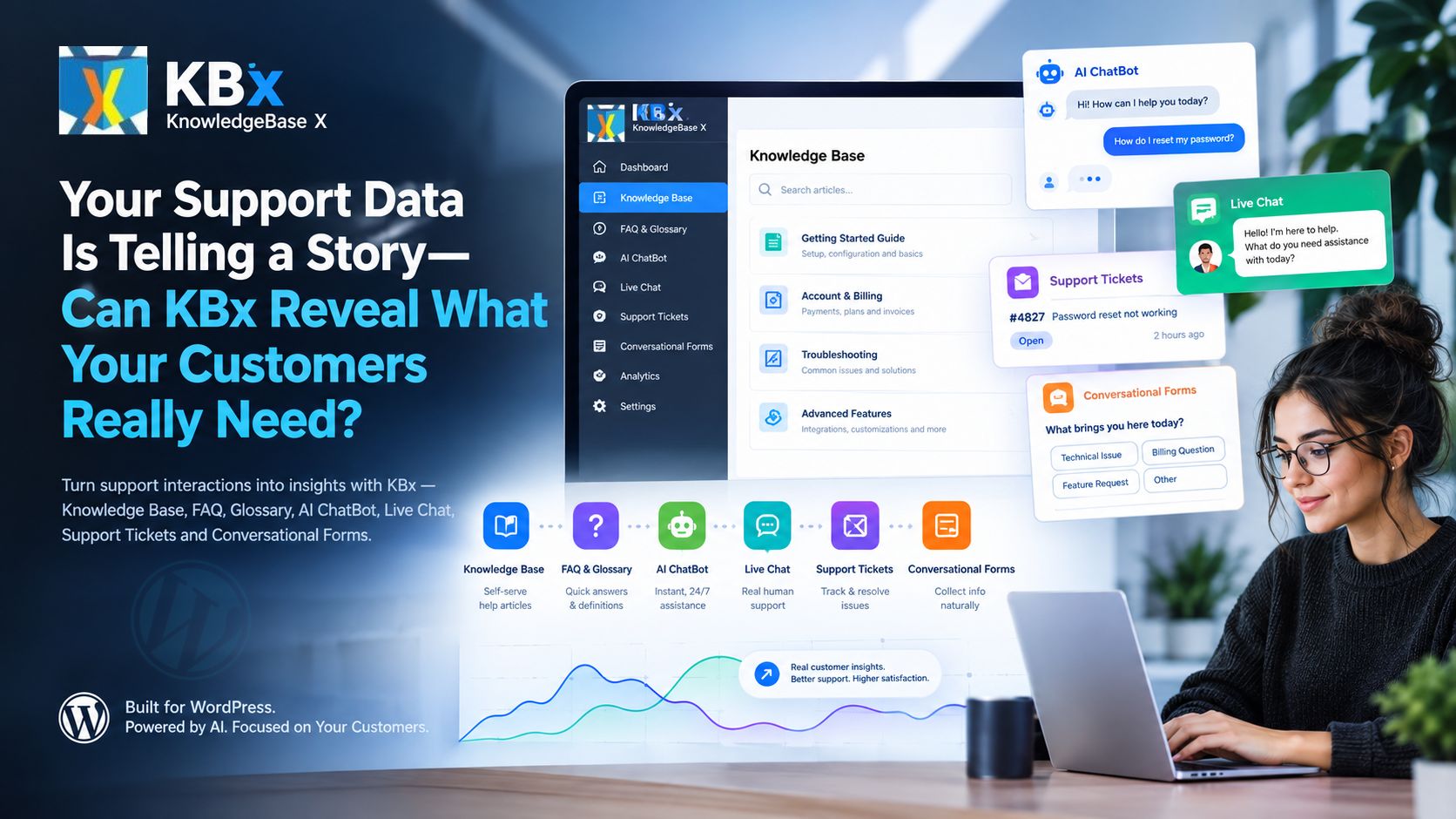
Your Support Data Is Telling a Story—Can KBx (KnowledgeBase X) Reveal What Your Customers Really Need?

KBx (KnowledgeBase X) helps businesses organize support knowledge, answer recurring questions, connect customers with support, manage support requests, and collect information through conversational forms. By examining recurring questions, unresolved requests, documentation gaps, and customer feedback, businesses can use KBx (KnowledgeBase X) to identify where customers need clearer answers and a better support experience.

Why Are Customers Still Asking Questions When Your Website Already Has the Answers?
Your support inbox can reveal problems that website analytics alone cannot explain. Customers may visit a help article, search for a product feature, open a chatbot, or submit a ticket because the information available on your website does not fully answer the question.
KBx (KnowledgeBase X) gives businesses a practical framework for organizing customer-facing knowledge and support workflows around those needs. The important step is to connect recurring customer questions with useful documentation, appropriate support channels, and measurable improvements.
Consider a software company receiving 1,200 support requests each month. If 420 requests concern questions already covered by existing documentation, the company has an opportunity to improve content discovery, answer clarity, and self-service support.
The problem may not be a lack of documentation. KBx (KnowledgeBase X) can help a team investigate whether customers struggle to find the right article, understand technical instructions, identify the correct product version, or get an answer when human assistance is necessary.
What Can Support Questions Tell You That Page Views Cannot?
Page views show which pages visitors open, but support questions reveal where visitors experience friction. KBx (KnowledgeBase X) can help teams organize the knowledge and support processes needed to investigate that friction.
| Customer signal | Possible underlying problem | How KBx (KnowledgeBase X) can help |
| Repeated questions about one feature | Documentation may be incomplete or difficult to understand | Improve knowledge-base articles and FAQs |
| Searches that produce no useful answer | Content may be missing or poorly organized | Review knowledge coverage and terminology |
| Multiple tickets about the same error | Troubleshooting instructions may be insufficient | Improve technical articles and support workflows |
| Customers repeatedly requesting human help | Self-service answers may not meet the actual need | Connect AI ChatBot, Live Chat, and support tickets appropriately |
| Incomplete support submissions | Support teams may lack essential diagnostic details | Use Conversational Forms to collect structured information |
| Questions about unfamiliar terms | Product terminology may confuse users | Add definitions to the glossary |
These signals are diagnostic clues, not proof of a specific cause. KBx (KnowledgeBase X) becomes more useful when teams compare question patterns with article quality, ticket outcomes, product versions, and customer feedback.
How Can KBx (KnowledgeBase X) Turn Support Data Into a Useful Improvement Plan?
Support data becomes valuable when a team converts individual questions into repeatable actions. KBx (KnowledgeBase X) can support a six-step improvement process that connects customer questions with knowledge management and support operations.
1. Collect recurring questions
KBx (KnowledgeBase X) gives support teams a central workflow for reviewing questions gathered through available support channels.
2. Identify knowledge gaps
KBx (KnowledgeBase X) helps teams identify topics that need clearer explanations, better terminology, or additional troubleshooting guidance.
3. Improve the knowledge base
KBx (KnowledgeBase X) supports a content improvement strategy built around accurate articles, relevant FAQs, and consistent definitions.
4. Match questions with answers
KBx (KnowledgeBase X) can place self-service knowledge and AI ChatBot assistance within the support journey when the relevant features and integrations are configured.
5. Escalate unresolved problems
KBx (KnowledgeBase X) can form part of a workflow that directs complex questions to Live Chat or Support Tickets.
6. Measure the outcome
KBx (KnowledgeBase X) gives teams a clear improvement framework for evaluating repeat-question volume, resolution time, customer satisfaction, and knowledge coverage.
The six-step process does not require every support channel to be connected automatically. KBx (KnowledgeBase X) implementations should distinguish between native features, configured integrations, and manual reporting before assigning responsibility for each step.
Is Your Knowledge Base Solving Problems or Simply Publishing Articles?
A knowledge base should help customers complete tasks, troubleshoot errors, and understand product behavior without unnecessary delays. KBx (KnowledgeBase X) can support a customer-focused documentation strategy by organizing knowledge around actual questions rather than internal department structures alone.
Why Do Customers Miss Answers That Already Exist?
Customers may fail to find a correct article because the title uses unfamiliar terminology, the navigation contains too many levels, or the article addresses a different product version. KBx (KnowledgeBase X) content planning should account for the words customers actually use when describing problems.
For example, a customer may search for “checkout button not working” while the documentation uses the heading “Troubleshooting payment submission failures.” Both phrases may describe the same issue, but the terminology mismatch can prevent successful discovery.
KBx (KnowledgeBase X) administrators should review common customer expressions, add meaningful headings, use descriptive article titles, and connect related troubleshooting content. Search analytics or failed-query reporting should be verified against the installed search implementation rather than assumed to be available automatically.
Which Knowledge-Base Metrics Matter Most?
KBx (KnowledgeBase X) teams should measure whether documentation helps customers resolve problems, not merely whether documentation receives traffic.
| Metric | Calculation | What KBx (KnowledgeBase X) teams learn |
| Article helpfulness | Helpful votes ÷ total votes × 100 | Whether readers find articles useful |
| Self-service resolution rate | Confirmed self-service resolutions ÷ eligible support cases × 100 | Whether documentation reduces the need for human assistance |
| Repeat-question rate | Repeated questions on a topic ÷ all questions on the topic × 100 | Which topics need clearer answers |
| Knowledge coverage | Questions covered by verified documentation ÷ prioritized questions × 100 | Which important topics remain undocumented |
| Average resolution time | Total resolution time ÷ resolved cases | Whether support processes are becoming faster |
KBx (KnowledgeBase X) reporting should use clearly defined data sources and denominators. For example, a page view alone does not prove that a customer solved a problem, so self-service resolution should be measured through an explicit signal such as a resolved-case confirmation or an appropriate ticket outcome.
How Should Developers Structure a High-Value Article?
KBx (KnowledgeBase X) documentation works best when every article answers a specific question and provides an actionable next step.
- KBx (KnowledgeBase X) article titles: Use the actual task or problem, such as “How to Fix a Failed WordPress Plugin Update.”
- KBx (KnowledgeBase X) opening answer: State the direct solution before background information.
- KBx (KnowledgeBase X) prerequisites: Identify the required permissions, software versions, settings, and dependencies.
- KBx (KnowledgeBase X) instructions: Present numbered steps with expected results and recovery guidance.
- KBx (KnowledgeBase X) troubleshooting: Explain common error messages, probable causes, and safe diagnostic checks.
- KBx (KnowledgeBase X) escalation guidance: Explain when customers should contact support and which diagnostic details support teams need.
A developer should also include an article owner, last-reviewed date, applicable software version, and relevant security considerations. KBx (KnowledgeBase X) documentation governance should prevent outdated instructions from remaining authoritative after product changes.
Are Your FAQs and Glossary Hiding the Clues Behind Repeated Questions?

Frequently asked questions and glossaries solve different information problems. KBx (KnowledgeBase X) can use both content types as part of a broader knowledge strategy, subject to the capabilities and configuration of the installed version.
When Should KBx (KnowledgeBase X) Use an FAQ Instead of a Long Article?
An FAQ is appropriate for a focused question with a relatively direct answer. A detailed article is better for a multi-step task, while an FAQ can provide a concise answer and link to the complete procedure.
For example, a KBx (KnowledgeBase X) FAQ might answer, “Can a WordPress administrator restrict access to a support article?” The associated technical article could explain role permissions, access configuration, and testing requirements in greater depth.
KBx (KnowledgeBase X) content teams should prioritize FAQ topics using repeated support questions, product onboarding feedback, sales objections, and unresolved documentation searches. Questions involving security, billing, data retention, or compatibility deserve particular attention because vague answers can create costly misunderstandings.
How Can a Glossary Reduce Technical Support Friction?
Customers often misunderstand a feature because the terminology is unfamiliar, inconsistent, or overloaded with technical meanings. KBx (KnowledgeBase X) glossary content can define important terms in simple language and link definitions to related FAQs and articles.
Consider a WordPress software company using terms such as webhook, API token, retrieval-augmented generation, and escalation policy. KBx (KnowledgeBase X) glossary entries should explain the practical meaning of each term, when the term matters, and where readers can find implementation instructions.
A useful KBx (KnowledgeBase X) glossary entry should contain:
- KBx (KnowledgeBase X) definition: A plain-language explanation in one or two sentences.
- KBx (KnowledgeBase X) practical example: A realistic situation showing how the term appears in everyday work.
- KBx (KnowledgeBase X) related content: Links to relevant FAQs, technical articles, and troubleshooting instructions.
- KBx (KnowledgeBase X) terminology consistency: The same definition across documentation, chatbot responses, and support conversations.
How Can Teams Decide Which Content to Create First?
KBx (KnowledgeBase X) content prioritization should combine frequency, customer impact, resolution difficulty, and business risk. The following scoring model is a proposed editorial framework, not a built-in KBx (KnowledgeBase X) feature.
| Priority factor | Score | Example |
| Question frequency | 1–5 | A login problem reported 80 times monthly receives a higher score than a rare question |
| Customer impact | 1–5 | A payment failure receives a higher score than a cosmetic preference |
| Resolution difficulty | 1–5 | A complicated configuration problem receives a higher score than a simple definition |
| Business or security risk | 1–5 | A data exposure concern receives a higher score than a minor usability issue |
A team can calculate a weighted content priority score using:
\[ P=(0.30F)+(0.30I)+(0.20D)+(0.20R) \]
Here, \(F\) represents frequency, \(I\) represents customer impact, \(D\) represents resolution difficulty, and \(R\) represents business or security risk. KBx (KnowledgeBase X) teams can use the resulting score to decide which documentation gaps deserve attention first, while overriding the ranking whenever an urgent security issue requires immediate action.
Can the KBx (KnowledgeBase X) AI ChatBot Answer Questions Without Inventing Facts?

An AI ChatBot can improve support accessibility, but a chatbot that confidently returns incorrect instructions can damage customer trust. KBx (KnowledgeBase X) AI ChatBot deployments should prioritize grounded answers, controlled access to knowledge, and clear escalation paths.
How Should an AI ChatBot Find the Right Answer?
A retrieval-based chatbot typically searches a collection of relevant content before generating an answer. KBx (KnowledgeBase X) implementations using retrieval-augmented generation should retrieve suitable knowledge-base passages, provide the retrieved material to the language model, and generate an answer constrained by the available evidence.
A practical retrieval pipeline contains several stages:
- KBx (KnowledgeBase X) content preparation: Collect approved articles, FAQs, and glossary entries from authorized sources.
- KBx (KnowledgeBase X) indexing: Split content into useful passages and create searchable representations using the selected retrieval technology.
- KBx (KnowledgeBase X) question processing: Interpret the customer question and retrieve relevant passages.
- KBx (KnowledgeBase X) answer generation: Send the question and selected evidence to the configured model.
- KBx (KnowledgeBase X) answer validation: Check source relevance, permissions, confidence signals, and escalation conditions before presenting the answer.
These steps describe a recommended architecture, not a claim that every stage is implemented natively in KBx (KnowledgeBase X). Developers should confirm the actual model providers, indexing method, retrieval configuration, and available safeguards before deployment.
How Can Developers Reduce AI Hallucinations?
KBx (KnowledgeBase X) AI ChatBot quality depends on the quality of the source material, retrieval relevance, model behavior, and fallback policy. No prompt or retrieval strategy can guarantee that every generated answer will be correct.
Developers should configure KBx (KnowledgeBase X) AI ChatBot workflows to:
- Prefer approved documentation over unsupported general knowledge.
- Include source references when the configured chatbot supports citations.
- Abstain when relevant evidence is missing or contradictory.
- Escalate account-specific, security-sensitive, and unresolved technical questions.
- Test prompts that attempt to override instructions or reveal confidential information.
- Separate customer-facing knowledge from internal support notes and restricted documents.
KBx (KnowledgeBase X) teams should maintain an evaluation set containing real support questions, expected answers, approved sources, and prohibited disclosures. A proposed initial test set might contain 100–200 representative questions covering routine tasks, ambiguous requests, outdated documentation, unsupported topics, and malicious prompts.
The evaluation should measure groundedness, retrieval relevance, answer correctness, escalation accuracy, response latency, and cost per resolved question. KBx (KnowledgeBase X) administrators should repeat the evaluation whenever source content, model versions, retrieval settings, or security controls change.
How Should KBx (KnowledgeBase X) AI ChatBot Connect With Business Goals?
KBx (KnowledgeBase X) chatbot performance should be judged by useful outcomes rather than message volume alone. A chatbot that answers thousands of questions but frequently repeats incorrect guidance is not a successful support investment.
Useful measures include:
- KBx (KnowledgeBase X) answer acceptance rate: The percentage of rated answers that customers mark as useful.
- KBx (KnowledgeBase X) grounded answer rate: The percentage of audited responses supported by approved sources.
- KBx (KnowledgeBase X) escalation accuracy: The percentage of cases correctly escalated when automation cannot safely resolve a question.
- KBx (KnowledgeBase X) cost per resolved conversation: Total model and infrastructure cost divided by verified successful resolutions.
- KBx (KnowledgeBase X) repeat-contact rate: The percentage of resolved conversations followed by another contact about the same problem within a defined period.
A chatbot should not be credited with resolving a case solely because a conversation ended. KBx (KnowledgeBase X) measurement should distinguish between abandoned conversations, unresolved questions, successful self-service, and transfers to human support.
Is Live Chat the Missing Link Between Self-Service and Customer Trust?

Self-service is not the right solution for every customer problem. KBx (KnowledgeBase X) support workflows should preserve access to human assistance when the question requires judgment, account-specific investigation, or sensitive troubleshooting.
When Should KBx (KnowledgeBase X) Offer Human Support?
Live Chat is particularly useful when a customer needs clarification, a sales prospect has a specific concern, or a technical problem cannot be resolved through documentation. KBx (KnowledgeBase X) implementations should define escalation rules that match available staffing, service hours, and support priorities.
Examples include:
- KBx (KnowledgeBase X) technical escalation: Transfer persistent errors or failed troubleshooting attempts to an appropriate support specialist.
- KBx (KnowledgeBase X) sales assistance: Connect high-intent visitors with a representative when a product question prevents a purchasing decision.
- KBx (KnowledgeBase X) account-specific help: Route requests requiring identity verification or private account information through approved procedures.
- KBx (KnowledgeBase X) sensitive-case handling: Direct security incidents, suspected data exposure, and other urgent matters to the designated response team.
KBx (KnowledgeBase X) teams should clearly communicate availability and expected response times. A chatbot should not imply that a human agent is online when the support team is unavailable.
Which Live Chat Metrics Reveal Real Problems?
KBx (KnowledgeBase X) support managers should monitor response quality alongside speed. A quick first response does not necessarily mean that the customer receives an accurate solution.
| Metric | Example target | Why KBx (KnowledgeBase X) teams should track the metric |
| Median first response | Under 2 minutes during staffed hours | Measures initial responsiveness |
| Resolution rate | Establish a baseline, then improve | Shows whether conversations reach useful outcomes |
| Escalation rate | Segment by topic and reason | Identifies gaps in self-service or automation |
| Customer satisfaction | Track by issue category | Reveals where support quality differs |
| Repeat-contact rate | Reduce compared with baseline | Helps detect incomplete or incorrect resolutions |
The values above are illustrative operating targets, not verified KBx (KnowledgeBase X) benchmarks. Each business should set targets based on staffing, complexity, customer expectations, and historical results.
Are Support Tickets Revealing the Same Problem Again and Again?

Support tickets contain structured evidence about recurring failures, missing documentation, product defects, and customer confusion. KBx (KnowledgeBase X) ticket workflows can be part of a systematic process for turning individual cases into improvements, depending on the installed ticketing features and integrations.
Which Ticket Fields Help KBx (KnowledgeBase X) Teams Find Patterns?
A ticket that says “the plugin does not work” offers little diagnostic value. KBx (KnowledgeBase X) support processes should capture enough context to classify the problem without collecting unnecessary personal information.
Useful ticket fields include:
- KBx (KnowledgeBase X) issue category: Authentication, configuration, compatibility, billing, performance, or feature request.
- KBx (KnowledgeBase X) environment: WordPress version, PHP version, relevant plugin versions, hosting environment, and browser where applicable.
- KBx (KnowledgeBase X) reproduction steps: The sequence of actions that produces the reported problem.
- KBx (KnowledgeBase X) error evidence: Relevant error messages, timestamps, and sanitized logs.
- KBx (KnowledgeBase X) resolution status: Open, awaiting customer, escalated, resolved, or another clearly defined state.
- KBx (KnowledgeBase X) knowledge reference: The article or troubleshooting procedure used during resolution.
- KBx (KnowledgeBase X) priority and impact: The urgency, number of affected users, and potential business consequences.
KBx (KnowledgeBase X) ticket forms should avoid collecting passwords, API secrets, payment-card details, or unnecessary sensitive information. Diagnostic logs should be redacted before upload or sharing.
How Can Support Tickets Improve Documentation Automatically?
A recurring ticket category can trigger a documentation review even when the ticketing system cannot automatically create or edit articles. KBx (KnowledgeBase X) teams can establish a weekly review process that identifies repeated issues and assigns content improvements to a named owner.
For example, if 35 tickets in one month concern the same installation error, KBx (KnowledgeBase X) administrators can check whether the existing installation article explains the required PHP version, file permissions, and recovery steps. The team can then compare ticket volume before and after the documentation update.
Ticket reduction should be interpreted carefully. KBx (KnowledgeBase X) reporting should account for changes in customer volume, software releases, support staffing, and issue severity before attributing improvements to documentation alone.
Are Conversational Forms Collecting the Information Support Teams Actually Need?

Conversational Forms can replace overwhelming forms with a guided sequence of focused questions. KBx (KnowledgeBase X) conversational form workflows should collect information progressively and adapt questions to the customer’s stated need when the configured form technology supports conditional logic.
How Can KBx (KnowledgeBase X) Forms Improve Lead and Support Quality?
A conventional form may ask every visitor for the same information regardless of the request. KBx (KnowledgeBase X) conversational forms can provide a more focused experience by separating lead qualification, support intake, and technical diagnostics into appropriate paths.
Examples include:
- KBx (KnowledgeBase X) lead qualification: Ask about the customer’s goal, business type, required features, and preferred contact method.
- KBx (KnowledgeBase X) technical intake: Ask for the product version, error message, reproduction steps, and relevant environment details.
- KBx (KnowledgeBase X) product consultation: Ask about required integrations, expected usage, and deployment constraints.
- KBx (KnowledgeBase X) support prioritization: Ask whether the problem blocks a critical workflow or affects multiple users.
KBx (KnowledgeBase X) forms should request only information needed for the stated purpose. Conditional questions should remain understandable, accessible, and easy to complete on mobile devices.
How Should Teams Measure Conversational Form Performance?
KBx (KnowledgeBase X) form optimization should focus on completed, useful submissions rather than raw form starts.
| Metric | Formula | Interpretation |
| Form completion rate | Completed submissions ÷ form starts × 100 | Measures how many visitors finish |
| Qualified lead rate | Qualified leads ÷ completed lead forms × 100 | Measures lead relevance |
| Diagnostic completeness | Submissions containing required diagnostic fields ÷ relevant support submissions × 100 | Measures support readiness |
| Abandonment rate | Incomplete starts ÷ form starts × 100 | Identifies possible form friction |
KBx (KnowledgeBase X) teams should segment results by form purpose, traffic source, device, and question path. A high completion rate is not automatically beneficial when submissions lack the information needed for follow-up.
How Can KBx (KnowledgeBase X) Turn Support Improvements Into Measurable ROI?
Support improvements become easier to justify when a business measures recovered staff time, avoided repetitive work, and customer outcomes. KBx (KnowledgeBase X) ROI calculations should use actual operating costs and verified resolution data rather than assuming every chatbot interaction replaces a human support request.
Consider a support team handling 1,200 requests per month, including 420 repetitive questions. Assume each repetitive request requires six minutes of staff time.
| Calculation | Monthly result |
| Total support requests | 1,200 |
| Repetitive requests | 420 |
| Average handling time | 6 minutes |
| Total repetitive handling time | 2,520 minutes |
| Total repetitive handling time | 42 hours |
| Target reduction in repetitive handling | 25% |
| Potential time recovered | 10.5 hours |
KBx (KnowledgeBase X) could support a strategy targeting a 25% reduction in repetitive handling time, equivalent to 105 requests or 10.5 staff hours if the team genuinely avoids six minutes of work for every affected request.
The estimate represents a target, not a guaranteed outcome. KBx (KnowledgeBase X) teams must measure actual resolutions and account for review time, failed answers, escalations, and maintenance costs.
What Is the Financial Value of Recovered Support Time?
KBx (KnowledgeBase X) financial analysis can estimate the value of recovered staff capacity with a simple formula:
\[ \text{Recovered Capacity Value}= \text{Hours Saved}\times\text{Loaded Hourly Cost} \]
If the fully loaded support cost is $20 per hour, recovering 10.5 hours creates $210 in monthly staff capacity value. The calculation does not necessarily represent cash savings because salaries remain unchanged unless the business reduces overtime, avoids additional hiring, or reallocates the recovered capacity productively.
A more complete KBx (KnowledgeBase X) ROI calculation is:
\[ \text{ROI}= \frac{\text{Measured Benefits}-\text{Total Costs}} {\text{Total Costs}}\times100 \]
Total costs should include software licensing, hosting, model usage, integration development, maintenance, staff training, and security review. KBx (KnowledgeBase X) benefits should include only measured financial gains or defensible estimates, with overlapping benefits removed to prevent double counting.
How Does KBx (KnowledgeBase X) Compare With a Basic Support Setup?
The right comparison is not whether one product has more features than another. The important question is whether a support setup helps customers find reliable answers and gives the business enough information to improve the support experience.
| Capability | Basic documentation-only setup | KBx (KnowledgeBase X) strategy |
| Knowledge base | Static articles with limited process integration | Organize articles around recurring customer needs |
| FAQs and glossary | Definitions and answers managed separately | Align FAQs and terminology with common support questions |
| AI ChatBot | May be absent or separately configured | Evaluate chatbot workflows and grounded knowledge access |
| Live Chat | Separate human support channel | Define escalation and handoff procedures |
| Support Tickets | Individual cases handled independently | Classify recurring problems and feed findings into documentation |
| Conversational Forms | One general contact form | Collect purpose-specific lead and diagnostic information |
| Reporting | Page views and ticket counts | Establish a measurement framework for resolution quality and repeat contacts |
The table describes alternative support approaches, not independently verified product benchmarks. KBx (KnowledgeBase X) native capabilities, integration requirements, and feature availability should be confirmed against the actual version and license.
How Should You Compare KBx (KnowledgeBase X) Pricing With Alternatives?
No verified current license prices are established in this article, so quoting specific amounts would be misleading. KBx (KnowledgeBase X) buyers should compare the total cost of ownership over a consistent period rather than comparing headline license prices alone.
| Cost category | Questions for a KBx (KnowledgeBase X) evaluation |
| License | Is the license annual, monthly, lifetime, or usage-based? |
| AI usage | Are model API charges separate from the software license? |
| Infrastructure | Are additional hosting, indexing, or background-processing resources needed? |
| Integrations | Do external chat, email, CRM, or automation services require separate subscriptions? |
| Maintenance | Who updates documentation, reviews chatbot answers, and manages security patches? |
| Scaling | What happens when content volume, support traffic, or API consumption increases? |
KBx (KnowledgeBase X) is a stronger financial choice when verified capabilities meet the business requirements at a lower overall cost than the alternatives under consideration. Buyers should request a feature-by-feature demonstration, a written license breakdown, and an estimate of expected AI usage before committing to a deployment.
What Should You Check Before Deploying KBx (KnowledgeBase X) on a Production WordPress Site?
A useful support experience requires more than publishing content and activating a chatbot. KBx (KnowledgeBase X) deployments should be evaluated for compatibility, access control, performance, privacy, reliability, and maintainability.
Which Technical Checks Should Developers Complete First?
- KBx (KnowledgeBase X) compatibility: Verify the supported WordPress and PHP versions, theme compatibility, required dependencies, and interactions with caching or security plugins.
- KBx (KnowledgeBase X) access control: Test whether public visitors, logged-in customers, support agents, and administrators can access only authorized content and actions.
- KBx (KnowledgeBase X) performance: Measure page response times, database query counts, memory consumption, and background-job duration under representative traffic.
- KBx (KnowledgeBase X) integration reliability: Test API failures, timeouts, rate limits, retries, and duplicate webhook events.
- KBx (KnowledgeBase X) data governance: Document what customer data is collected, where the data is stored, who can access the data, and when deletion occurs.
- KBx (KnowledgeBase X) recovery procedures: Test backups, restoration, plugin rollback, and recovery from external service outages.
These checks are implementation recommendations, not assertions that every control is built into KBx (KnowledgeBase X). Developers should inspect the actual code, documentation, configuration, and dependencies before approving production deployment.
What Technical Objections Should Developers Resolve Before Choosing KBx (KnowledgeBase X)?
1. Will KBx (KnowledgeBase X) Increase WordPress Server Resource Consumption?
KBx (KnowledgeBase X) resource consumption depends on the enabled features, database queries, content volume, indexing strategy, chatbot architecture, and traffic patterns. AI processing hosted by an external provider can reduce local model-compute requirements, but WordPress still handles requests, authentication, database access, and any local processing required by the implementation.
Developers should establish a baseline before activating KBx (KnowledgeBase X), then compare production-like workloads using tools such as Query Monitor, PHP-FPM metrics, application logs, and infrastructure monitoring.
Important measurements include:
- KBx (KnowledgeBase X) PHP memory: Peak memory per request and the frequency of memory-limit errors.
- KBx (KnowledgeBase X) database load: Query count, slow queries, table growth, and the impact of search or reporting operations.
- KBx (KnowledgeBase X) request latency: Median and 95th-percentile response time for normal pages and support interactions.
- KBx (KnowledgeBase X) background processing: Queue length, job duration, retry frequency, and indexing workload.
- KBx (KnowledgeBase X) concurrency: Response behavior during simultaneous chatbot requests and support submissions.
Developers should avoid running expensive external API calls synchronously during ordinary page rendering whenever the architecture permits asynchronous processing. Caching appropriate public documentation, paginating large datasets, indexing frequently searched fields, and limiting repeated requests can help control overhead.
2. How Can KBx (KnowledgeBase X) Control OpenAI, Gemini, and DeepSeek API Token Costs?
KBx (KnowledgeBase X) deployments using external language models may incur separate API charges according to the provider, model, input tokens, output tokens, caching rules, and other applicable pricing terms. The actual supported providers must be verified; OpenAI, Gemini, and DeepSeek should not be assumed to be native integrations merely because a deployment could connect to their APIs.
Developers should estimate cost before launch using:
\[ C=\frac{I\times P_i}{1{,}000{,}000} +\frac{O\times P_o}{1{,}000{,}000} \]
Where:
- \(I\) is monthly input-token consumption.
- \(O\) is monthly output-token consumption.
- \(P_i\) is the input price per million tokens.
- \(P_o\) is the output price per million tokens.
For an illustrative scenario, assume 100,000 conversations per month, an average of 2,000 input tokens and 400 output tokens per conversation, an input rate of $0.50 per million tokens, and an output rate of $2.00 per million tokens.
| Cost component | Calculation | Monthly cost |
| Input tokens | 200 million × $0.50 ÷ 1 million | $100 |
| Output tokens | 40 million × $2.00 ÷ 1 million | $80 |
| Total estimated model cost | Input cost + output cost | $180 |
The prices are hypothetical examples, not current OpenAI, Gemini, or DeepSeek rates. Actual KBx (KnowledgeBase X) API expenses will vary by provider, selected model, prompt size, retrieval context, retries, and provider pricing.
Developers can control KBx (KnowledgeBase X) AI expenses by limiting conversation history, retrieving only relevant knowledge passages, setting output-token limits, caching appropriate answers, applying per-user rate limits, and recording token usage per request.
Production deployments should also configure spending alerts, daily and monthly quotas where supported, timeout policies, and a fallback response when a provider reaches a usage limit. API keys should remain server-side and should never appear in browser JavaScript, public page source, or client-visible error messages.
3. How Should KBx (KnowledgeBase X) Handle GDPR and Customer Privacy?
KBx (KnowledgeBase X) privacy compliance depends on the actual data collected, processing purposes, storage locations, external processors, retention policies, and access controls. Installing a WordPress plugin alone does not establish GDPR compliance.
Before deployment, the business should document the complete data flow from customer input through WordPress storage, external API processing, support-agent access, backups, and deletion.
Key controls include:
- KBx (KnowledgeBase X) data minimization: Collect only the personal information necessary for a clearly defined support or lead-generation purpose.
- KBx (KnowledgeBase X) access controls: Restrict support tickets, internal notes, conversation histories, and private knowledge according to role and authorization.
- KBx (KnowledgeBase X) retention: Define how long messages, logs, attachments, and diagnostic data remain stored.
- KBx (KnowledgeBase X) processor assessment: Review external AI providers, hosting services, data-processing agreements, international transfers, and applicable subprocessors.
- KBx (KnowledgeBase X) data-subject requests: Establish procedures for handling access, correction, deletion, and other applicable privacy requests.
- KBx (KnowledgeBase X) security safeguards: Protect data in transit and at rest, restrict credentials, monitor access, and redact sensitive diagnostic information.
A database design may use separate records for conversations, messages, support tickets, user references, and audit events, with access controls and retention rules applied to each appropriate data category. Developers should verify the actual KBx (KnowledgeBase X) schema before assuming such tables or structures already exist.
If KBx (KnowledgeBase X) sends customer messages to an external model provider, the business should assess the provider’s retention and training policies, contractual commitments, and transfer mechanisms. Privacy notices, lawful-basis assessments, consent requirements where applicable, and deletion procedures should reflect the actual implementation.
4. How Can Developers Verify KBx (KnowledgeBase X) Security Patch and Vulnerability History?
A responsible security assessment should rely on verifiable release notes, changelogs, vendor advisories, vulnerability databases, and the actual installed code. No specific historical vulnerability or patch status should be attributed to KBx (KnowledgeBase X) without evidence.
Before deployment, developers should record the exact plugin version and review the available security information for that version. The review should include relevant dependencies, supported software versions, access-control behavior, input validation, file handling, SQL queries, and external API authentication.
The security review should examine common WordPress risks, including:
- KBx (KnowledgeBase X) authorization: Verify capability checks for privileged actions and ensure object-level access controls prevent unauthorized ticket or conversation access.
- KBx (KnowledgeBase X) input handling: Validate and sanitize input according to context, use safe database APIs, and escape output to reduce injection and cross-site scripting risks.
- KBx (KnowledgeBase X) request protection: Review nonce validation and appropriate defenses against cross-site request forgery for state-changing actions.
- KBx (KnowledgeBase X) file handling: Restrict upload types and sizes, validate files, and prevent unauthorized access to private attachments.
- KBx (KnowledgeBase X) secrets management: Keep API credentials out of public responses, logs, and source repositories.
- KBx (KnowledgeBase X) dependency maintenance: Track third-party libraries and apply verified security updates according to the deployment’s risk policy.
A vulnerability scan is useful but cannot prove that a plugin is secure. KBx (KnowledgeBase X) production approval should also include targeted manual review, regression testing, access-control tests, and a documented patch-management process.
5. How Can KBx (KnowledgeBase X) Prevent Webhook Latency and Duplicate Events?
Webhook performance depends on the sender, network, receiver, authentication mechanism, database operations, and downstream services. KBx (KnowledgeBase X) workflows that use webhooks should acknowledge events promptly and avoid keeping the original HTTP request open while performing lengthy operations.
A reliable webhook architecture typically follows this sequence:
- KBx (KnowledgeBase X) event validation: Verify the sender using the provider’s supported signature or authentication mechanism.
- KBx (KnowledgeBase X) request validation: Validate the payload and reject malformed or unauthorized events.
- KBx (KnowledgeBase X) durable queuing: Store the event or a safe processing reference before acknowledging receipt.
- KBx (KnowledgeBase X) asynchronous execution: Process the event in a background worker with bounded retries.
- KBx (KnowledgeBase X) idempotency: Track unique event identifiers so repeated deliveries do not create duplicate tickets, messages, or leads.
- KBx (KnowledgeBase X) failure monitoring: Record processing duration, retry counts, queue age, and terminal failures.
A useful initial engineering target might be to acknowledge accepted webhook requests within 500 milliseconds at the 95th percentile, provided the sender’s requirements and infrastructure make the target practical. The value is an example service objective, not a verified KBx (KnowledgeBase X) performance guarantee.
Developers should also implement exponential backoff with jitter for retryable failures, dead-letter handling for exhausted retries, and replay procedures for recoverable events. KBx (KnowledgeBase X) webhook integrations should never trust a webhook simply because the request contains a familiar event name.
6. How Can KBx (KnowledgeBase X) Avoid Stale Answers After Documentation Changes?
AI answers can become inaccurate when indexed content no longer matches the approved documentation. KBx (KnowledgeBase X) deployments that use external retrieval indexes should define an update process connecting article revisions with re-indexing and cache invalidation.
Each indexed document should have a stable identifier, version or revision reference, update timestamp, and access-control metadata where applicable. KBx (KnowledgeBase X) retrieval systems should prevent deleted or restricted content from remaining available through stale indexes or cached responses.
A deployment test should update a sample article, verify that the revised answer becomes available, and confirm that the old answer disappears within the documented freshness window. KBx (KnowledgeBase X) administrators should also test how failed indexing jobs are detected and recovered.
What Is the Best Way to Launch KBx (KnowledgeBase X) Without Disrupting Support?
A phased launch makes performance, content quality, and operational risks easier to control. KBx (KnowledgeBase X) teams can start with the most frequent and lowest-risk questions, validate the results, and expand coverage as evidence improves.
Week 1: Audit the evidence
KBx (KnowledgeBase X) teams identify recurring support topics, outdated articles, privacy requirements, and the most common documentation gaps.
Week 2: Improve knowledge coverage
KBx (KnowledgeBase X) content owners update priority articles, add useful FAQs, standardize terminology, and establish review ownership.
Week 3: Test support workflows
KBx (KnowledgeBase X) developers test chatbot answers, Live Chat escalation, ticket intake, form validation, permissions, and failure handling.
Week 4: Measure and refine
KBx (KnowledgeBase X) teams compare support volume, resolution time, customer feedback, model cost, and repeat-contact rates against the baseline.
The four-week schedule is an illustrative rollout plan, not a required implementation timeline. KBx (KnowledgeBase X) deployments involving complex integrations, large content libraries, regulated data, or extensive security reviews may require more time.
Can KBx (KnowledgeBase X) Turn Customer Questions Into a Competitive Advantage?
The most useful support data often points toward a problem that customers have struggled to explain clearly. KBx (KnowledgeBase X) can help businesses build a process for turning those signals into better documentation, more appropriate automation, faster escalation, and more informative support requests.
The six pillars work best as a connected support strategy:
- KBx (KnowledgeBase X) Knowledge Base: Help customers find practical, accurate instructions.
- KBx (KnowledgeBase X) FAQ and Glossary: Remove terminology confusion and answer focused questions.
- KBx (KnowledgeBase X) AI ChatBot: Deliver grounded assistance for supported questions and escalate uncertainty.
- KBx (KnowledgeBase X) Live Chat: Preserve access to human judgment when automated support falls short.
- KBx (KnowledgeBase X) Support Tickets: Capture diagnostic evidence and reveal recurring product problems.
- KBx (KnowledgeBase X) Conversational Forms: Collect relevant lead and support information without overwhelming visitors.
The real objective is not to eliminate every support conversation. KBx (KnowledgeBase X) should help businesses resolve straightforward questions efficiently while making complex, sensitive, and high-value conversations easier to handle well.
When teams review support patterns regularly, update knowledge based on evidence, and measure real resolutions, customer questions become a practical source of product and service improvements.
FAQ:
What is KBx (KnowledgeBase X) used for?
KBx (KnowledgeBase X) helps businesses organize support knowledge, answer recurring questions, connect customers with support, manage support requests, and collect information through conversational forms.
Why are customers still asking questions when answers are available on the website?
Customers may still ask questions because the information available on the website may not fully answer their queries. KBx (KnowledgeBase X) helps businesses identify gaps in documentation and improve support experiences.
How can KBx (KnowledgeBase X) help improve support processes?
KBx (KnowledgeBase X) can help improve support processes by organizing customer-facing knowledge, connecting recurring customer questions with useful documentation, appropriate support channels, and measurable improvements.
What can support questions reveal that page views cannot?
Support questions reveal where visitors experience friction, unlike page views which show which pages visitors open. KBx (KnowledgeBase X) can help teams organize support processes needed to investigate and address customer friction.
How can KBx (KnowledgeBase X) turn support data into a useful improvement plan?
KBx (KnowledgeBase X) can support a six-step improvement process that connects customer questions with knowledge management and support operations. It involves collecting recurring questions, identifying knowledge gaps, improving the knowledge base, matching questions with answers, escalating unresolved problems, and measuring outcomes.
Is your knowledge base solving problems or simply publishing articles?
A knowledge base should help customers complete tasks, troubleshoot errors, and understand product behavior without unnecessary delays. KBx (KnowledgeBase X) organizes knowledge around actual questions to provide a customer-focused documentation strategy.
Why do customers miss answers that already exist?
Customers may miss answers due to unfamiliar terminology, complex navigation, or discrepancies in article titles. KBx (KnowledgeBase X) content planning should address customer expressions, meaningful headings, descriptive titles, and related troubleshooting content.
Which knowledge-base metrics matter most?
KBx (KnowledgeBase X) teams should focus on metrics like article helpfulness, self-service resolution rate, repeat-question rate, knowledge coverage, and average resolution time to measure the effectiveness of documentation in helping customers resolve problems.
Final Recommendation
Treat KBx (KnowledgeBase X) as part of a measurable customer-support improvement strategy, not simply a collection of support features. Start with the questions customers ask most frequently, identify the underlying knowledge gaps, and build a process for verifying whether each improvement actually helps customers. The strongest KBx (KnowledgeBase X) implementation combines useful documentation, reliable escalation, privacy-conscious data handling, and continuous evaluation. Customer questions are more than incoming support requests; analyzed carefully, customer questions can reveal exactly where a product, its documentation, or its support experience needs to improve.