No products in the cart.


From High Support Tickets to Passive Income: My KBx (KnowledgeBase X) Story

If you spend hours every day answering the same customer questions, you’re losing both time and money.
That’s exactly what happened to me.
Instead of hiring more support agents, I built a better system.
That system became KBx (KnowledgeBase X)—a WordPress knowledge base plugin that helps businesses create searchable documentation, reduce support tickets, improve customer satisfaction, and even generate passive income through self-service support.
Today, customers find answers on their own before contacting support. That means fewer tickets, happier users, and more time to focus on growing the business.
This article shares that journey and explains why a knowledge base has become one of the smartest investments for WordPress websites.
My Story Started With One Problem
Lots of them.
Every morning my inbox looked the same.
Customers asked questions like:
- How do I install the plugin?
- Where is the license key?
- How do I import settings?
- Why isn’t this feature working?
- Can I customize this option?
None of these were bad questions.
The problem was that they were the same questions again and again.
Every reply took only a few minutes.
But hundreds of replies every week added up quickly.
Soon I realized something.
I wasn’t building products anymore.
I was answering emails.
That wasn’t sustainable.
Why Support Tickets Become a Hidden Business Cost
Most businesses only see support as customer service.
I started seeing it as a business expense.
Every repeated question costs:
- Employee time
- Business money
- Customer patience
- Developer productivity
- Opportunity to build new features
Imagine answering the same question 20 times.
Now imagine writing one article that answers it forever.
That’s the power of documentation.
What Is KBx (KnowledgeBase X)?
 KBx (KnowledgeBase X) is a WordPress knowledge base plugin designed to help businesses create organized documentation directly inside WordPress.
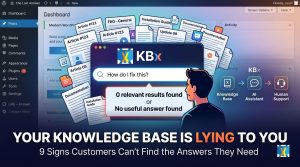
Instead of customers waiting for support, they can search your documentation and find answers immediately.
Think of it as a self-service help center.
Visitors simply search for their question.
KBx shows the most relevant article.
Problem solved.
No support ticket required.
Why Did I Build KBx?
I searched for knowledge base plugins.
Some were too expensive.
Some were complicated.
Others required coding.
Many lacked the features I needed.
I wanted something that was:
- Fast
- Lightweight
- Beginner friendly
- SEO optimized
- Beautiful
- Easy to maintain
So I decided to build one.
That project became KBx.
What Problems Does KBx Solve?
A good knowledge base solves much more than support.
It helps with:
- Customer onboarding
- Product documentation
- Employee training
- Internal documentation
- Software manuals
- API documentation
- FAQ management
- Product tutorials
- Company policies
- Educational content
Instead of answering manually, your documentation works 24/7.
How Does KBx Reduce Support Tickets?
Here’s the simple workflow.
Step 1
Customer has a question.
Step 2
Customer searches the knowledge base.
Step 3
Relevant article appears instantly.
Step 4
Customer gets the answer.
Step 5
Support ticket never gets created.
That’s automation without AI.
Why Customers Prefer Self-Service Support
Today’s customers don’t want to wait.
Most people would rather solve a problem themselves than wait for an email reply.
A searchable knowledge base offers:
- Instant answers
- 24/7 availability
- Better user experience
- No waiting
- Mobile accessibility
- Consistent information
Everybody wins.
The Features That Matter Most
A knowledge base shouldn’t be complicated.
It should simply help users find answers quickly.
Here are the features that make the biggest difference.
Powerful Search
Search is everything.
If users can’t find articles, documentation becomes useless.
KBx helps visitors locate articles quickly with relevant search results.
Organized Categories
Documentation grows over time.
Categories keep everything organized.
Examples include:
- Installation
- Licensing
- Troubleshooting
- Customization
- API
- Frequently Asked Questions
Users immediately know where to look.
Beautiful Article Layouts
Good documentation isn’t just informative.
It should also be easy to read.
Clear headings.
Images.
Code snippets.
Tables.
Lists.
Everything improves readability.
Mobile Friendly
Many customers search from phones.
Responsive documentation is no longer optional.
KBx works across devices.
SEO-Friendly Structure
Knowledge base articles can rank in Google.
That means documentation becomes another traffic source.
Instead of answering one customer,
your article may answer thousands.
How KBx Creates Passive Income
This surprised me the most.
Documentation doesn’t directly sell products.
But it increases revenue in many indirect ways.
Lower Support Costs
Fewer tickets.
Less staff time.
Lower expenses.
Higher Customer Satisfaction
Customers appreciate quick answers.
Happy customers become repeat buyers.
More Time for Product Development
Instead of answering repetitive emails,
you improve your products.
Better products generate more sales.
Better SEO
Documentation ranks for long-tail keywords.
Examples:
- How to install WordPress plugin
- WooCommerce setup guide
- API authentication tutorial
Each article attracts organic traffic.
Traffic becomes leads.
Leads become customers.
Higher Conversion Rates
People trust businesses that provide excellent documentation.
Trust increases conversions.
Real Example
Imagine selling a WordPress plugin.
Without documentation:
Customer buys plugin.
Customer gets stuck.
Customer opens ticket.
Support replies.
Customer waits.
With KBx:
Customer buys plugin.
Searches documentation.
Finds answer.
Continues using product.
No waiting.
That’s a better experience.
Who Should Use KBx?
KBx isn’t only for software companies.
Many industries benefit from documentation.
Examples include:
- SaaS businesses
- WordPress plugin developers
- Theme developers
- Agencies
- Online schools
- Membership websites
- Hosting companies
- Freelancers
- Corporate websites
- Universities
- Digital product sellers
Anywhere people ask questions,
documentation saves time.
Knowledge Base vs FAQ
Many people confuse these.
Here’s the difference.
FAQ | Knowledge Base |
Short answers | Detailed articles |
Few questions | Hundreds of articles |
Basic support | Complete documentation |
Limited search | Advanced search |
Small websites | Growing businesses |
FAQs answer simple questions.
Knowledge bases solve complete problems.
Can a Knowledge Base Improve SEO?
Absolutely.
Google loves helpful content.
Knowledge base articles often rank because they answer specific questions.
For example:
- How to reset password
- How to install WooCommerce
- How to configure SMTP
- API authentication guide
These are long-tail keywords with strong search intent.
Every article becomes another opportunity to attract visitors.
Best Practices for Creating Documentation
A plugin alone isn’t enough.
Your content matters.
Here are some best practices.
Write Simple Titles
Instead of:
Documentation Version 2.1
Write:
How to Install the Plugin
Answer One Question Per Article
Avoid huge articles covering everything.
Short focused articles work better.
Add Screenshots
Images reduce confusion.
Users understand faster.
Use Step-by-Step Instructions
Example:
- Login
- Open Dashboard
- Click Settings
- Save Changes
Simple.
Update Articles Regularly
Software changes.
Documentation should too.
Common Mistakes Businesses Make
Avoid these mistakes.
- No search feature
- Outdated articles
- Poor organization
- Huge paragraphs
- Missing screenshots
- Broken links
- Technical language
- No categories
Good documentation feels effortless.
Why Documentation Is an Investment
Some people think documentation wastes time.
I disagree.
Documentation is reusable work.
Answer once.
Help forever.
Unlike email replies,
documentation continues working while you sleep.
That’s one reason I call it passive support.
My Biggest Lesson
I thought better support meant hiring more people.
I was wrong.
Better support means preventing unnecessary tickets.
The easiest ticket to solve
is the one that’s never created.
Documentation does exactly that.
How to Get Started With KBx
Starting is easier than most people think.
Step 1
Install KBx on your WordPress website.
Step 2
Create categories.
Step 3
Publish your first ten articles.
Step 4
Link documentation from your menu.
Step 5
Share documentation inside support replies.
Over time,
support requests begin to decrease.
Google Docs Sync: Auto and Manual
I write most documentation in Google Docs. KBx makes keeping content updated simple.
How to Set Up Weekly Auto Sync
- Go to WPBot Pro → AI Settings → RAG → Knowledge Base (RAG).
- Open Sync and Upload Options → Sync Settings.
- Enable Google Docs Auto Sync (Weekly).
- Paste your publicly published Google Doc URL.
- Click Process Google Doc.
- Save Settings.
How to Manually Sync Google Docs
- Go to WPBot Pro → AI Settings → RAG → Knowledge Base (RAG).
- Click Sync and Upload Options.
- Paste the public Google Doc URL.
- Click Process Google Doc.
- Save Settings.
I use manual sync after every major update for immediate results.
Training the AI Chatbot (The Most Important Step)
RAG (Retrieval-Augmented Generation) helped the bot give accurate answers from my own content.
My Training Process:
- Started with 20 core articles covering the most frequent questions
- Added 4–6 alternative questions per article
- Trained using site pages, posts, and Google Docs
- Used GPT-4o for natural replies
- Reviewed logs and improved low-performing answers weekly
After one month, accuracy reached 86–89%.
Key Features That Made the Difference
Knowledge Base
- Fast AJAX search with suggestions
- Upvote/downvote system
- Built-in statistics dashboard
- Role-based access control
AI Chatbot
- Floating widget with custom design
- Direct answers + article suggestions
- Conversational follow-ups
- Exit-intent messages
- Lead capture forms
Pro Features I Use
- WooCommerce integration
- Live chat takeover
- Full ticket system (Master plan)
The Long-Term Benefits
After months of using a knowledge base,
you’ll likely notice:
- Fewer repetitive tickets
- Better customer experience
- Improved SEO
- More website traffic
- Faster onboarding
- Increased productivity
- Higher customer trust
- Lower support costs
- More time to build products
Those improvements compound over time.
Is KBx Worth It?
If customers regularly ask questions,
the answer is yes.
A knowledge base isn’t just documentation.
It’s part of your customer experience.
It’s part of your SEO strategy.
It’s part of your support system.
Most importantly,
it’s part of your business growth.
Final Thoughts
Looking back, I wish I had built a proper knowledge base much earlier.
The hours spent answering repetitive questions could have been invested in improving products, creating new features, and growing the business.
Instead of repeating the same answers every day, I now write an article once and let it help customers for months—or even years.
That simple shift transformed support from a constant burden into a scalable system.
If you’re running a WordPress business, selling digital products, managing a SaaS platform, or supporting clients every day, building a knowledge base may be one of the highest-return investments you can make.
Start small.
Publish a few helpful articles.
Keep improving them.
Over time, your documentation becomes one of your most valuable business assets.
Frequently Asked Questions (FAQs)
What is KBx?
KBx (KnowledgeBase X) is a WordPress knowledge base plugin that helps businesses create searchable documentation and self-service support.
Does KBx help reduce customer support tickets?
Yes. Customers can search documentation and solve common issues without contacting support.
Can KBx improve SEO?
Yes. Well-written documentation can rank for long-tail search queries and attract organic traffic.
Who should use KBx?
It’s ideal for SaaS companies, WordPress developers, agencies, digital product sellers, educational platforms, membership sites, and any business that provides customer support.
Is a knowledge base better than a FAQ page?
A knowledge base offers detailed documentation, organized categories, and advanced search, making it much more scalable than a simple FAQ page.
How many articles should I publish first?
Start with your 20–30 most common customer questions. Expand your documentation as new questions arise.