No products in the cart.

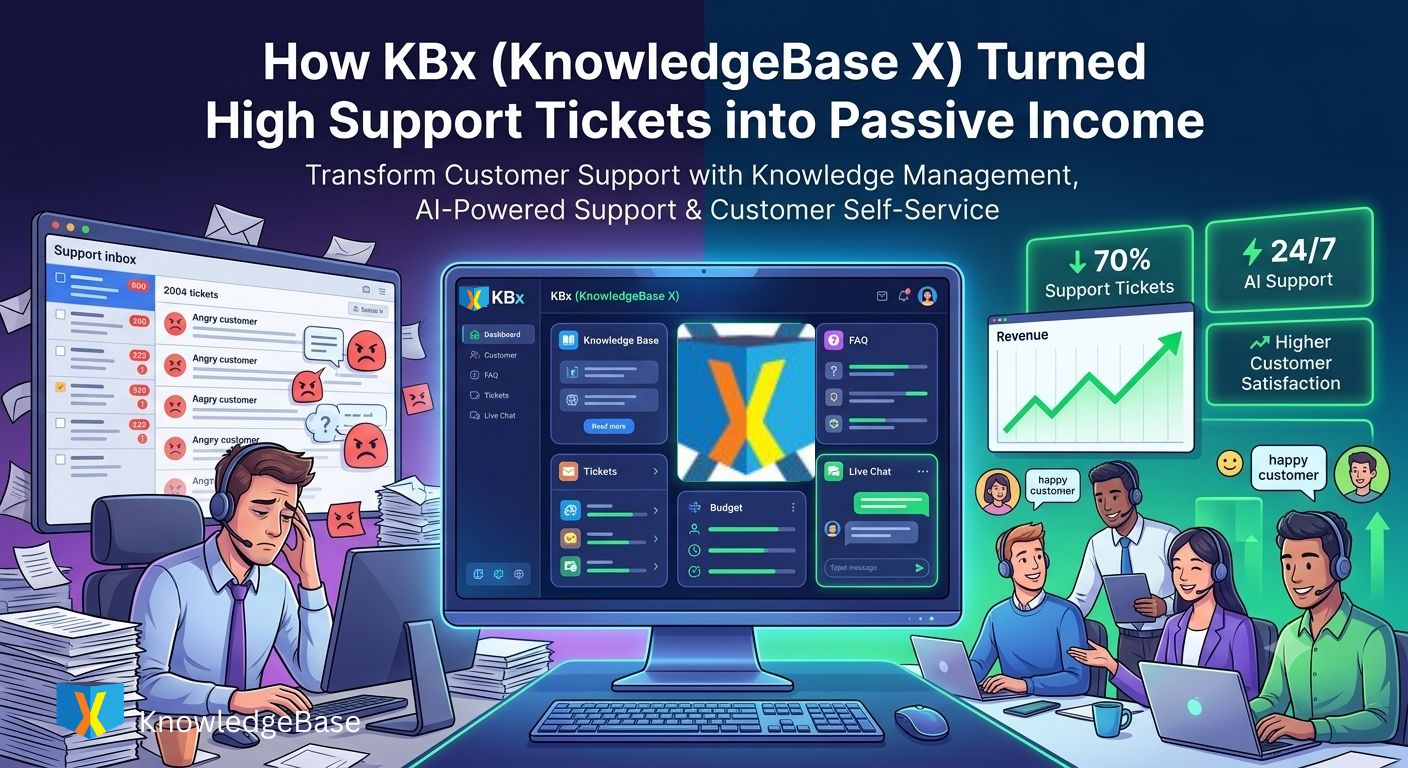
How KBx (KnowledgeBase X) Turned High Support Tickets into Passive Income

KBx (KnowledgeBase X) transforms repetitive customer questions into a searchable knowledge ecosystem powered by AI, structured documentation, FAQs, support tickets, and live assistance. KBx (KnowledgeBase X) helps WordPress businesses reduce support workload, improve customer satisfaction, and create a scalable support system that continues delivering value long after each article is published.

Why Does Every Growing WordPress Business Eventually Hit a Support Wall?
Every successful WordPress product attracts more customers. More customers usually mean more support emails, duplicate tickets, and frustrated users waiting for answers.
The surprising part is that most support questions are not unique. KBx (KnowledgeBase X) helps businesses recognize that nearly 70–90% of incoming support requests are repeated versions of questions that have already been answered.
Instead of solving the same issue fifty times, KBx (KnowledgeBase X) encourages businesses to solve the problem once and let customers discover the answer themselves.
That simple shift changes how support works.
Support slowly stops being a cost center and starts becoming a valuable knowledge asset.
Why Do Thousands of Support Tickets Usually Hide the Same Questions?
Support teams often believe every customer issue is different.
After reviewing several months of ticket history, a different pattern usually appears.
Typical examples include:
- Password reset
- License activation
- Installation guide
- WooCommerce configuration
- Payment problems
- Email delivery
- API authentication
- Theme conflicts
- Shortcode usage
- AI configuration
Each question may arrive from different customers, but the solution rarely changes.
KBx (KnowledgeBase X) converts those repeated solutions into structured documentation that customers can access immediately.
Every documented answer permanently removes future duplicate tickets.
Why Is Traditional Customer Support Difficult to Scale?
Hiring more support agents solves today’s backlog.
Hiring more support agents does not solve tomorrow’s backlog.
As customer numbers grow, ticket volume usually grows at the same pace.
The traditional support equation looks like this.
| Customers | Monthly Tickets | Support Agents |
| 500 | 180 | 1 |
| 2,000 | 850 | 3 |
| 5,000 | 2,400 | 7 |
| 10,000 | 5,300 | 15 |
The staffing cost keeps increasing.
KBx (KnowledgeBase X) changes the equation because documented knowledge scales much faster than human labor.
One article can answer thousands of future questions without requiring another support employee.
Why Does Knowledge Become a Long-Term Business Asset Instead of a One-Time Answer?
Imagine answering the same licensing question 400 times every year.
A support agent spends approximately five minutes per ticket.
The math becomes obvious.
400 Tickets × 5 Minutes
= 2,000 Minutes
= 33.3 Hours
Thirty-three hours disappear solving one identical problem.
Now imagine publishing one detailed article inside KBx (KnowledgeBase X).
That article may continue answering the same licensing question for years.
Every future visitor who finds the article saves another support interaction.
Knowledge compounds over time.
Unlike human effort, documentation never forgets, never sleeps, and never takes vacations.
Why Does Knowledge Management Create More Value Than Simply Closing Tickets?
Closing a support ticket helps one customer.
Publishing documentation inside KBx (KnowledgeBase X) helps every future customer with the same question.
That difference completely changes the economics of customer support.
Support work becomes reusable.
Knowledge becomes an appreciating business asset.
Why Should Every Support Reply Become a Knowledge Article?
Many businesses unknowingly write excellent documentation every day.
The problem is that the information stays locked inside private support conversations.
KBx (KnowledgeBase X) makes it easy to transform solved tickets into searchable knowledge articles.
Instead of disappearing inside an inbox, valuable solutions become permanent resources.
The next customer solves the problem independently.
The support team never has to repeat the explanation.
How Does KBx (KnowledgeBase X) Organize Knowledge Without Becoming Messy?
Documentation often fails because information becomes impossible to find.
Random articles, inconsistent categories, and poor navigation create frustration.
KBx (KnowledgeBase X) organizes documentation using structured knowledge architecture.
A typical hierarchy might look like this.
Getting Started
Installation
Licensing
Requirements
Configuration
API Setup
AI Models
Email Settings
WooCommerce
Products
Orders
Checkout
Troubleshooting
Common Errors
Performance
Debugging
Developer Resources
Hooks
Filters
REST API
Every category gives customers a predictable path toward the correct solution.
Why Does Structured Knowledge Reduce Customer Frustration?
Customers rarely enjoy contacting support.
Most customers simply want a fast answer.
KBx (KnowledgeBase X) reduces frustration by allowing visitors to navigate directly to the information they need.
Instead of waiting several hours for an email response, customers often solve the issue within minutes.
Faster answers improve the overall product experience.
Why Does Search Matter More Than Hundreds of Articles?
A large documentation library means very little if customers cannot find the correct page.
Search quality determines whether documentation becomes useful or ignored.
KBx (KnowledgeBase X) provides searchable documentation so customers can locate relevant information using natural keywords instead of browsing endless categories.
Good search saves time.
Great search prevents support tickets.
Why Does Internal Linking Multiply the Value of Every Knowledge Article?
Knowledge should never exist in isolation.
Every article should guide readers toward related topics.
KBx (KnowledgeBase X) encourages interconnected documentation through logical relationships between articles.
For example:
License Activation
↓
License Transfer
↓
Domain Changes
↓
Subscription Renewal
↓
Common License Errors
One solved problem naturally leads customers toward additional helpful resources.
The result is longer engagement and fewer follow-up tickets.
Why Does Consistent Documentation Improve SEO Alongside Customer Support?
Every knowledge article has another advantage.
Search engines index helpful documentation.
KBx (KnowledgeBase X) creates evergreen content that targets real customer questions.
Instead of competing for broad keywords, documentation naturally ranks for highly specific search intent.
Examples include:
- How to activate plugin license
- WordPress chatbot installation
- WooCommerce chatbot configuration
- AI chatbot API key setup
- OpenAI connection error
- REST API authentication
- WordPress webhook troubleshooting
Those searches often come directly from existing customers looking for immediate solutions.
Organic traffic grows while support workload decreases.
How Does KBx (KnowledgeBase X) Turn Documentation Into Passive Income?
Passive income rarely begins with advertising.
Passive income usually begins by reducing operational costs.
Consider this realistic example.
A software company receives:
- 2,500 support tickets per month
- Average handling time: 8 minutes
- Support staff cost: $22/hour
Monthly support cost:
2,500 × 8 Minutes
= 20,000 Minutes
= 333 Hours
333 × $22
= $7,326 Monthly
Now imagine KBx (KnowledgeBase X) reduces duplicate tickets by only 35%.
875 Tickets Eliminated
875 × 8 Minutes
= 7,000 Minutes
= 116 Hours Saved
116 × $22
= $2,552 Saved Every Month
Annual savings:
$2,552 × 12
= $30,624
Those savings can fund:
- Product development
- Marketing campaigns
- New feature releases
- Additional AI integrations
- Content creation
- Business expansion
That is why many successful WordPress businesses view KBx (KnowledgeBase X) as more than a documentation plugin.
KBx (KnowledgeBase X) becomes an operational investment that continues producing measurable returns every month.
How Does KBx (KnowledgeBase X) Compare With Traditional Documentation Workflows?
| Feature | Traditional Documentation | KBx (KnowledgeBase X) |
| Knowledge Base | Separate documentation website | Built directly into WordPress |
| FAQ Management | Static FAQ pages | Structured, searchable FAQs |
| Ticket Integration | Manual copy-and-paste | Knowledge-first workflow |
| Search Experience | Basic search | Optimized knowledge discovery |
| Content Organization | Manual navigation | Categories, tags, and structured hierarchy |
| Customer Self-Service | Limited | Designed for self-service support |
| AI Readiness | Not optimized | Structured for AI-powered assistance |
| Long-Term Value | Documentation archive | Continuously expanding knowledge ecosystem |
Why Is Knowledge Management the Foundation for Everything Else?
Artificial intelligence is only as effective as the information available.
Customer support agents can only respond consistently when documented knowledge exists.
Search engines can only index helpful content that has been written.
KBx (KnowledgeBase X) begins by building a reliable knowledge foundation.
Once that foundation exists, KBx (KnowledgeBase X) can power intelligent search, AI-assisted responses, automated customer support, and scalable support operations.
Knowledge management is not just another feature inside KBx (KnowledgeBase X).
Knowledge management is the engine that makes every other capability more accurate, more scalable, and more valuable over time.
How Does KBx (KnowledgeBase X) Use AI-Powered Support to Reduce Tickets Without Losing Accuracy?
Why Do Customers Expect Answers in Seconds Instead of Hours?
Customer expectations have changed.
Most customers no longer expect to wait until the next business day for a reply. They expect immediate guidance, especially when the problem is blocking their work.
KBx (KnowledgeBase X) meets that expectation by combining structured knowledge with AI-powered support. Instead of forcing customers to wait for a human response, KBx (KnowledgeBase X) helps customers discover relevant answers within seconds.
The faster customers find accurate information, the fewer support tickets enter the queue.
Why Does AI Alone Often Produce Wrong Answers?
Many businesses believe adding an AI chatbot automatically improves customer support.
The reality is different.
A general AI model only knows public information unless it receives relevant business knowledge.
Without context, an AI assistant may:
- Recommend outdated instructions
- Invent configuration steps
- Reference features that no longer exist
- Misunderstand product terminology
- Produce inconsistent troubleshooting advice
KBx (KnowledgeBase X) reduces these problems by giving AI access to structured documentation instead of relying entirely on general AI knowledge.
Knowledge comes first.
AI becomes the delivery system.
Why Does Structured Knowledge Make AI Significantly More Reliable?
An AI assistant performs better when documentation is organized.
KBx (KnowledgeBase X) stores knowledge using logical categories, searchable articles, FAQs, glossaries, and documentation that AI can reference during conversations.
Instead of guessing, KBx (KnowledgeBase X) helps AI retrieve relevant information before generating an answer.
That workflow dramatically improves response quality.
How Does KBx (KnowledgeBase X) Power an AI Support Workflow?
A typical AI support request follows a predictable sequence.
Customer Question
│
▼
KBx (KnowledgeBase X) Search Engine
│
▼
Relevant Knowledge Articles
│
▼
AI Context Retrieval
│
▼
AI Generates Accurate Response
│
▼
Customer Solves Problem
Every stage depends on documented knowledge.
Without documentation, AI has little reliable information to reference.
Why Does Retrieval Beat Guesswork Every Time?
Large language models are impressive.
Large language models are not product experts by default.
KBx (KnowledgeBase X) supports a retrieval-first workflow where AI searches documented information before producing an answer.
That simple change offers several advantages.
KBx (KnowledgeBase X) helps AI:
- Retrieve official documentation
- Reference updated configuration guides
- Explain plugin settings consistently
- Recommend verified troubleshooting steps
- Avoid unnecessary hallucinations
The result is greater confidence for both customers and support teams.
How Does KBx (KnowledgeBase X) Reduce AI Hallucinations?
AI hallucination happens when an AI model generates information that sounds convincing but is incorrect.
Product support cannot depend on assumptions.
KBx (KnowledgeBase X) minimizes hallucination risk by encouraging AI responses grounded in documented knowledge instead of unsupported predictions.
The support experience becomes more predictable because documented articles remain the primary source of truth.
Why Does AI Become Better as KBx (KnowledgeBase X) Grows?
Traditional support grows linearly.
Knowledge grows exponentially.
Every new article published inside KBx (KnowledgeBase X) expands the amount of verified information available for AI-powered support.
After one year, a documentation library may contain:
| Knowledge Asset | Example Quantity |
| Installation Guides | 60 |
| Troubleshooting Articles | 180 |
| Frequently Asked Questions | 250 |
| API Documentation | 90 |
| Developer Tutorials | 75 |
| Product Glossary Entries | 120 |
Each additional article improves future AI conversations.
Knowledge compounds.
AI becomes increasingly useful because the available documentation becomes increasingly comprehensive.
Why Does KBx (KnowledgeBase X) Help Customers Stay Inside the Website?
Traditional support often sends customers elsewhere.
Support teams may recommend:
- Email conversations
- PDF documents
- Community forums
- Third-party tutorials
- Video links
Switching between resources interrupts problem solving.
KBx (KnowledgeBase X) keeps customers inside a single knowledge ecosystem where AI, documentation, FAQs, and related articles work together.
Customers spend less time searching.
Customers spend more time solving.
Why Does AI Search Outperform Static FAQ Pages?
Static FAQ pages assume customers know exactly where to look.
Most customers do not.
KBx (KnowledgeBase X) combines intelligent search with structured documentation so customers can ask natural questions instead of navigating long menus.
Examples include:
- “Why isn’t my API key working?”
- “How do I activate my license?”
- “Why is checkout loading slowly?”
- “How do I connect OpenAI?”
- “How can I change chatbot colors?”
- “Why isn’t webhook synchronization working?”
Natural language feels easier than browsing dozens of documentation pages.
How Does KBx (KnowledgeBase X) Improve Customer Confidence During Troubleshooting?
Technical problems often create uncertainty.
Customers worry about breaking their websites.
KBx (KnowledgeBase X) reduces that uncertainty by presenting step-by-step documentation supported by AI explanations.
Instead of receiving vague suggestions, customers receive structured guidance based on documented procedures.
Confidence improves because every recommendation originates from verified knowledge.
Why Does AI Support Continue Working After Business Hours?
Support teams eventually log off.
Customers do not.
Many WordPress businesses serve customers across multiple time zones.
KBx (KnowledgeBase X) extends customer assistance beyond office hours through AI-powered knowledge retrieval.
Whether a customer visits at 2:00 PM or 2:00 AM, KBx (KnowledgeBase X) can continue answering documented questions without requiring immediate human involvement.
That availability improves customer experience while reducing overnight ticket accumulation.
How Does KBx (KnowledgeBase X) Help Human Support Agents Work Faster?
AI support is not only for customers.
Support agents also benefit from structured knowledge.
Instead of searching private notes or older tickets, support agents can use KBx (KnowledgeBase X) to locate documented solutions within seconds.
A typical workflow looks like this:
Support Ticket Arrives
│
▼
KBx (KnowledgeBase X) Searches Documentation
│
▼
Relevant Knowledge Article Found
│
▼
Support Agent Reviews Verified Solution
│
▼
Support Agent Sends Consistent Response
Response quality becomes more consistent because every agent works from the same knowledge base.
Why Does Consistency Matter More Than Speed?
Fast support is valuable.
Accurate support is even more valuable.
Customers lose trust when different agents provide different answers to the same question.
KBx (KnowledgeBase X) helps standardize responses by ensuring AI systems and human agents reference the same documentation.
Consistency reduces confusion, repeat tickets, and unnecessary escalations.
How Does KBx (KnowledgeBase X) Learn From Repeated Customer Questions?
Repeated questions reveal documentation gaps.
Every unanswered search represents an opportunity.
KBx (KnowledgeBase X) encourages businesses to review recurring support topics and publish new articles addressing those issues.
A continuous improvement cycle emerges:
Customer Question
│
▼
Knowledge Gap Identified
│
▼
New KBx (KnowledgeBase X) Article Published
│
▼
AI Uses New Knowledge
│
▼
Future Tickets Decline
Every improvement benefits future customers automatically.
How Does KBx (KnowledgeBase X) Compare With Generic AI Chatbots?
| Capability | Generic AI Chatbot | KBx (KnowledgeBase X) |
| Uses official documentation | Limited | Yes |
| Knowledge organization | External | Built-in |
| FAQ integration | Manual | Native |
| Product-specific answers | Inconsistent | Knowledge-driven |
| Search before answering | Depends on implementation | Designed for retrieval-first workflows |
| Documentation expansion | Separate system | Unified ecosystem |
| Customer self-service | Partial | Comprehensive |
The biggest difference is not the AI model.
The biggest difference is the quality and structure of the knowledge powering the AI.
What Does the ROI of AI-Powered Support Actually Look Like?
Consider a realistic monthly support operation.
| Metric | Before KBx (KnowledgeBase X) | After KBx (KnowledgeBase X) |
| Monthly Tickets | 3,200 | 2,000 |
| Duplicate Questions | 1,650 | 450 |
| Average Response Time | 7 hours | 45 minutes |
| First-Contact Resolution | 68% | 89% |
| Knowledge Articles | 85 | 410 |
| AI-Assisted Conversations | 0 | 5,800 |
Now estimate labor savings.
- Original duplicate tickets: 1,650
- Average handling time: 7 minutes
- Monthly time spent: 11,550 minutes
- Total hours: 192.5
- Hourly support cost: $25
Monthly labor cost for duplicate questions:
192.5 × $25
= $4,812.50
If KBx (KnowledgeBase X) eliminates only 70% of duplicate tickets:
$4,812.50 × 70%
= $3,368.75 Saved Every Month
Annual operational savings:
$3,368.75 × 12
= $40,425
Those savings can be redirected toward:
- Hiring developers instead of additional support agents
- Building new premium features
- Expanding marketing campaigns
- Investing in product innovation
- Improving customer onboarding
Why Is AI-Powered Support Only as Strong as the Knowledge Behind It?
AI can answer questions.
AI cannot replace authoritative documentation.
KBx (KnowledgeBase X) succeeds because KBx (KnowledgeBase X) treats knowledge as the primary asset and AI as the intelligent interface that delivers that knowledge quickly, consistently, and at scale.
That combination transforms customer support from a reactive workload into a proactive, continuously improving system that serves customers around the clock while reducing operational costs.
How Does KBx (KnowledgeBase X) Transform Customer Support Management into a Scalable Growth Engine?
Why Does Customer Support Become More Expensive Every Year?
Every growing software business eventually experiences the same problem.
More customers usually lead to more feature requests, onboarding questions, bug reports, configuration issues, and account inquiries.
Hiring additional support agents appears to solve the problem at first.
Unfortunately, salaries, onboarding costs, training, and management expenses continue increasing as the customer base grows.
KBx (KnowledgeBase X) changes this growth pattern by helping businesses scale knowledge instead of scaling repetitive manual work.
Knowledge becomes a reusable business asset that continues reducing future support demand.
Why Should Customer Support Be Measured Instead of Guessed?
Many businesses only count the number of support tickets.
That number tells only part of the story.
KBx (KnowledgeBase X) encourages businesses to evaluate customer support using measurable operational metrics instead of assumptions.
Important support metrics include:
| Performance Metric | Why KBx (KnowledgeBase X) Improves It |
| First Response Time | AI-assisted answers reduce waiting time. |
| Resolution Time | Customers find documented solutions faster. |
| Duplicate Ticket Rate | Knowledge articles eliminate repeated questions. |
| Ticket Deflection Rate | Customers solve problems before opening tickets. |
| Customer Satisfaction (CSAT) | Faster, consistent answers improve user experience. |
| Agent Productivity | Support agents spend less time repeating explanations. |
| Knowledge Article Usage | Frequently viewed articles reveal high-value documentation. |
| Search Success Rate | Better search reduces customer frustration. |
When businesses monitor these metrics, documentation becomes a measurable investment rather than an administrative task.
Why Does Ticket Deflection Matter More Than Ticket Resolution?
Resolving a ticket is valuable.
Preventing the ticket entirely is even more valuable.
KBx (KnowledgeBase X) focuses on ticket deflection by making answers available before customers contact support.
A typical support journey without documentation looks like this:
Customer Finds Problem
│
▼
Customer Opens Ticket
│
▼
Support Agent Responds
│
▼
Problem Solved
A knowledge-first journey powered by KBx (KnowledgeBase X) looks different:
Customer Finds Problem
│
▼
KBx (KnowledgeBase X) Search
│
▼
Knowledge Article Found
│
▼
Problem Solved
│
▼
No Ticket Created
Every prevented ticket saves time for both the customer and the support team.
How Does KBx (KnowledgeBase X) Build a Self-Service Customer Support System?
Modern customers often prefer solving problems independently.
Waiting for an email reply feels unnecessary when the answer already exists.
KBx (KnowledgeBase X) combines multiple self-service resources into one connected support ecosystem.
A typical self-service workflow includes:
- KBx (KnowledgeBase X) Knowledge Base for complete documentation.
- KBx (KnowledgeBase X) FAQ for common questions.
- KBx (KnowledgeBase X) AI Assistant for conversational guidance.
- KBx (KnowledgeBase X) Glossary for technical terminology.
- KBx (KnowledgeBase X) Live Chat for human assistance when needed.
- KBx (KnowledgeBase X) Support Tickets for complex issues.
Customers always have a logical next step instead of reaching a dead end.
Why Does a Unified Support Ecosystem Improve Customer Experience?
Many WordPress businesses use separate tools for documentation, FAQs, live chat, ticketing, and AI.
Each tool has its own interface, database, permissions, and maintenance requirements.
KBx (KnowledgeBase X) brings these support functions together inside WordPress.
The result is a simpler workflow for both customers and administrators.
| Support Component | Traditional Workflow | KBx (KnowledgeBase X) Workflow |
| Knowledge Base | External platform | Native WordPress integration |
| FAQ | Separate plugin | Integrated module |
| AI Assistant | Third-party service | Connected with knowledge resources |
| Live Chat | Independent software | Unified customer support |
| Ticket System | Separate dashboard | Same support ecosystem |
| Glossary | Manual pages | Structured knowledge organization |
A unified system reduces operational complexity and keeps support information synchronized.
Why Does Consistent Documentation Reduce Training Costs?
Training new support agents takes time.
New team members must learn product features, troubleshooting steps, licensing policies, and customer communication standards.
Without documentation, experienced employees become the only source of knowledge.
KBx (KnowledgeBase X) centralizes that information into searchable documentation.
New agents learn faster because documented processes remain available at any time.
The organization becomes less dependent on individual employees.
How Does KBx (KnowledgeBase X) Support Growing WordPress Businesses?
Small businesses usually begin with one support representative.
Growing businesses often expand into dedicated support departments.
KBx (KnowledgeBase X) supports every stage of growth.
| Business Stage | Monthly Customers | Typical Challenge | How KBx (KnowledgeBase X) Helps |
| Startup | 100 | Limited staff | Self-service documentation |
| Small Business | 1,000 | Repetitive questions | Knowledge-first support |
| Growing SaaS | 5,000 | Ticket overload | AI-powered assistance |
| Established Company | 20,000+ | Team consistency | Centralized knowledge management |
The support process evolves without requiring a complete system replacement.
Why Does Better Documentation Also Improve Product Quality?
Support tickets reveal patterns.
When dozens of customers report the same issue, documentation alone may not be enough.
KBx (KnowledgeBase X) helps businesses identify recurring questions that indicate opportunities for product improvement.
Examples include:
- Confusing onboarding steps
- Difficult configuration screens
- Missing validation messages
- Complex licensing procedures
- Poor navigation
- Unclear feature names
Support data becomes product feedback.
Every recurring question points toward an opportunity to simplify the customer experience.
How Can KBx (KnowledgeBase X) Help Product Teams Prioritize Development?
Support conversations contain valuable product intelligence.
Instead of relying only on feature requests, businesses can analyze documentation searches and ticket trends.
A practical prioritization process might look like this:
High Search Volume
│
▼
Frequent Support Tickets
│
▼
Documentation Updated
│
▼
Product Improvement Identified
│
▼
Development Roadmap Updated
KBx (KnowledgeBase X) turns customer support into a continuous feedback loop for product development.
Why Does Customer Trust Increase When Answers Stay Consistent?
Customers notice inconsistencies.
Receiving different answers from different support agents creates confusion and frustration.
KBx (KnowledgeBase X) establishes documentation as the single source of truth.
Whether customers interact with AI, live chat, documentation, or support agents, the same verified information remains available.
Consistency builds confidence.
Confidence strengthens long-term customer relationships.
How Does KBx (KnowledgeBase X) Reduce Operational Risk?
Knowledge stored only in employees’ minds creates business risk.
If experienced staff leave the company, undocumented knowledge often disappears with them.
KBx (KnowledgeBase X) preserves institutional knowledge inside searchable documentation.
Critical troubleshooting procedures, deployment guides, licensing policies, and API references remain accessible regardless of staff changes.
Business continuity improves because knowledge belongs to the organization rather than individual employees.
How Does KBx (KnowledgeBase X) Create Measurable Return on Investment?
Support improvements should produce measurable business value.
Consider a WordPress software company with the following monthly metrics.
| Metric | Before KBx (KnowledgeBase X) | After KBx (KnowledgeBase X) |
| Monthly Tickets | 4,000 | 2,350 |
| Duplicate Tickets | 2,200 | 600 |
| Average Resolution Time | 14 minutes | 7 minutes |
| Support Staff | 8 | 6 |
| Knowledge Articles | 120 | 650 |
| Customer Satisfaction | 81% | 94% |
| First Contact Resolution | 69% | 91% |
Now calculate labor savings.
- Duplicate tickets eliminated: 1,600
- Average handling time: 7 minutes
- Total minutes saved: 11,200
- Total hours saved: 186.7
- Average support cost: $28/hour
Monthly savings:
186.7 × $28
= $5,227.60
Annual savings:
$5,227.60 × 12
= $62,731.20
Those savings often exceed the cost of implementing and maintaining a comprehensive knowledge management solution.
Why Can Better Customer Support Increase Revenue?
Customer support influences purchasing decisions more than many businesses realize.
Prospective customers often evaluate documentation before purchasing a product.
A well-organized knowledge base signals product maturity.
KBx (KnowledgeBase X) improves pre-sales confidence by providing detailed documentation, FAQs, and AI-assisted answers before customers submit sales inquiries.
That confidence can increase conversion rates because customers see evidence of long-term product support.
How Does KBx (KnowledgeBase X) Turn Support Content Into Marketing Assets?
Every documentation article targets a real customer question.
Those same questions often appear in search engines.
Examples include:
- How to install a WordPress knowledge base
- Best customer support plugin for WordPress
- AI-powered WordPress support system
- WordPress documentation plugin
- WooCommerce support knowledge base
- WordPress FAQ management
- Customer self-service software
- WordPress ticket management
KBx (KnowledgeBase X) allows businesses to create content that serves existing customers while attracting new organic visitors.
One article performs two jobs:
- Reduce support workload.
- Increase qualified search traffic.
That combination creates long-term value beyond customer support.
Why Does Passive Income Begin With Lower Operating Costs?
Passive income is often misunderstood.
For many software businesses, passive income begins by reducing recurring expenses rather than increasing prices.
Imagine two companies generating the same monthly revenue.
| Business Metric | Company A | Company B Using KBx (KnowledgeBase X) |
| Monthly Revenue | $80,000 | $80,000 |
| Monthly Support Cost | $18,000 | $10,500 |
| Monthly Profit | $62,000 | $69,500 |
Company B earns an additional $7,500 every month without acquiring a single new customer.
That improvement comes from operational efficiency rather than higher pricing.
Reducing repetitive support work creates sustainable profit growth.
Why Does KBx (KnowledgeBase X) Continue Delivering Value Year After Year?
A support ticket provides value once.
A knowledge article provides value repeatedly.
An AI-assisted answer can help thousands of customers using the same documentation.
A searchable FAQ continues reducing duplicate questions long after publication.
KBx (KnowledgeBase X) compounds in value because every new article strengthens the entire knowledge ecosystem.
The documentation library becomes more useful, AI responses become more accurate, support agents become more productive, and customers become more independent.
That continuous improvement is what transforms KBx (KnowledgeBase X) from a documentation plugin into a long-term operational asset.
Why Is Customer Support Management the Missing Piece of Scalable Growth?
Knowledge without organization becomes difficult to maintain.
AI without verified documentation becomes unreliable.
Support teams without shared processes become inconsistent.
KBx (KnowledgeBase X) connects knowledge management, AI-powered assistance, documentation, FAQs, live chat, glossaries, and ticket management into one scalable customer support ecosystem.
Instead of treating support as a growing operational expense, KBx (KnowledgeBase X) helps businesses build a repeatable system where every solved problem strengthens the next customer interaction.
As the knowledge base expands, customer satisfaction improves, operational costs decline, and the business creates a stronger foundation for sustainable, long-term growth.
Technical Objection FAQ
How does KBx (KnowledgeBase X) help businesses reduce support workload?
KBx (KnowledgeBase X) transforms repetitive customer questions into a searchable knowledge ecosystem powered by AI, structured documentation, FAQs, support tickets, and live assistance.
Why do most support questions for WordPress businesses end up being repeated versions of already answered questions?
KBx (KnowledgeBase X) helps businesses recognize that nearly 70–90% of incoming support requests are repeated versions of questions that have already been answered.
How does KBx (KnowledgeBase X) change the traditional equation of support scaling?
KBx (KnowledgeBase X) changes the support equation by showing that documented knowledge scales much faster than human labor, enabling one article to answer thousands of future questions.
Why does knowledge management create more value than simply closing support tickets?
Publishing documentation inside KBx (KnowledgeBase X) helps every future customer with the same question, turning support work into reusable knowledge that becomes an appreciating business asset.
Why is structured knowledge important in reducing customer frustration?
Structured knowledge in KBx (KnowledgeBase X) reduces customer frustration by providing customers with a predictable path towards the correct solution, enabling them to find answers quickly.
Why is search quality more important than having a large number of articles in documentation?
Search quality in KBx (KnowledgeBase X) is crucial as it determines whether documentation becomes useful or ignored, allowing customers to locate relevant information using natural keywords instead of browsing endless categories.
How does KBx (KnowledgeBase X) turn documentation into passive income for businesses?
KBx (KnowledgeBase X) reduces operational costs by eliminating duplicate support tickets, which can lead to significant monthly and annual savings that can be reinvested in various aspects of the business.
Why is knowledge management considered the foundation for all other capabilities within KBx (KnowledgeBase X)?
Knowledge management is essential as it builds a reliable knowledge foundation that powers intelligent search, AI-assisted responses, automated customer support, and scalable support operations within KBx (KnowledgeBase X).
Final Thoughts: Why KBx (KnowledgeBase X) Is More Than a Knowledge Base
Most businesses think customer support grows in direct proportion to customer growth.
KBx (KnowledgeBase X) challenges that assumption by turning every solved problem into a reusable knowledge asset. Instead of answering the same question hundreds of times, businesses can document the solution once and allow customers, support agents, and AI-powered assistants to benefit from the same verified information.
The true strength of KBx (KnowledgeBase X) lies in the combination of three interconnected pillars:
- Knowledge Management creates a structured, searchable source of truth.
- AI-Powered Support delivers fast, context-aware assistance based on documented knowledge.
- Customer Support Management transforms reactive support into a scalable, measurable, and continuously improving operation.
As the knowledge base grows, duplicate tickets decline, response quality becomes more consistent, onboarding becomes easier, and support teams spend more time solving meaningful problems instead of repeating the same answers.
For WordPress businesses that want to improve customer experience while controlling operational costs, KBx (KnowledgeBase X) provides a practical framework for building a support ecosystem that continues delivering value long after each knowledge article is published.