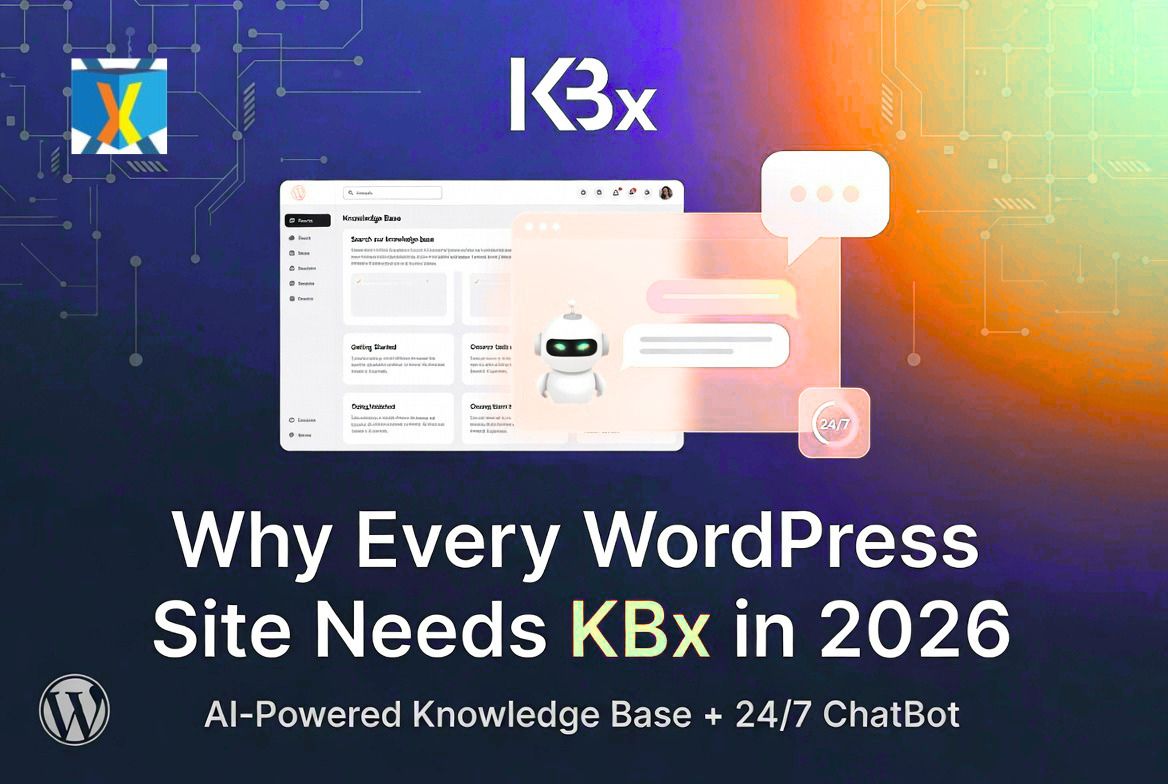
Why Every WordPress Site Needs KnowledgeBase X in 2026

Yes — every WordPress site should have KnowledgeBase X (KBx) in 2026. Customer expectations have changed. Visitors want instant answers 24/7. KBx delivers a complete self-service support system with knowledge base, FAQ, glossary, and AI chatbot in one plugin. It reduces support workload while improving user experience.

I use it on my sites. Here’s why it has become essential.

What Is KnowledgeBase X (KBx)?

KnowledgeBase X (KBx) is a powerful all-in-one WordPress plugin by QuantumCloud. It combines a professional knowledge base with an intelligent AI chatbot.Why Every WordPress Site Needs KnowledgeBase X in 2026

You create content once. The plugin turns it into:

  • Searchable knowledge base
  • Accordion FAQ
  • A-to-Z glossary

The floating AI chatbot answers questions using your own data plus OpenAI or DialogFlow. Pro features add live chat and tickets.

Everything stays on your WordPress site for speed, privacy, and control.

Why 2026 Is the Year KBx Becomes Essential

User behavior has shifted. People expect immediate help like they get from big tech sites. Slow support leads to lost visitors and bad reviews.

Without a system like KBx:

  • Support tickets grow
  • Customers bounce
  • You waste time on repeat questions

KBx fixes this. It scales with your site as traffic and complexity increase.

The Rising Cost of Poor Support in 2026

Support demands keep growing. AI tools have raised the bar — customers compare your response speed to ChatGPT.

Manual support now costs more in time and lost opportunities. KBx cuts those costs by letting visitors self-serve.

How KBx Delivers a Complete Self-Service System

KBx doesn’t just store articles. It makes them instantly accessible through smart search and conversational AI.

Visitors type questions. The chatbot finds relevant answers from your knowledge base and replies naturally.

This creates true 24/7 support without extra staff.

Step-by-Step Setup Guide

Setup is straightforward even for beginners.

  1. Install KBx from WordPress.org.
  2. Create a Help Center page and add the shortcode.
  3. Build articles like normal posts.
  4. Activate the floating chatbot.
  5. Customize appearance and welcome message.
  6. Connect OpenAI key for smarter AI (optional but recommended).

Basic setup takes less than an hour.

Google Docs Sync: Auto and Manual

Most of us write docs in Google Docs. KBx handles syncing perfectly.

Weekly Auto Sync Setup

  1. Go to KBx Pro → AI Settings → RAG → Knowledge Base (RAG).
  2. Open Sync and Upload Options → Sync Settings.
  3. Enable Google Docs Auto Sync (Weekly).
  4. Paste your publicly published Google Doc URL.
  5. Click Process Google Doc.
  6. Save Settings.

Content updates automatically every week.

Manual Sync for Immediate Updates

 Go to KBx Pro → AI Settings → RAG → Knowledge Base (RAG).

  1. Click Sync and Upload Options.
  2. Paste the public Google Doc URL.
  3. Click Process Google Doc.
  4. Save Settings.

Use manual sync after important changes for instant results.

Training the AI Chatbot Effectively

RAG technology makes the chatbot pull accurate answers from your content.

Effective Training Steps:

  • Begin with 15–25 articles on top questions
  • Add multiple alternative questions per article
  • Train on pages, posts, and Google Docs
  • Test conversations and refine weak responses
  • Review logs and upvote data regularly

Proper training leads to high accuracy and fewer escalations.

Must-Have Features in 2026

Knowledge Base

  • Unlimited articles and categories
  • Fast predictive search
  • Upvote/downvote feedback
  • Statistics and analytics
  • Role-based restrictions

AI Chatbot

  • Floating widget always ready
  • Direct answers and article links
  • Conversational follow-ups
  • Exit-intent recovery
  • Multi-language support

Extra Capabilities

Real Benefits Every Site Owner Gets

  • Time Savings: Cut manual replies dramatically
  • Better User Experience: Instant help increases satisfaction
  • Higher Conversions: Visitors stay longer and complete actions
  • SEO Advantages: Structured content helps search engines
  • Cost Reduction: Less need for extra support staff

Many users see 50-80% ticket reductions.

Best Use Cases for KBx in 2026

  • WooCommerce stores needing product and order help
  • SaaS sites with feature documentation
  • Membership and course platforms for onboarding
  • Agency client portals
  • Service businesses with common FAQs

Almost any WordPress site with visitors benefits.

KBx vs Other Options in 2026

Plugin

AI Chatbot Strength

All-in-One

Google Docs Sync

Pricing (approx yearly)

KBx

Strong RAG

Excellent

Yes

$49–159

BetterDocs

Add-on

Good

Limited

$69+

Echo Knowledge Base

Basic

Good

No

Free/Paid

Heroic KB

Limited

KB focused

No

$129+

KBx wins for complete, self-hosted solutions.

Advanced Tips for Maximum Impact

  • Write articles as direct customer questions
  • Place chatbot on key pages (pricing, checkout, dashboard)
  • Update content based on statistics and upvotes
  • Add visuals like screenshots and videos
  • Monitor and refine AI performance monthly

Start small and expand.

Pricing That Makes Sense

2026 Plans:

  • Starter: $49/year – Core features
  • Professional: $99/year – Advanced AI
  • Master: $159/year – Full capabilities

Lifetime options available. Free version on WordPress.org lets you test thoroughly.

The investment returns quickly through time saved.

Common Concerns Addressed

Will it slow my site? No. AJAX loading keeps it lightweight.

Is it beginner friendly? Yes. Familiar WordPress interface.

How private is my data? Fully self-hosted on your server.

What about support quality? The team provides responsive help.

Final Verdict: Why Every WordPress Site Needs KBx Now

In 2026, good support is table stakes. KBx gives you professional self-service tools without complexity or high costs.

You build content once. The system then works 24/7 for your visitors. You reclaim time and improve results.

Don’t wait until support issues grow. Install KBx today and future-proof your site.

FAQs

Why does every WordPress site need KBx in 2026? Rising customer expectations for instant help make self-service systems essential.

Is KBx suitable for small sites? Yes. Start with the free version and grow as needed.

How long until I see results? Basic benefits appear quickly. Strong AI performance comes after 2–4 weeks of training.

Can I use it with my current theme? Yes. It works with most modern themes.

Does it replace other support tools? For many sites, yes. It can reduce or replace external helpdesks.

Is lifetime licensing available? Yes, with significant long-term savings.

Ready to upgrade your WordPress support?

Download the free version of KnowledgeBase X here: WordPress.org

Ready to future-proof your site? Upgrade KBx.

What’s holding you back from better support? Drop a comment below — I read every one.

Read more of my articles and insights here:

 https://peerlist.io/anmdtoha/articles
https://chatbotinsider.substack.com/publish/posts/published

https://medium.com/@anmd.toha

Testimonials

What People Think About Our Products

Customer support is very responsive and professional. The script is awesome and with many features, including A.I. from Dialogflow. High quality.

If have a 7 Stars won’t hesitate to rate that chatbot as a 7stars+++ Very helpful prompt team support Cannot find enough words express my happiness for purchasing that CHATBot Good Luck for you and your items

Save Time. License Better. Deploy Faster. Reinvent WordPress.

Build Conversations & Dynamic Forms for WPBot Pro

Create conditional conversations and forms for a native WordPress ChatBot experience  Build Standard Forms, Dynamic Forms with conditional fields, Calculators, Appointment booking etc. Comes with 7 ready templates built-in. Saves form data into database, auto response, conditional fields, variables, saved revisions and more!

This Addon requires the WPBot Pro V 9.2.0+

What is the Conversational Forms?

Conversational Forms is a powerful Addon for WPBot. It extents WPBot’s functionality and adds the ability to create conditional conversations and/or forms for the WPBot. It is a visual, drag and drop form builder that is easy to use and very flexible. Supports conditional logic and use of variables to build all types of forms or just menu driven conversations with if else logicConversations or forms can be eMailed to you and saved in the database.

What Can You Do with it?

Conversation Forms Pro allows you to create a wide variety of forms, that might include:

  • Conditional Menu Driven Conversations
  • Standard Contact Forms
  • Dynamic, conditional Forms – where fields can change based on the user selections
  • Job Application Forms
  • Lead Capture Forms
  • Various types of Calculators
  • Feedback Survey Forms etc.

How it Works?

After creating a Conversation or form, you can show it in the ChatBot in different ways.

  • Add it to the Start menu
  • Invoke the form intent with a system command to start inside ChatBot any time
  • Load the single intent/form inside a ChatBot widget on any page
  • Load the intent/form inside the ChatBot using a Click to Chat button that can be placed anywhere inside your content on any page.

Conversational Form Features

  • Easy to use visual drag and drop conversations and form builder
  • Create conversational form or just conversation using the HTML element
  • Add text fields, single option selection or multiple option selection with checkboxes
  • Add HTML contents inside the conversation forms
  • eMail conversations or forms to the admin at the end of conversation
  • Set different recipient email addresses for different conversation forms
  • Clone form
  • Export/Import Forms
  • Form Entries saved into database
  • Export Form Entries as CSV
  • 12 Ready Form Templates to Get Started with (Contact Form, Feedback form. Survey Form, BMR Calculator, Appointment Request, Booking Form, Room Area Calculator)
  • 10 Input Fields (Simple Text, Hidden, Email Address, Number, URL, Calculation, Select Option, Checkbox, DateTime Picker, HTML, Image Upload)
  • Processor – Auto Responder – Send an auto response e-mail for form submission
  • Unlimited Conditional Field creation
  • Unlimited Variables creation
  • Form Revisions
  • Create system command to initiate form for ChatBot
  • Add form to Start Menu

Main Features

  • Easy to use visual drag and drop conversations and form builder
  • Create conversational form or just conversation using the HTML element
  • Add text fields, single option selection or multiple option selection with checkboxes
  • Add HTML contents inside the conversation forms
  • eMail conversations or forms to the admin at the end of conversation
  • Set different recipient email addresses for different conversation forms

What is the Bargaining Bot?

Bargaining ChatBot for WoowBot

Say goodbye to the old and boring way of offering discounts for the sake of it. Let your customers haggle for it. Bargaining Bot is the World’s first negotiation bot for WooCommerce. Shoppers are more likely to take advantage of their discount if they have to “work” for it. It makes the shopping experience much more lively and interactive.

Once a deal is made by the Bargaining Bot, the shopper can complete the checkout with the discounted price.

If no deal is made, the ChatBot offers to email the shopper’s last offered price to the shop admin. Admin can then email the Customer to complete the deal.

Why do I need a Bargaining Bot?

Price is the most important factor in a shopper’s decision to buy, yet most shoppers leave because your fixed price is a few dollars too high. The Bargaining Bot lets you capture more sales because the price is negotiated based on what the customer is willing to pay and the minimum price at which you are willing to sell.

Here is why the Bargain Bot will earn you higher revenue and profit margins:

  • Higher Engagement – the Bot creates a new engagement point for shoppers to interact with your products instead of leaving
  • Capture the WooCommerce shoppers while they have a high intent to purchase. This addon helps keep them on your site to finalize a price deal
  • Higher conversions – shoppers love to feel like they are getting a great deal – this addon allows them to pay less than the listed price and therefore convert to a sale
  • All offers are responded to in seconds based on a minimum price point that you set
  • Super easy to install – no coding necessary
  • Super easy to configure – apply the addon in seconds
  • Bargain bot automatically pops up if a user wants to close the browser window from your product single page.
  • Offers do NOT require shoppers to enter their email address to make an offer so you get many more offers made, more offers accepted, and more sales
  • Once shoppers buy one thing using this method, they want to buy more items the same way

HOW IT WORKS FOR THE SHOPPERS?

In addition to your Add to Cart button, the Bargaining Bot enables a Make Your Offer Now button. After clicking this button, shoppers can enter an Offer Price. If their Offer Price is at or above your Minimum Acceptable price, then the Bargaining Bot accepts the offer.

If the Offer Price is below your minimum acceptable price, the Bot will automatically ask the shopper for a better price. If the price is too low, the Bot will make the last offer at your Minimum Acceptable price. If the shopper accepts it then the Bot will apply a product-specific discount and ask to checkout.

If the shopper denies the offer, Bot will ask for the shopper’s email that will be sent to the shop admin with details about the product and the last offer by the shopper.

HOW IT WORKS FOR MERCHANTS?

Once you install the Bot, you may apply the Make Your Offer Now button to any specific product or all products in your store with just one click. You can set up the Minimum Acceptable price for an individual product or set a Global discount percentage from the Bot settings. When you set a Minimum Acceptable price for the individual product the individual pricing will override the global setting.

With our Bot, price negotiation can happen on any product! The main benefits are increased engagement and conversion because you can allow shoppers to stay on your site, make a Price Offer, and your pricing rules will enable them in many cases to buy when they want to buy – now. Sell more, sell faster, and sell at higher margins with the Bargaining Bot! Also, there is the Exit intent detection feature…

Exit Intent Detection to Activate Bargain Bot

If a shopper is on your product single page and wants to close the browser window or leave your website, Bargain bot will come into action. Bargain Bot will detect the shopper’s exit intent and ask to offer their own price instead of just leaving.

Bargaining ChatBot for WoowBot
  • Enable/Disable Bargaining Bot (hide the make your offer button on the product single page)
  • Exclude sale items (If enabled Bargaining button will not display for products that are already on sale)
  • Enable for specific product/s by adding Minimum Acceptable Prices or enable globally
  • Enable global maximum acceptable discount for all products (one click set up)
  • Exclude categories from Global discount
  • Exclude products on sale
  • Maximum Bargaining Allowed Limit
  • Minimum product quantity required for bargaining
  • Exit Intent Detection to activate bargain bot. Bargain bot comes to action if shopper intends to leave the site or close window.
  • Option to enable the Bargain Bot for only Exit Intent (not show the Make offer button)
  • Option to ask for phone number instead of email in final step
  • Shortcode to show Bargain button on any page of your website
  • Set how many Bargaining is allowed before accepting the admin set minimum price
  • Send final offer set by admin by email
  • Disable sending the final offer by email
  • Change quantity on the Bargain window
  • Allow only logged-in users to Bargain.
  • Option to re-position the Make your offer button
  • Change admin email and subject
  • Custom CSS area to modify button or lightbox design using your own CSS code
  • Define Minimum Acceptable Price under individual product to Override the global discount value.
  • Options to change all languages from the plugin settings (bargaining bot can be used with any language)
  • Supports both woocommerce Simple Products and Variable products.
  • Compatible with with WoowBot Pro

**Product variations set by 3rd party plugins may not work. Woocommerce product variations is supported fully.

Main Features

  • Enable/Disable Bargaining Bot (hide the make your offer button on the product single page)
  • Enable for specific product/s by adding Minimum Acceptable Prices or enable globally
  • Options to change all languages from the plugin settings (bargaining bot can be used with any language)
  • Supports both woocommerce Simple Products and Variable products.
  • Compatible with the WoowBot Lite version
    (Product variations set by 3rd party plugins may not work)